Hello! I just configured EventON on my website However it has the default visa, I would like to know how I can place the view "Smart Casual"
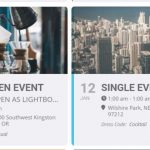
Buy and install the EventON plugin and I already have it on my website along with some events, however the final view from the page is the default one, I would like to have the view "POPUP OPEN EVENT" "Dress Code: Smart Casual" I still don't know how I can configure it
Thank you!
-
-
Jan 10,2021 AT 1:45PM -
Posted 5 years ago
- #214902
I want to configure one of these two views in my calendar
-
Jan 10,2021 AT 4:46PM -
Posted 5 years ago
- #214939
Hello,
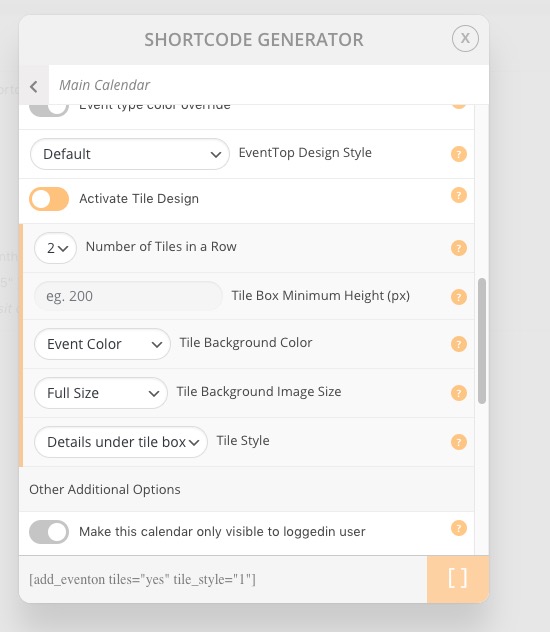
Please go to EventON > ShortCodes > [ ] GENERATE SHORTCODE > Main Calendar. Now open Display Design Options, enable Activate Tile Design and select Details under tile box: Tile Style
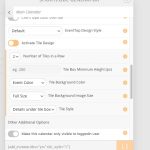
tile_style=”1″ is what you need to add to your shortcode.
In order to show Event Type in Event Top please follow
-
Jan 10,2021 AT 7:46PM -
Posted 5 years ago
- #214966
Thanks Artem for the prompt reply, I was finally able to configure the calendar to come out with the look I wanted, very happy with the plugin.
Just one more thing, how can I configure the “cocktail” view so that all the information will be in the new tab, just like the “cocktail” demo does, the theme of the view from the main calendar is prefect
-
Jan 10,2021 AT 7:51PM -
Posted 5 years ago
- #214968
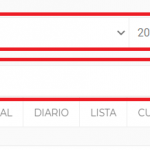
Is there an option to add these search options for past or future events by year or month?
(the image is an example)
-
Jan 11,2021 AT 12:58AM -
Posted 5 years ago
- #214993
Hi Juan,
Thanks for getting back to us.
You can enter the event details when editing a single event and this will display the info when the pop up is loaded:
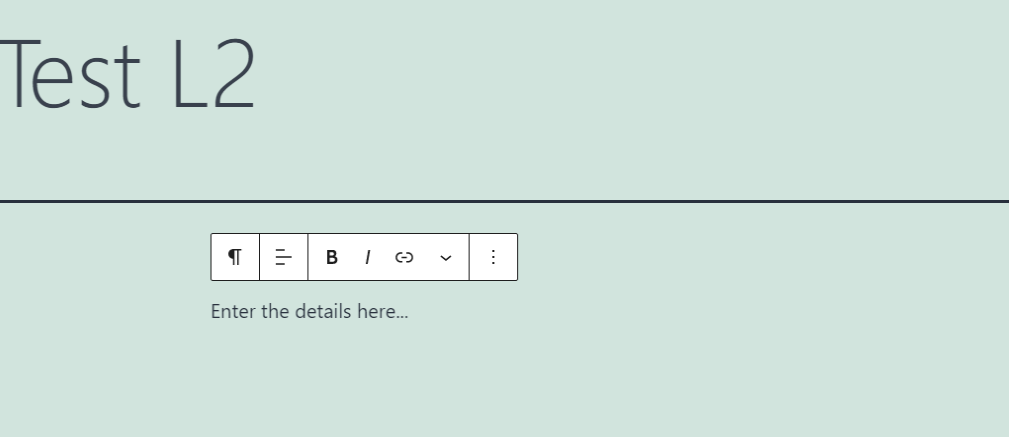
To answer the second question, you can enable “Sorting & Filtering Options” options on the calendar when generating the shortcode as shown below:

I hope this helps.
-
Jan 11,2021 AT 7:28AM -
Posted 5 years ago
- #215069
Hello! Regarding the first question, which is for the event to open in a new window, I could not configure it, maybe you can support me more on this.
-
Jan 11,2021 AT 7:29AM -
Posted 5 years ago
- #215070
Regarding the second question, which is so that I have the bar to search for the month and the year, it also does not come out and I already configure it as it appears in the image that I happened to, the result I want is like the one I put in the next photo
-
Jan 11,2021 AT 7:40AM -
Posted 5 years ago
- #215079
1. If you want to open all calendar events this way, please add this to the shortcode add ux_val=”4a”.
If you want to open only one event please go to Edit Event > User Interaction for event clic > select Open Event Page.
2. Please add this to the shortcode:
jumper=”yes” exp_jumper=”yes”
This shows jump months option.
Please also check this guide:
-
Jan 11,2021 AT 7:49AM -
Posted 5 years ago
- #215082
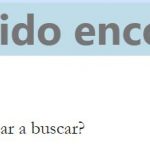
Thank you very much, I was finally able to configure both things and my calendar is much better, in the new window option when clicking on the event, it opens a new window for me as I want, but this one shows me “Wow! been able to find that page. “
this happens with all the events that I try to open in a new window.
-
Jan 11,2021 AT 7:50AM -
Posted 5 years ago
- #215084
this is the image, with the view of the event window
-
Jan 11,2021 AT 8:02AM -
Posted 5 years ago
- #215100
Please follow this guide:
-
Jan 11,2021 AT 11:01AM -
Posted 5 years ago
- #215126
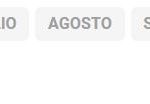
I just added some 2018 events, but they don’t appear in the years list
I would like to have at least from 2010 for the moment and if it is necessary to add more previous years, I will do it later
-
Jan 11,2021 AT 11:43AM -
Posted 5 years ago
- #215146
Hey Juan,
You can send us a customization job request by creating a new ticket in here and selecting Customization Request as the category.
-
Jan 11,2021 AT 12:18PM -
Posted 5 years ago
- #215175
I am creating the Personalization Request as a category, but I see that it has an additional cost.
🙁
-
Jan 11,2021 AT 12:20PM -
Posted 5 years ago
- #215177
Could you try adding this to your shortcode:
jumper_offset=”-10″ jumper_count=”15″
You can also try changing -10 and 15 to get different results.
-
Jan 11,2021 AT 12:25PM -
Posted 5 years ago
- #215180
I already added them but I don’t see any change in the calendar or the months
-
Jan 11,2021 AT 3:28PM -
Posted 5 years ago
- #215234
In order to show past events with Event Lists [add_eventon_list] please follow this video guide: https://www.youtube.com/watch?v=b0HtbBjTjL8&list=PLj0uAR9EylGrROSEOpT6WuL_ZkRgEIhLq&index=9&t=2s
-
Jan 11,2021 AT 4:05PM -
Posted 5 years ago
- #215238
Thanks I was able to put that list with selected events, now
Add to the Shortcode the section jumper offset = ”- 10 ″ jumper count =” 15 ″ to have more years passed in the main calendar but I still don’t get it.
This is the Shortcode of the main calendar for you to review and if you can correct it with the option to see more past years and only copy the corrected Shortcode with the option I am looking for:
[add_eventon exp_so=”yes” filter_show_set_only=”yes” cal_id=”1″ hide_past_by=”ss” show_et_ft_img=”yes” tiles=”yes” tile_bg=”1″ tile_style=”1″ hide_end_time=”yes” tile_count=”4″ add ux_val = ”4a” jumper = “yes” exp_jumper = “yes”]
-
Jan 12,2021 AT 12:18AM -
Posted 5 years ago
- #215314
Hi Juan,
Thanks for getting back to us.
The shortcode options shared by my colleague above will only be available for the
and not on the main calendar shortcode as you are using it now.
If you already have this addon installed, please select Event Lists Extended on the shortcode generator to be able to show past events.
I hope this info helps!
-
Jan 12,2021 AT 7:43AM -
Posted 5 years ago
- #215430
Ok, I understand, what I want to do is the same list that I have on this site http://betaconecionespacial.com/starlink but not to use the tag “starlink” to get those events but to use “FH” or “09” so that leave the events with these tags.
(the only solution I found, is to add each independent event, but it looks different and the month or the year or the search bar does not appear)

-
Jan 12,2021 AT 11:59AM -
Posted 5 years ago
- #215505
This is the Shortcode of the main calendar for you to review and if you can correct it with the option to see more past years and only copy the corrected Shortcode with the option I am looking for:
Please try this shortcode:
[add_eventon exp_so=”yes” filter_show_set_only=”yes” cal_id=”cal1″ show_et_ft_img=”yes” tiles=”yes” tile_bg=”1″ tile_style=”1″ hide_end_time=”yes” tile_count=”4″ add ux_val = ”4a” jumper = “yes” exp_jumper = “yes” jumper_offset=”-10″ jumper_count=”15″]
Except please make sure that quotes are correct: “”.
I am following the rules given above to add a tagged event list to put the list of events with the ones that have the tag,
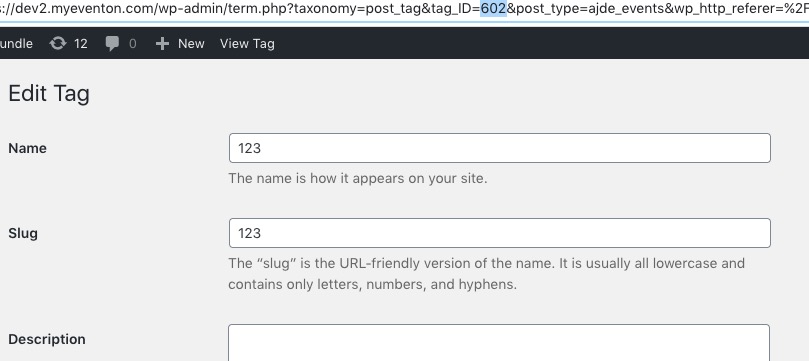
Instead of tag itself please use it’s id:
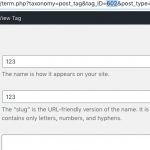
It seems that better use Event Type for this.
Ok, I understand, what I want to do is the same list that I have on this site
I think it’s better to use Event Type for this. Please check
and
-
Jan 12,2021 AT 3:59PM -
Posted 5 years ago
- #215598
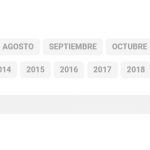
Is there any way to configure the calendar, so that when I search for events by their names, I get all the events with that name regardless of the year or month that is selected?
When I search for an event, I only search in the month and year that are selected but the rest of other years that are not selected do not appear
-
Jan 12,2021 AT 4:08PM -
Posted 5 years ago
- #215603
Please use Search Box shortcode for this:
[add_eventon_search search_all=”yes”]
-
Jan 14,2021 AT 1:56PM -
Posted 5 years ago
- #216144
Hello, just yesterday and today all my events started to be marked as completed automatically and a horizontal line appears in the middle of the name, is there any way that the events are not marked with this option so that the name looks good?
-
Jan 14,2021 AT 2:02PM -
Posted 5 years ago
- #216145
Just this morning I had to deactivate this option for the January events that have already passed and now the “Event completed” option is activated again
-
Jan 14,2021 AT 2:13PM -
Posted 5 years ago
- #216147
It seems that I already found what it was, this option is activated
-
Jan 14,2021 AT 3:01PM -
Posted 5 years ago
- #216156
Hello,
It seems that “EventON Settings > Set all past events as completed” was activated, correct? Have you already found a solution?
-
Jan 14,2021 AT 4:03PM -
Posted 5 years ago
- #216189
I already deactivate the option by default and in all the past events that it had, just wait a few hours and see if it continues as it should.
-
Jan 14,2021 AT 5:00PM -
Posted 5 years ago
- #216193
The only thing that I still cannot, is to make the lists with events that have marked labels, it only served me once and with the rest of the labels it does not work for me, I have already been trying different shortcodes and none works for me, I get the events that I have programmed, but not past and tagged.
-
Jan 15,2021 AT 3:37AM -
Posted 5 years ago
- #216254
From this message Reply to: 215273
If you want to show events from 2007 you need to add much more than “-15” month. It seems that you need to add more than 168 months.
Please also send us wp-admin access to your site as a private message for us to further assist your situation.
-
Jan 15,2021 AT 8:52AM -
Posted 5 years ago
- #216337
Thanks I already tried it like this in three event lists and it worked as expected.
-
Jan 15,2021 AT 11:33AM -
Posted 5 years ago
- #216354
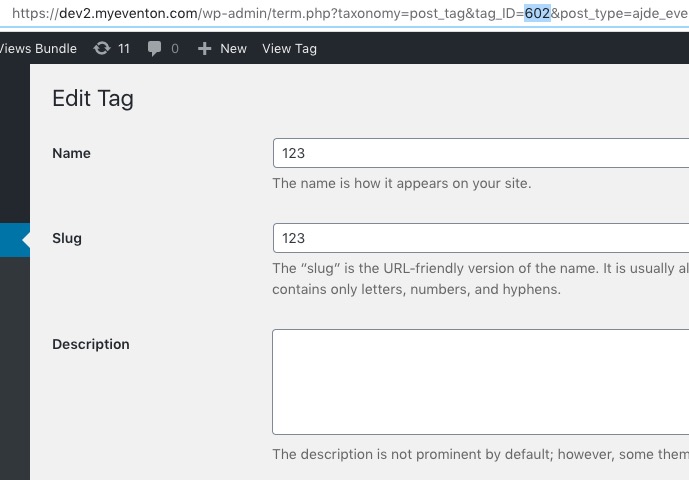
About your tags issue. Please use Tag ID and not it’s name. You can find their ids by going to wp-admin > Evens > Tags > Edit:
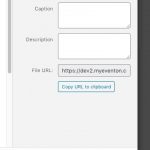
Please check and let me know.
-
Jan 15,2021 AT 11:34AM -
Posted 5 years ago
- #216356
I am sorry for the wrong screenshot. Please check this one:
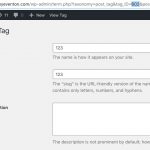
-
Jan 15,2021 AT 6:58PM -
Posted 5 years ago
- #216411
Thanks you can now configure the event lists you wanted and they work perfectly
-
Jan 16,2021 AT 3:31AM -
Posted 5 years ago
- #216433
We are glad your issue is resolved, if you have any further questions or concerns please create a new ticket.
If you have a moment, we would greatly appreciate if you could kindly leave us a review at codecanyon! from your account > downloads. Cheers!
-
Jan 10,2021 AT 1:45PM -
Posted 5 years ago
- #214902