Image display issue for an event venue
Hi,
I am experiencing a display issue on an event page: the venue image is not showing in full size — only the thumbnail appears — and the hover information is being cut off.
Affected page: https://www.9lives-magazine.com/events/le-voyage-en-egypte/
For reference, everything works correctly on this page: https://www.9lives-magazine.com/events/alessandro-calvi-metamorphosis/
Thank you for your help.
-
-
Jul 2,2026 AT 12:33PM -
Posted 1 month ago
- #409513
Hello,
Could you try updating EventON to 5.0.11?
To update eventon to latest version: (If auto update works, please try that from with your website plugins page)
1. If you purchased eventON from codecanyon > Go to
and verify your purchase to get a free copy of eventON latest version and move your purchase over to myeventon.com.
2. If you already purchased eventON from myeventon.com go toand get the latest version copy.
Once you have the latest version zip file. Then you can go to your website > make sure ”Delete eventon settings & data when EventON is uninstalled” is De-slected from eventon settings, delete old eventon, install new one and activate.
will further explain the process it. Follow us on X to get real-time announcements on updates!
-
Jul 3,2026 AT 2:29AM -
Posted 1 month ago
- #409542
Hello Artem
The latest version is now online, but the display issue persists.
Also, the Event Wishlist – Single Site plugin is no longer working. -
Jul 3,2026 AT 2:35AM -
Posted 1 month ago
- #409543
11:34I edited a text layout and it fixed the issue!
However, the Event Wishlist – Single Site plugin is still not working. -
Jul 3,2026 AT 7:48AM -
Posted 1 month ago
- #409549
Thank you for your messages!
I am going to escalate this ticket to development to help in here. Please allow us some time to address this, and we truly appreciate your patience. Thank you for being a valued EventON customer!
-
Jul 3,2026 AT 8:27AM -
Posted 1 month ago
- #409562
please update to the latest version of wishlist addon 1.2.2 this will fix the issue of wishlist not showing in eventtop.
-
Aug 4,2026 AT 1:26AM -
Posted 2 weeks ago
- #410400
Dear Artem,
I did update the Wishlist Addon 1.2.2 plugin, but unfortunately it’s not working. -
Aug 4,2026 AT 1:33PM -
Posted 2 weeks ago
- #410430
I went to EventON > Single Events > enabled ”Enable wishlist on single event page”. So now the wishlist is working.
Please check and let me know.
-
Aug 5,2026 AT 7:15AM -
Posted 1 week ago
- #410456
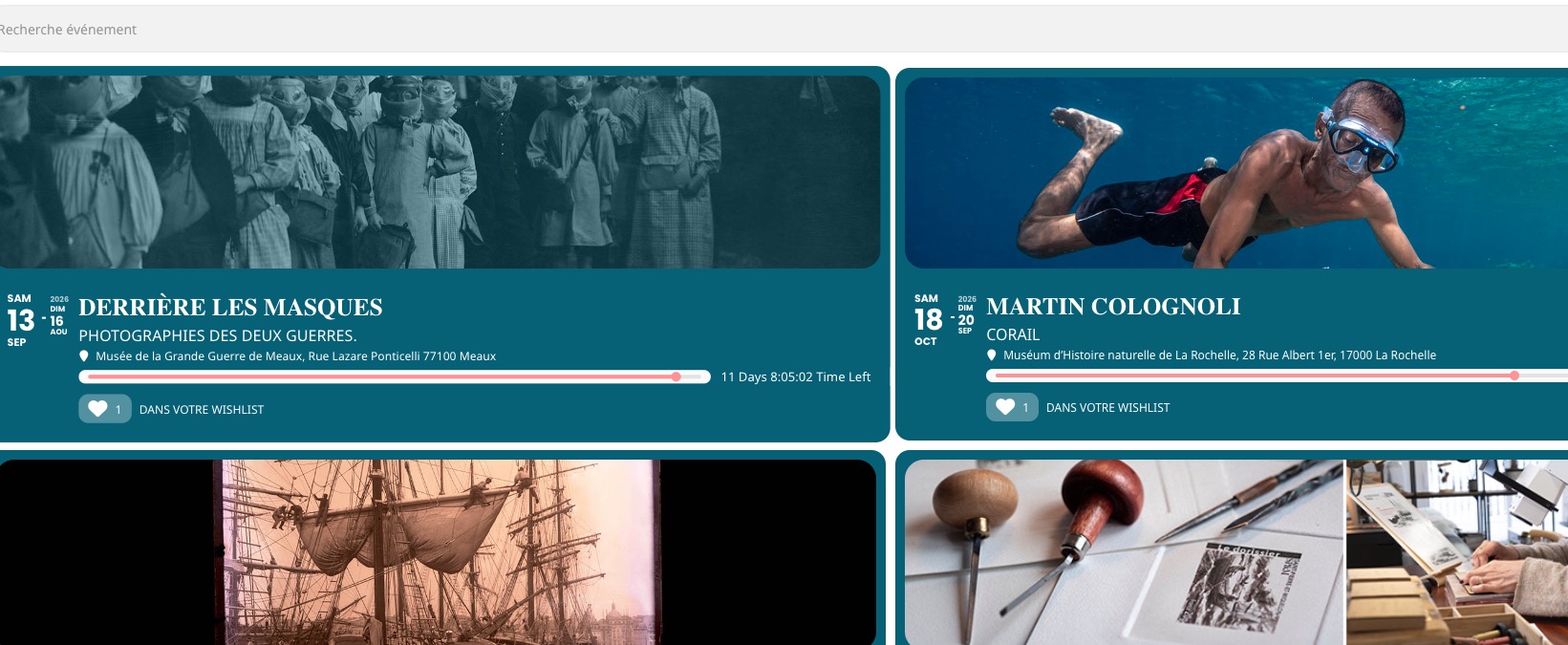
Thank you. I don’t know why the option was unchecked. However, it still isn’t working. Here’s the link to view it. When I click on the ❤️, nothing happens.
You can try here : https://www.9lives-magazine.com/agenda/
and I made a video that you can watch here
https://www.swisstransfer.com/d/2fbbd082-28e0-4049-8ed4-bdba067f84da
-
Aug 5,2026 AT 1:56PM -
Posted 1 week ago
- #410463
Is it working here?
https://www.9lives-magazine.com/test/

Could you please try the instructions mentioned in this
?
Are you sure that the issue isn’t coming from WPBakery Page Builder?
-
Aug 6,2026 AT 1:53AM -
Posted 1 week ago
- #410482
Yes, it’s working now. Did you change something about the appearance? The background is dark now and the dates aren’t readable.
-
Aug 6,2026 AT 2:00AM -
Posted 1 week ago
- #410483
In the meantime, I had to add some CSS to the code to make the dates display in white. It seems like the changes I make in Appearance aren’t working…
-
Aug 6,2026 AT 4:07PM -
Posted 1 week ago
- #410525
I just put the shortcode on a regular page without WPBakery elements.
In the meantime,…
Please try EventON > Scripts & Styling > turn off Write dynamic styles to header > save settings > turn on Write dynamic styles to header.
-
Jul 2,2026 AT 12:33PM -
Posted 1 month ago
- #409513