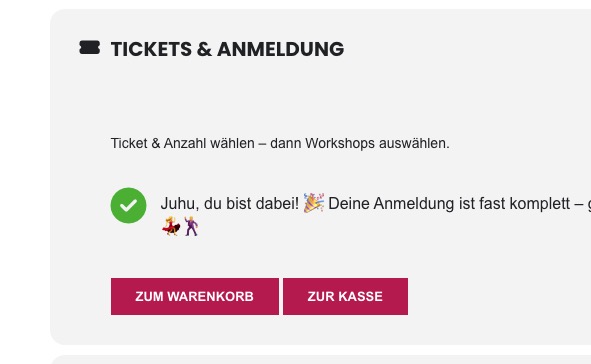
The 'added to cart message' and cart action buttons are not shown anymore after submitting tickets
EventON 5.0.9
EventON - Event Tickets 2.4.5
EventON - Ticket Variations & Options 1.1.16
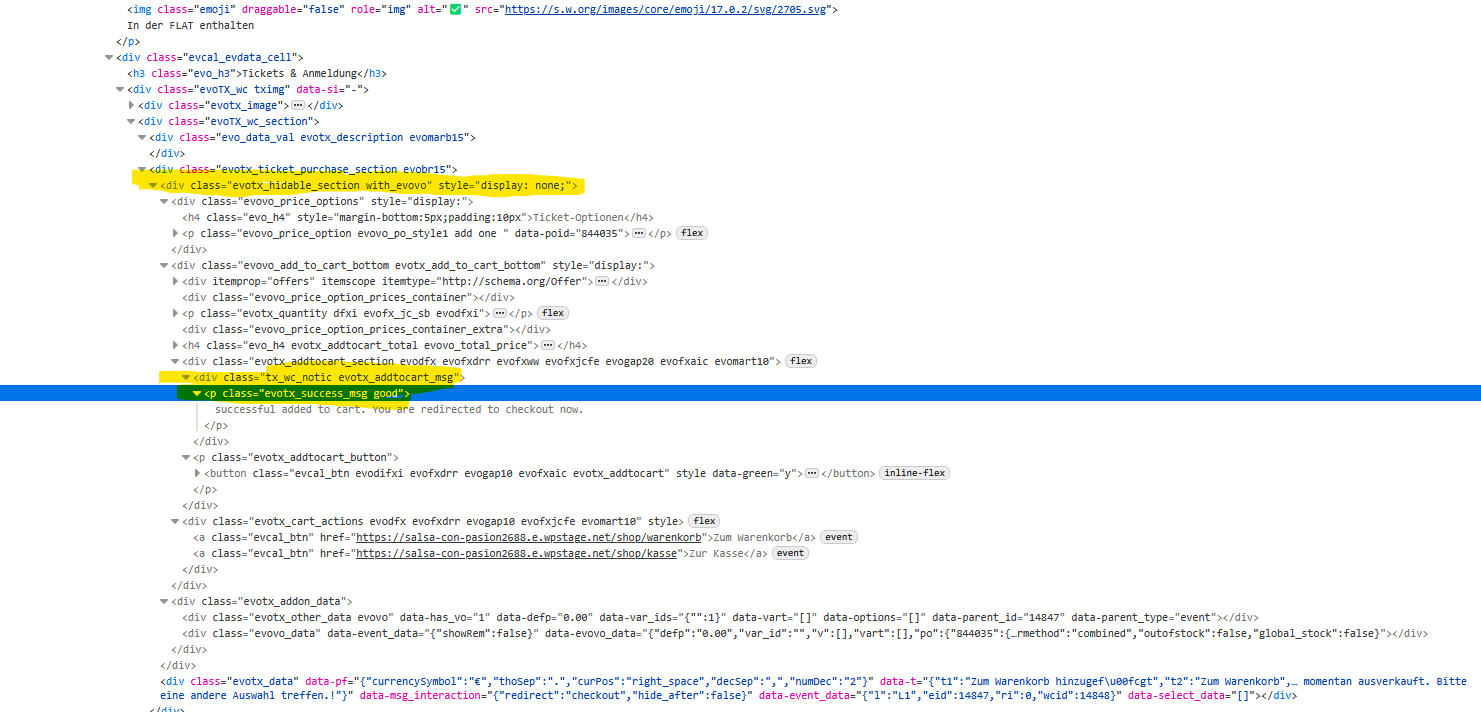
Starting with EventON v5.0 after submitting tickets in an event thee ticket section is hidden as before, but the message that the tickets were added to the cart and the buttons 'cart' and 'checkout' are not displayed anymore.
It looks like that the concerning containers with class tx_wc_notic evotx_addtocart_msg and evotx_cart_actions are placed inside the container with class evotx_hidable_section with_evovo which is hidden when submitting tickets. And so are the containers with the message and buttons.
Would you please correct this to work as before please?
Best regards.
- Apr 21,2026 AT 1:27PM - 1 month ago-
-
Apr 22,2026 AT 12:28AM -
Posted 1 month ago
- #406928
Hello,
The latest version of Tickets is 2.5.4. Could you update and check if the issue continues?
To update eventon addons: You can download latest eventon addons from
. Then you can go to your website, deactivate old addon and install new one and activate then delete the old addon.
will further explain the process. Also you can follow us on twitter to get real-time announcements on updates!
-
Apr 24,2026 AT 4:44AM -
Posted 1 month ago
- #407025
Thanks for your reply. I downloaded and installed the most recent versions.
Still the result is the same. Please see screenshot attached.
The div container with the message ”added to cart” <div class=”tx_wc_notic evotx_addtocart_msg”>
is located INSIDE the div container <div class=”evotx_hidable_section with_evovo” style=”display: none;”><div class=”evovo_price_options” style=”display:”>
which is hidden after submitting a ticket order, and so is the message div container.I hope this helps.
-
Apr 24,2026 AT 10:20AM -
Posted 1 month ago
- #407040
On my side it shows the buttons:

Could you please try the instructions mentioned in this
to make sure your issue is indeed coming from eventon.
-
Apr 22,2026 AT 12:28AM -
Posted 1 month ago
- #406928