So I resolved the initial problem by using perfmatters and blocking plugin from loading on any pages but where I use the calendar and the events itself.
Replies for tickets on suppota
So I resolved the initial problem by using perfmatters and blocking plugin from loading on any pages but where I use the calendar and the events itself.
Hi Basilis, any news on my project?
thanks
omar
Hi Ashish, how are you?
Perhaps because in September there are more Events than in August, now when the calendar is loading, in addition to showing the Title of the current Month for a few seconds, it also shows for a moment the Events of the Current Month.
That doesn’t look good for website visitors, and you’re also doubling the load time, loading events for the current month first, then future events.
Could you make the calendar load only future events at the beginning?
Please keep in touch, I´m running out of time to have the site ready.
Thanks!
Alvaro
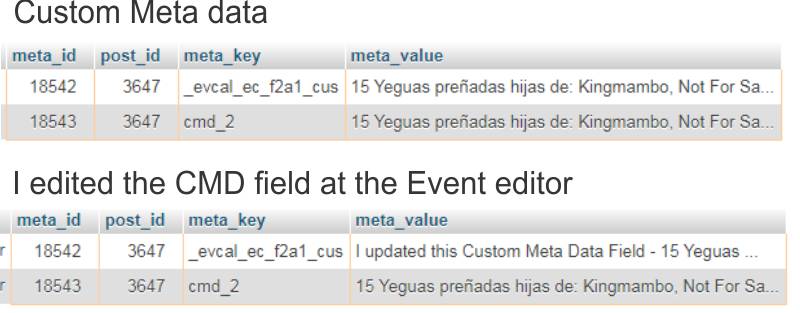
Hello Artem!,
Here is a link to download the csv of the 2019 events, I have events since 2010 to import.
https://zambrano.com.uy/2020/Importacion_2019.zip
Yes I did use a number at cmd_ fields, I just wrote X as a number variable for the explanation.
I attach a Database printscreen
Thanks for your time!
Alvaro
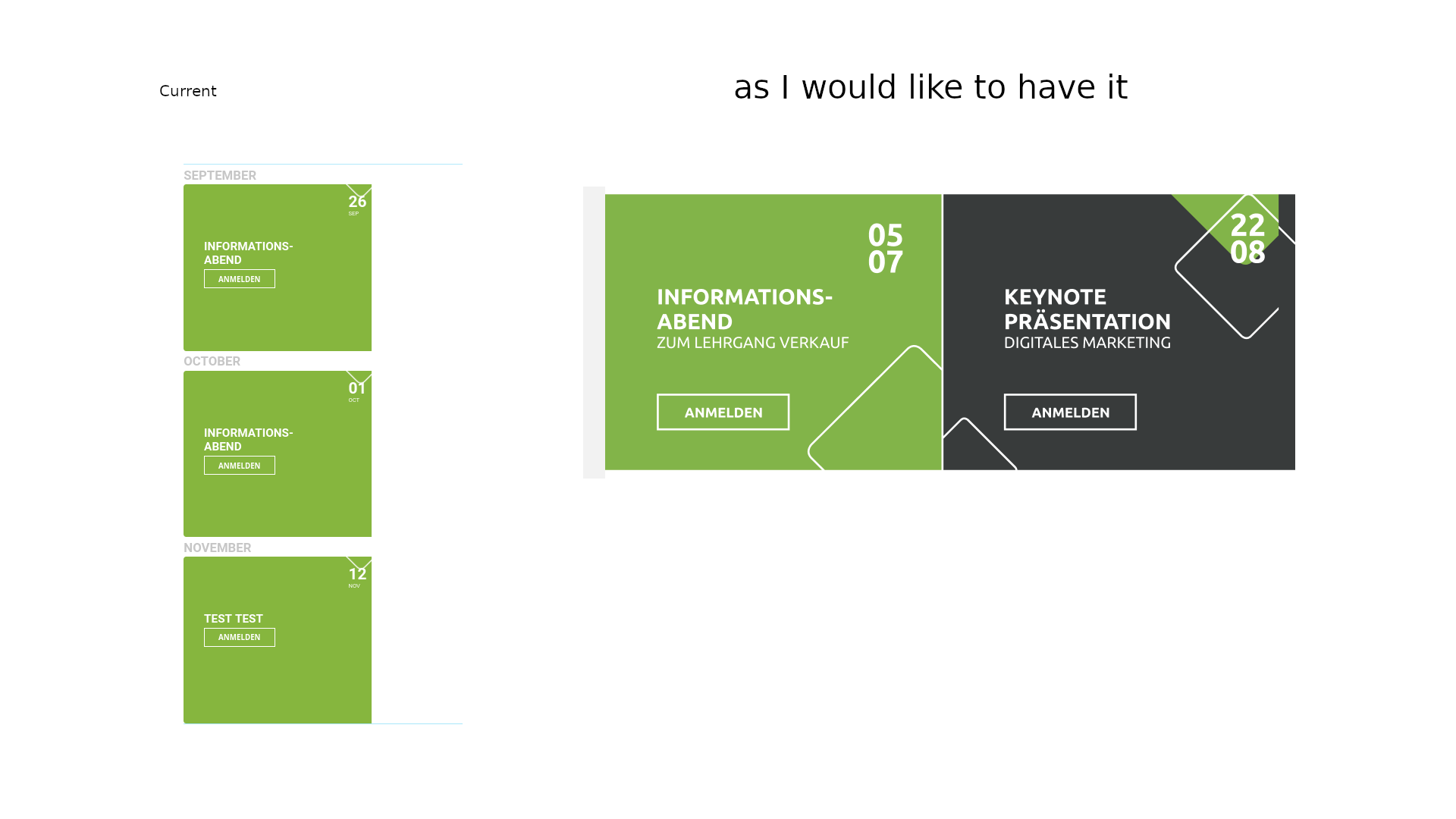

It’s teeny tiny … but that’s OK!
Thanks mate!
Got it! The width: 20% code wouldn’t overwrite the main code (even with !important) from inside the plugin styles. So I put that code in the styles section of the theme and it did overwrite it. Great! Thank you!
Now can I figure out how to get the Virtual Label to show up?