Hi Artem,
Much appreciated. We look forward to Ashan’s response. The website is now live, here is the current login:
siteadmin
Zeal!hWP
Replies for tickets on suppota
Hi Artem,
Much appreciated. We look forward to Ashan’s response. The website is now live, here is the current login:
siteadmin
Zeal!hWP
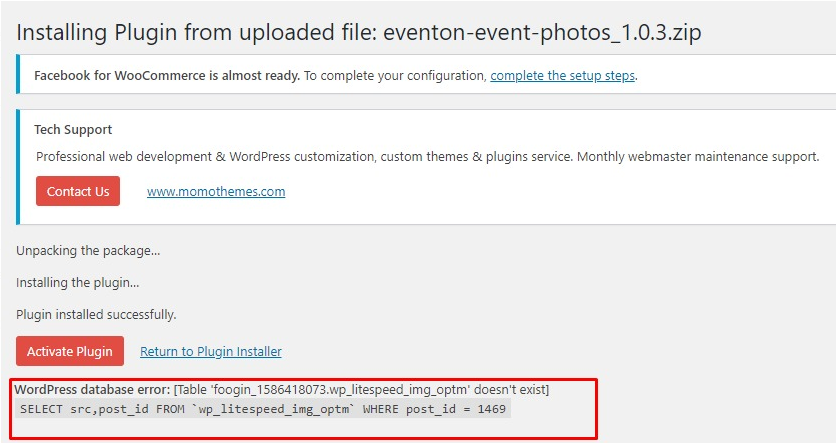
Just tried installing the event photos plugin again and noticed the following error message. Does it tell you anything?
My IT team will look into this and test based on the link you sent. However, this was all working until we have updated the main eventon plugin about a week ago. Any other ideas on what else I can look at while my team is looking at wordpress bugs ?
Hi Ezry,
Should be yes, can you share your access details please and the web site URL?
No we do not have a clone. Our understanding was you paid for it on one site only. How would we set up a clone?
You can sign up for it on our site and see how it is doing it.
eventon
%U(c9yBfVCH8j1V@6WuN97MH
https://staging-findopendays.temp927.kinsta.cloud/
When wordpress has been updated, there were no problem with the autocomplete functions.
After that, when the eventOn plugins have been updated, the problem appaired.
I have removed the function “auto_update_orders_status_from_processing_to_completed()” in functions.php (in OTGL theme) and the problem has gone.
So I think that there is a conflict between the autocomplete functions and one eventOn plugin…
Could you see with the developpers at EventOn why the functions used make the error with their plugin) :
“status was called incorrectly. Order properties should not be accessed directly”.
Here are the functions added to functions.php by EventOn :
/**
* Auto Complete all WooCommerce orders.
*/
add_filter(‘woocommerce_payment_complete_order_status’, ‘cg_update_order_status’, 10, 2);
function cg_update_order_status($order_status, $order_id)
{
$order = new WC_Order($order_id);
if (‘processing’ == $order_status && (‘on-hold’ == $order->status || ‘pending’ == $order->status || ‘failed’ == $order->status))
{
return ‘completed’;
}
return $order_status;
}
/**
* Auto Complete all WooCommerce orders with a loop into orders page
*/
function auto_update_orders_status_from_processing_to_completed()
{
// Get all current “processing” customer orders
$processing_orders = wc_get_orders($args = array(
‘limit’ => – 1,
‘post_status’ => ‘wc-processing’,
));
if (!empty($processing_orders)) foreach ($processing_orders as $order) $order->update_status(‘completed’);
}
add_action(‘init’, ‘auto_update_orders_status_from_processing_to_completed’);
/**
* Auto Complete all WooCommerce orders who are Virtual
*/
function ts_auto_complete_virtual($order_id)
{
if (!$order_id)
{
return;
}
global $product;
$order = wc_get_order($order_id);
if ($order->data[‘status’] == ‘processing’)
{
$virtual_order = null;
if (count($order->get_items()) > 0)
{
foreach ($order->get_items() as $item)
{
if (‘line_item’ == $item[‘type’])
{
$_product = $order->get_product_from_item($item);
if (!$_product->is_virtual())
{
// once we find one non-virtual product, break out of the loop
$virtual_order = false;
break;
}
else
{
$virtual_order = true;
}
}
}
}
// if all are virtual products, mark as completed
if ($virtual_order)
{
$order->update_status(‘completed’);
}
}
}
add_action(‘woocommerce_order_status_changed’, ‘ts_auto_complete_virtual’);
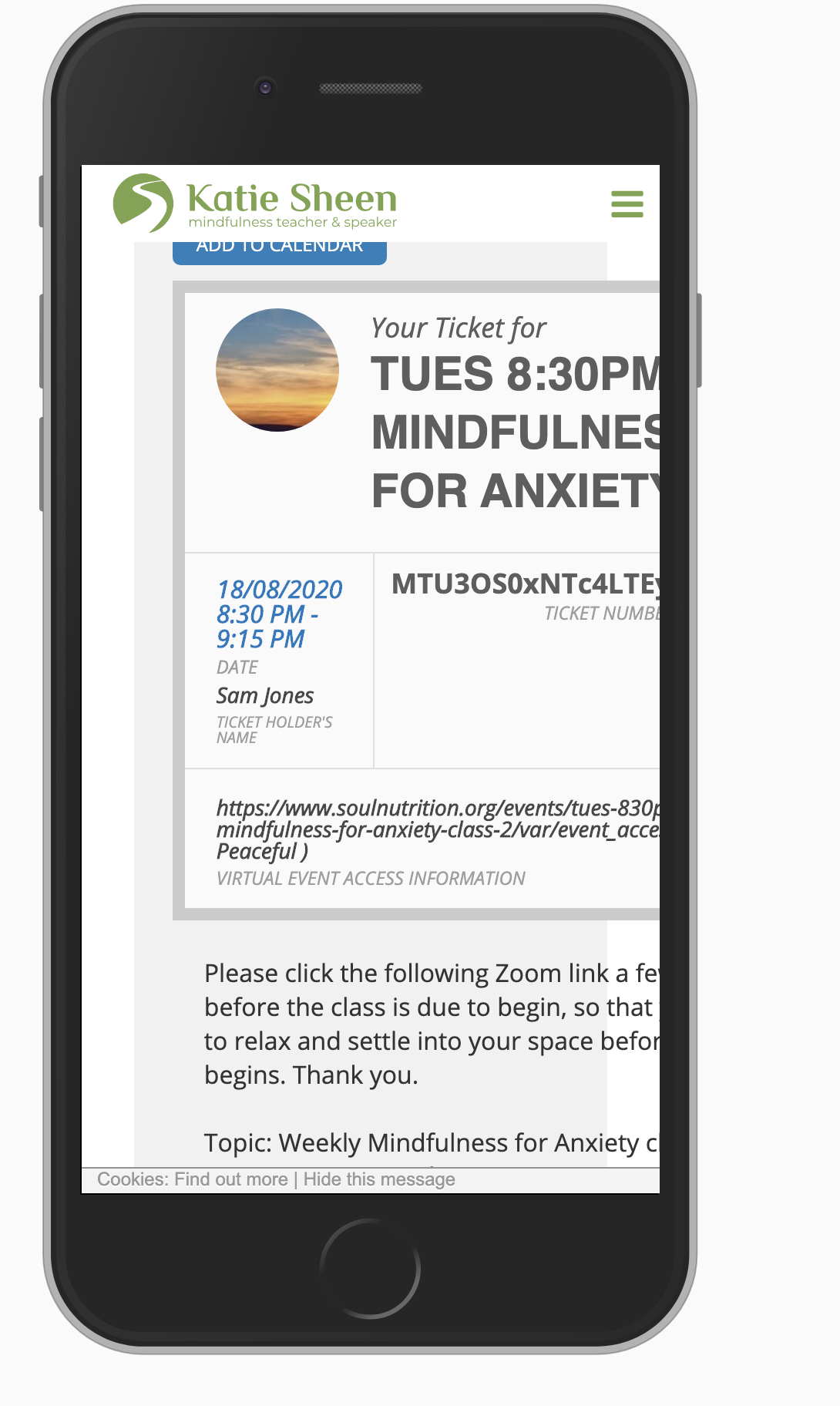
Ok, can you please explain why the tickets display like this then?? (screenshot attached)
Why is the ticket not acting responsive? What needs to be done to make it work correctly?
Thanks
Awesome! Thanks
What does that even mean to modify the importer?
I state the timezone on the event as PDT, but then when my customers get the ticket and import the ICS the timezone is ignored.
The ICS file Eventon generates is missing the VTIMEZONE block.