That worked, thank you!
Archives: Replies
Replies for tickets on suppota
Reply to: tickets(191394)
I see now that the event type needed to be added to the shortcode, thank you. This is fixed.
Reply to: tickets(191424)
Hello,
Thank you for your great suggestion, at the moment it is not supported. However please create a new ticket and select Feature Request as category so others can vote on your idea and get it moved into development faster. OR You can send us a customization job request by creating a new ticket in here and selecting Customization Request as the category.
Please also check Event Lists: Ext add-on: https://www.myeventon.com/addons/event-lists-extended/. You can show events from multiple months in one list. Try on http://dev.myeventon.com/wp-admin/.
Reply to: tickets(191255)
I did finally get the “set event image” to work late last night.
Reply to: tickets(191255)
More than likely they are a result of other plug ins, and since I’m not a programmer, I doubt I could fix them. However, you believe that the actual saving of dates is related to this, the fact it reverts to 1970/01/01 when I update, yet if I edit under quick edit, the date changes stay (and it’s only the dates that don’t save everything else does.
If I need to modify javascript to get it to work, I’ll find a different calendar.
Reply to: tickets(191419)
Hello,
Could you make sure that you are using CSV Importer 1.1.8 since we fixed this exact issue:
https://docs.myeventon.com/documentations/changelog-csv-importer/
Please also send us .csv file you are trying to import.
Reply to: tickets(191410)
Hello,
…does not automatically switch to sold out in the backend allowing customers to place a back order.
Could you elaborate more? I am not sure how they can place an order if it says “Sold Out”:
Reply to: tickets(191016)
I paid you: Transaction no 1NC47586JY640890N
Admin wp
https://dentysta.eu/wp-admin
admin/BardzoTajne@!@
Patch to theme css: /domains/dentysta.eu/public_html/wp-content/themes/dentysta/css/main.css
Do you need also ftp?
My problem:
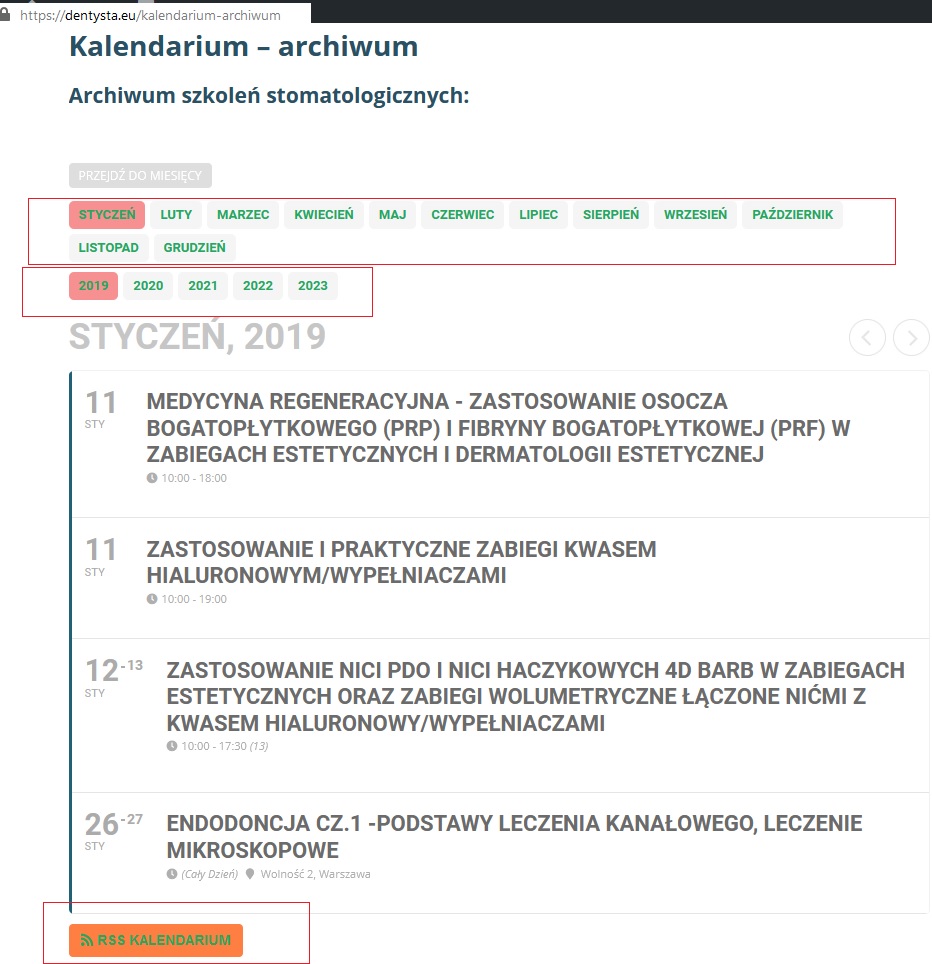
First problem with css in eventon I have green links in month names and years because of this in css:
#site a:link:not(.jrAddListing)
{
color: #25a75f;
}
Here is my calendar with problem in header: https://dentysta.eu/kalendarium-archiwum
Attachment: scr1.jpg (https://imgur.com/udv0Csi) and https://imgur.com/9lNish2
I need something like that: good.jpg (https://imgur.com/9sLygn2)
Second problem:
If you know WP – you can help me in /tag/ problem.
I want pay extra money for quick help.
1. example:
https://dentysta.eu/tag/strylizacja
https://dentysta.eu/tag/zgorzel-zeba
https://dentysta.eu/tag/uslugi-stomatologiczne
a) problem with tag theme – need to fix it could you help me with this by additional pay?
I think there is something wrong with: /home/dentysta/domains/dentysta.eu/public_html/wp-content/themes/dentysta/tag.php file.
Also google can’t index it scr3.jpg (https://imgur.com/Q9XjXiW)
Any help?
Look at this ugly https://dentysta.eu/tag/zgorzel-zeba site :/ (Scr: https://imgur.com/undefined)
I will pay you more if you will help me because I don’t have time to find some good people who know how to fix it.
Reply to: tickets(191394)
Please check your shortcode:
[add_eventon ux_val=”3″ event_type=”1569,1362,1363,1364,1365,1366,” event_type_2=”not-1388,1390,1394,1396,” event_type_3=”1399,1400,1401,1402,1403,1404,1405,1406,1407,” etc_override=”yes” tiles=”yes” tile_count=”3″ tile_height=”350″ tile_bg=”1″ tile_style=”1″ filter_show_set_only=”yes”]
As you can see you’ve added quite a lot of event types
…event_type=”1569,1362,1363,1364,1365,1366,” event_type_2=”not-1388,1390,1394,1396,” event_type_3=”1399,1400,1401,1402,1403,1404,1405,1406,1407,”…
that can intersect with each other.
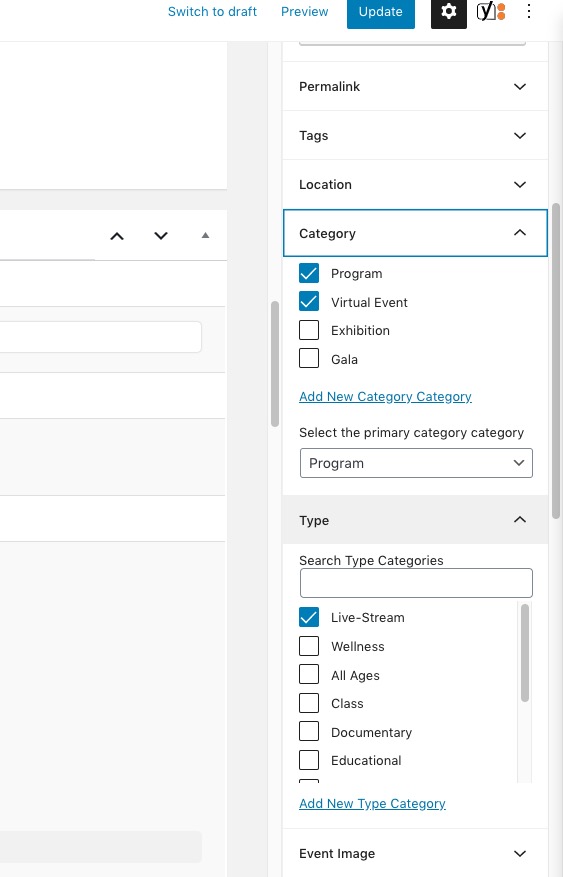
Please go to https://latinxartsalliance.org/wp-admin/post.php?post=9810&action=edit and make sure that this event can pass filters you’ve added and can be visible on the calendar:
Reply to: tickets(191163)
This code is not added to custom css – it is added in the custom styles area of EventOn. It works, however, the styles in “fullcal” do not regardless of how I set them.