Everything seems to be working, no?

Replies for tickets on suppota
Everything seems to be working, no?
Please use Single Event shortcode:
[add_single_eventon id=”22714″]
where 22714 is Event ID.
Please check now.
Still awaiting instructions on the custom fields you created. Please include them in this reply chain. I have not received any email with any instructions yet. Urgent!
Hello,
Please go to EventON > disable Load eventON scripts and styles only on eventON pages. Clean your cache and let us know.
I cannot find the code in functions.php: https://www.bookastall.com/wp-admin/theme-editor.php?file=functions.php&theme=directory-starter
Where can I find it?
Also it seems that it’s available in Form Fields:
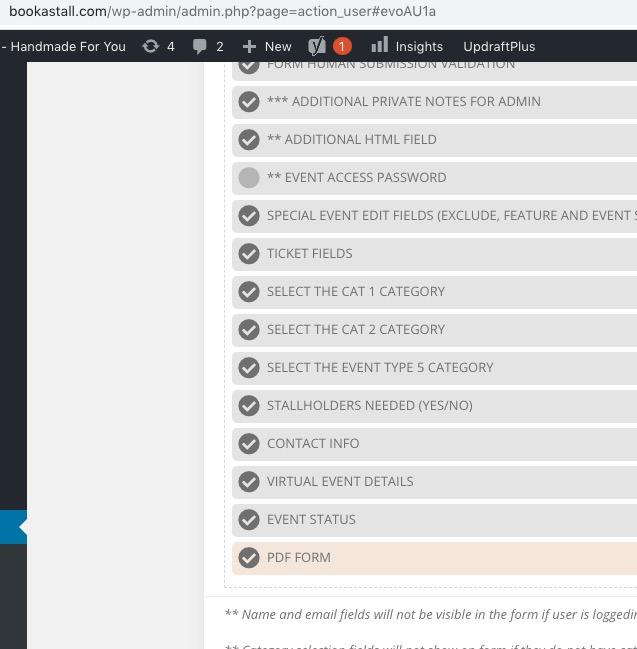
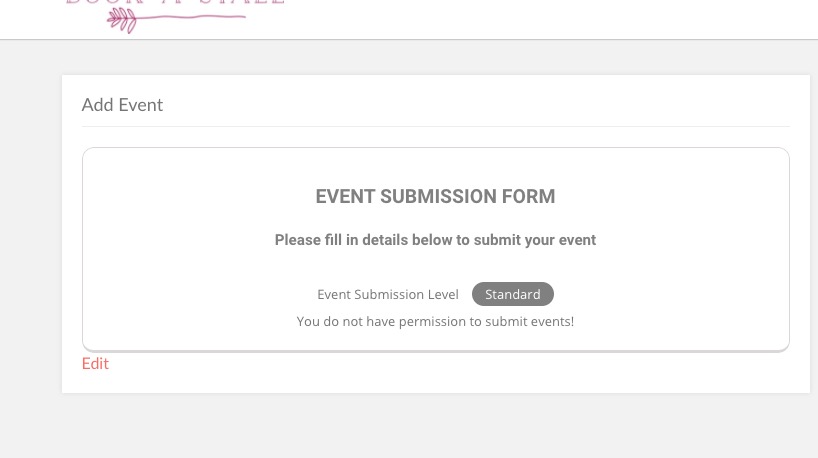
However, I cannot submit events to check this:
Hi, Yes it has been added, please see screenshot http://snpy.in/MXuhjK
It has become very urgent now so I would appreciate a quick response.
Thanks
Hey Artem,
I got the way of make it works but I don need using variation I just need using simple tickets and that still does not work.
Is there any way to do it?
Thanks.
the other speakers are still not correct.
Hi,
Thats what I’ve done, but it re-creates the whole page structure within my layout, I already have sidebars etc created. Is there not a way of just placing the code… <?php do_action(‘eventon_single_content’); ?> or a shortcode within a code block to generae the event card so it fits within my template design?
Tony