to clarify you repeat tickets set up in the backend please see video below
to confirm your set up-
Archives: Replies
Replies for tickets on suppota
Reply to: tickets(384932)
Hello,
We are very sorry for the delay.
Since you are using the latest version of Variations add-on, could you go to Edit Event > Variations > Configure > enable “Do not add main ticket to cart with variations”: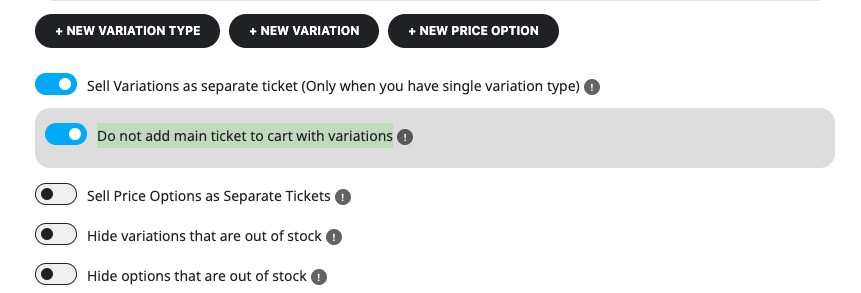
Reply to: tickets(385429)
Hello,
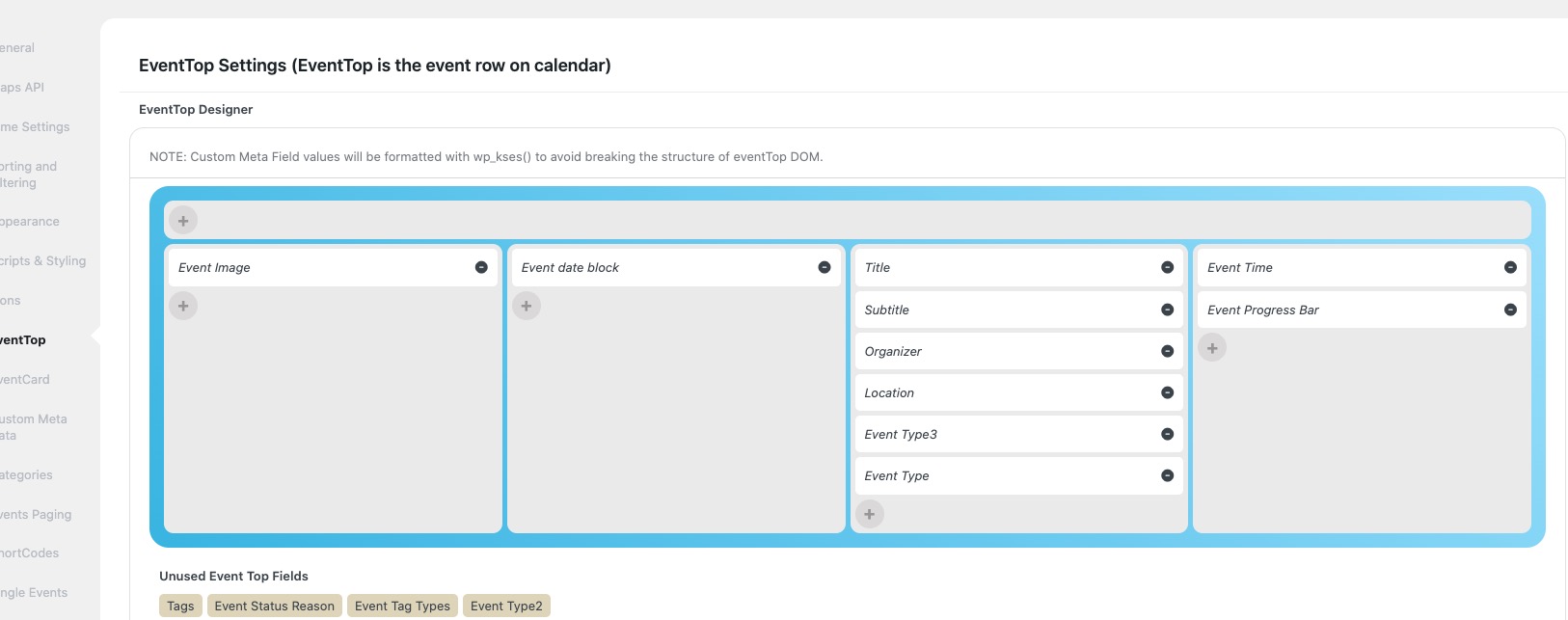
Could you go to EventON > EventTop > move Event Time and Event Progress Bar to the third column from the fourth one:
Reply to: tickets(385091)
Hello,
Thank you for your response.
I understand that the feature for mutually exclusive variations for a shared resource isn’t currently supported. I’ll go ahead and submit a Feature Request as suggested.
In the meantime, I’m also running into a separate issue related to variation stock quantity. Specifically, the stock quantity appears to function correctly when only one variation is enabled. In that case, the system enforces the limit and prevents users from selecting more tickets than are available.
However, when I add multiple variations for the same time slot, the stock quantities I set under:
Booking Block Manager → Edit Time Slot → Edit Variation → Ticket Variation Stock Quantity
do not seem to be enforced on the front end. Users are able to exceed the specified limits for each variation and even book more than one variation at a time, despite individual stock caps being set.
It seems like the front-end logic isn’t pulling from the variation-level stock values correctly when multiple variations are active.
Could you please confirm if this is a known issue, or if there is a recommended workaround for getting variation stock limits to work as expected across multiple variations within the same time slot?
Thanks again for your help and for all the work your team is doing!
Here are the screenshot for your reference:
Example of the input stock quantity for multiple variations (backend)
Example of the stock quantity exceeding the stock input for multiple variations (frontend)
Reply to: tickets(385429)
Reply to: tickets(384932)
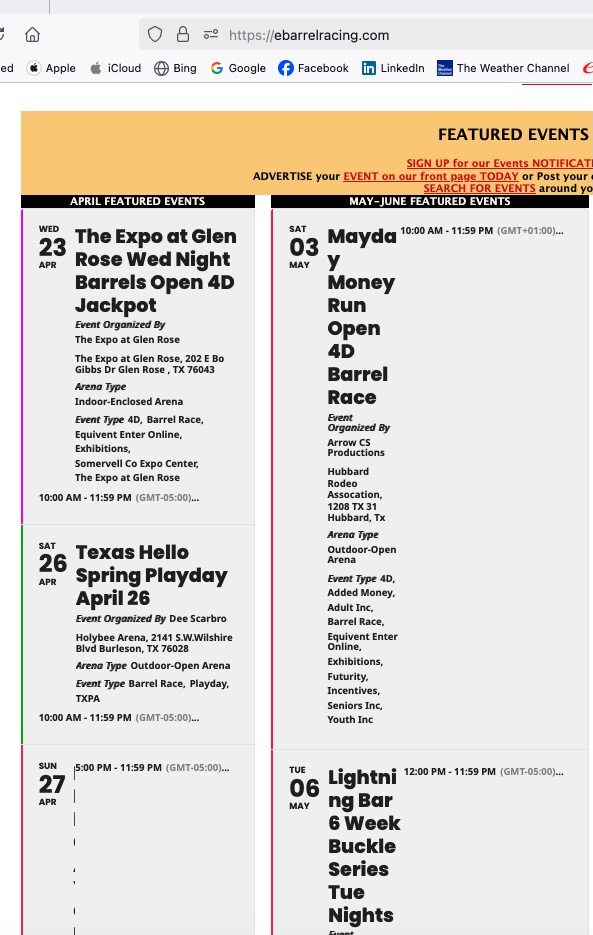
Hi – hoping to get an update on this ticket, as our client is unable to sell tickets to their venue through their site with the extra item being automatically added to cart. Can we get a timeline for addressing this so I can update our client?
Reply to: tickets(383947)
Yes, the problem is still there.
Reply to: tickets(384044)
I’m referring to the functionality of your RSS addon.
I’m referring to how it’s supposed to work.
I created this area on the page that you screenshotted as a workaround for the user until you guys fix this.
Please let me know what is so hard to understand about the request.
Your RSS does not work on Google Calendar, the biggest email/calendar in the world.
Can you fix it?
Reply to: tickets(372904)
Hello,
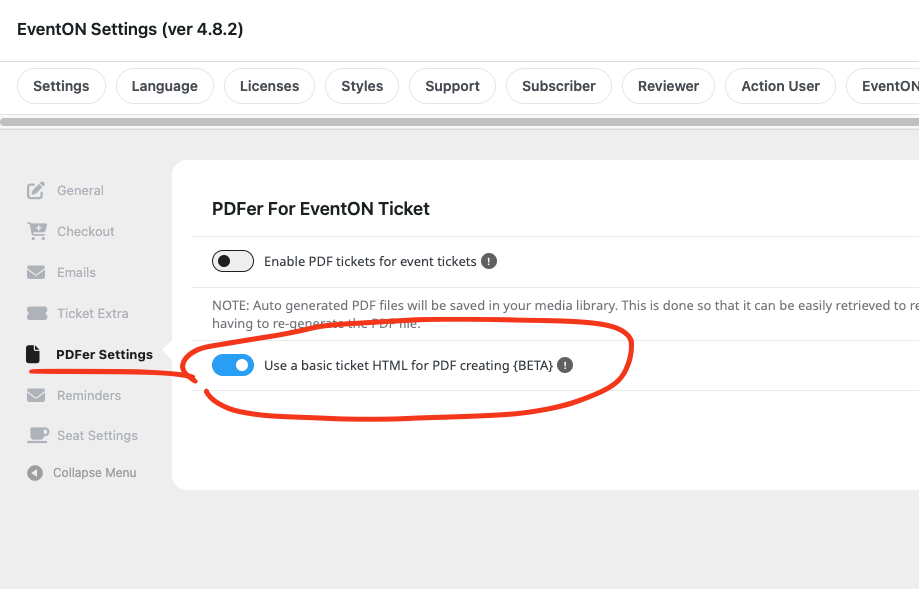
We launched a new ticket event, and unfortunately your solution doesn’t work. When I do the parametrisation like you suggest here below, I do not get a PDF ticket attached. Only a HTML E-Mail what is not the purpose of the PDFer addon….
When activating both sliders, I get PDF document with the ticket E-Mail, but not usable. (See attachment)
HOW CAN WE SOLVE THIS ? CUSTOMERS ARE NOT HAPPY WITH THIS….
Reply to: tickets(385145)
Thank you this worked. However I do not understand how an Upgrade can change what worked good before !