Kindly update to the latest version of weeklyview addon v2.1.7 — and make sure to clear cache. that will fix the events content not loading correctly.
https://docs.myeventon.com/documentations/changelog-weeklyview/
Replies for tickets on suppota
Kindly update to the latest version of weeklyview addon v2.1.7 — and make sure to clear cache. that will fix the events content not loading correctly.
https://docs.myeventon.com/documentations/changelog-weeklyview/
Hi,
Thank you for the quick response! Can you clarify where we should be using the styles that you listed? Should we be adding them to our style.css as well?
The issue is that we have changed the RSVP styles and have enabled write dynamic styles to header, and we are not seeing the selected colors on the front end. We have also tried adding the styles to additional CSS and our theme style.css.
I would like to modify the template to deliver this info. I just need to know where it’s located and what the script should look like. See attached

I am sorry, the access information you have provided did not work for us. Please check them and post the correct login information as a private message, thank you!
Please check this guide:
https://docs.myeventon.com/documentations/how-to-upgrade-from-lite-to-full-version/
Your theme affects all buttons on the website and changes colors to make Action User’s buttons invisible:
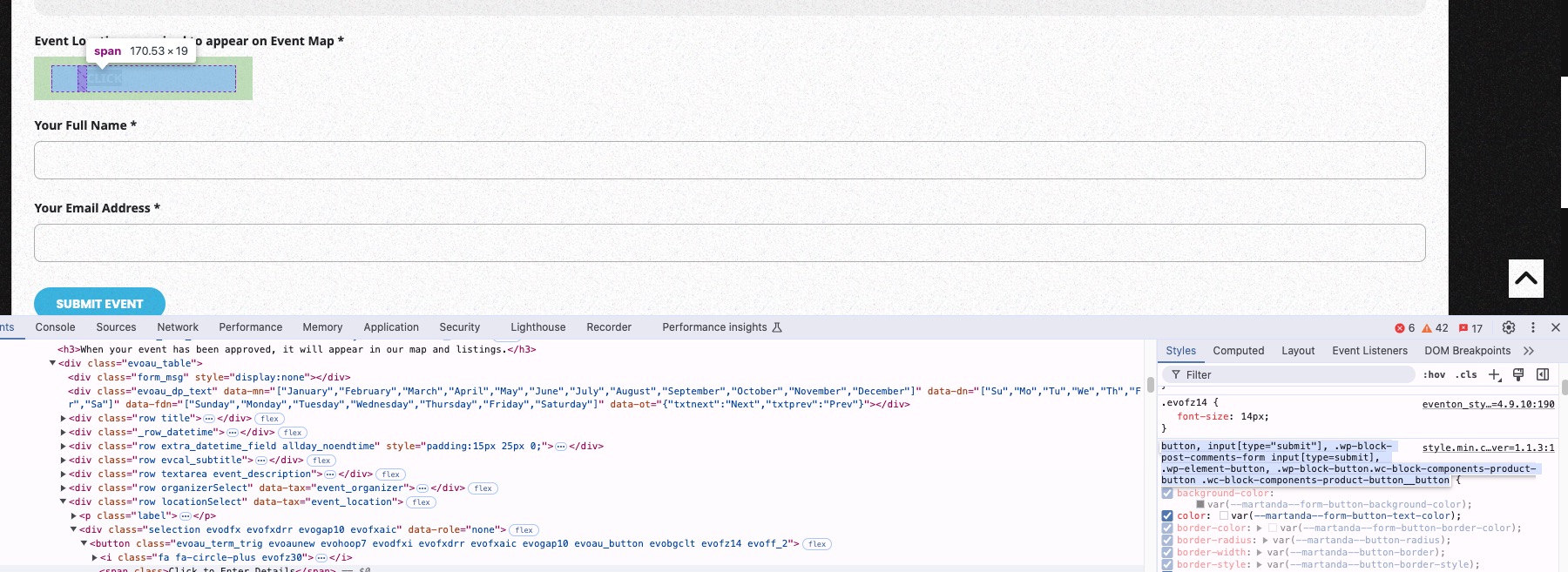
Please add this CSS code to EventON > Styles (If you don’t see any change, EventON > Scripts & Styling > turn off Write dynamic styles to header > save settings > turn on Write dynamic styles to header). You can also add this code to wp-admin > Appearance > Customize > Additional CSS.
.evoau_button { color: black !important; }
Oh, also Event Image ‘Select an Event Image’ field seems to be acting strangely.
Please go to EventON > Action User > disable Allow event image upload to non logged-in visitors (Not recommended). Could you elaborate more about “acting strangely”? I don’t see the button on the form, so cannot check it.
And the title and subtitle styling seems to have been stripped…
The text is also different from what is in the backend – weird…
Could you send us screenshots?
By default should look like this:
[add_evo_submission_form]
Hello,
Please take a look at “Action User – Event Manager” shortcode:
[evo_event_manager]
Put it on a page, so users can login to see their submitted events and manage them, like this:
https://dev2.myeventon.com/test-977/
Please update EventON and RSVP add-on to see more translations.
Can you go to wp-admin > Appearance > Customize > Additional CSS > add the code and save?
You can send us wp-admin access to your site from “Access Info” box on right side menu, to further assist your situation.
Sounds good, thank you.
Also, to confirm, 4.9.10 is clear of the “Broken Access Control” vulnerability, correct?
Have you tried disabling plugins and switch the theme? We need to see HTML code to see any incompatibility issues with other plugins or the theme.
You can create a simple clone of your website without content. Just make sure that plugins are enabled and your theme is in use.
Yes