I installed Classic Editor and then added the content from your page on our test site:
https://dev2.myeventon.com/events/test-23/
As you can see the video is loaded and visible.
Could you please try the instructions mentioned in this documentation to make sure your issue is indeed coming from eventon.
Please try disabling plugins except EventON + Classic Editor also switch the theme.
Hello,
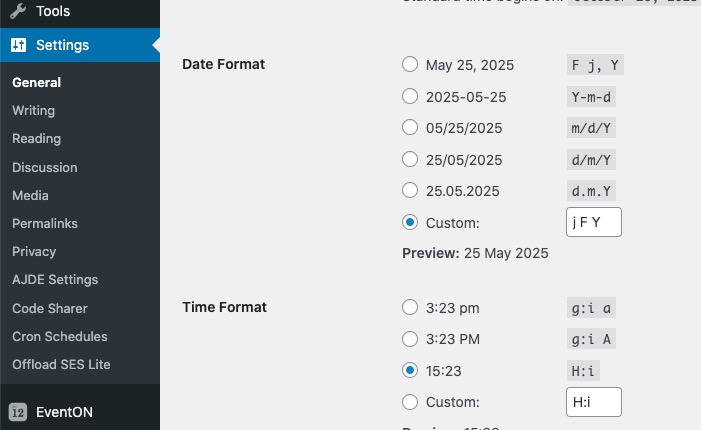
Could you send us a screenshot of wp-admin > Settings page?
It seems that the date format is causing this.
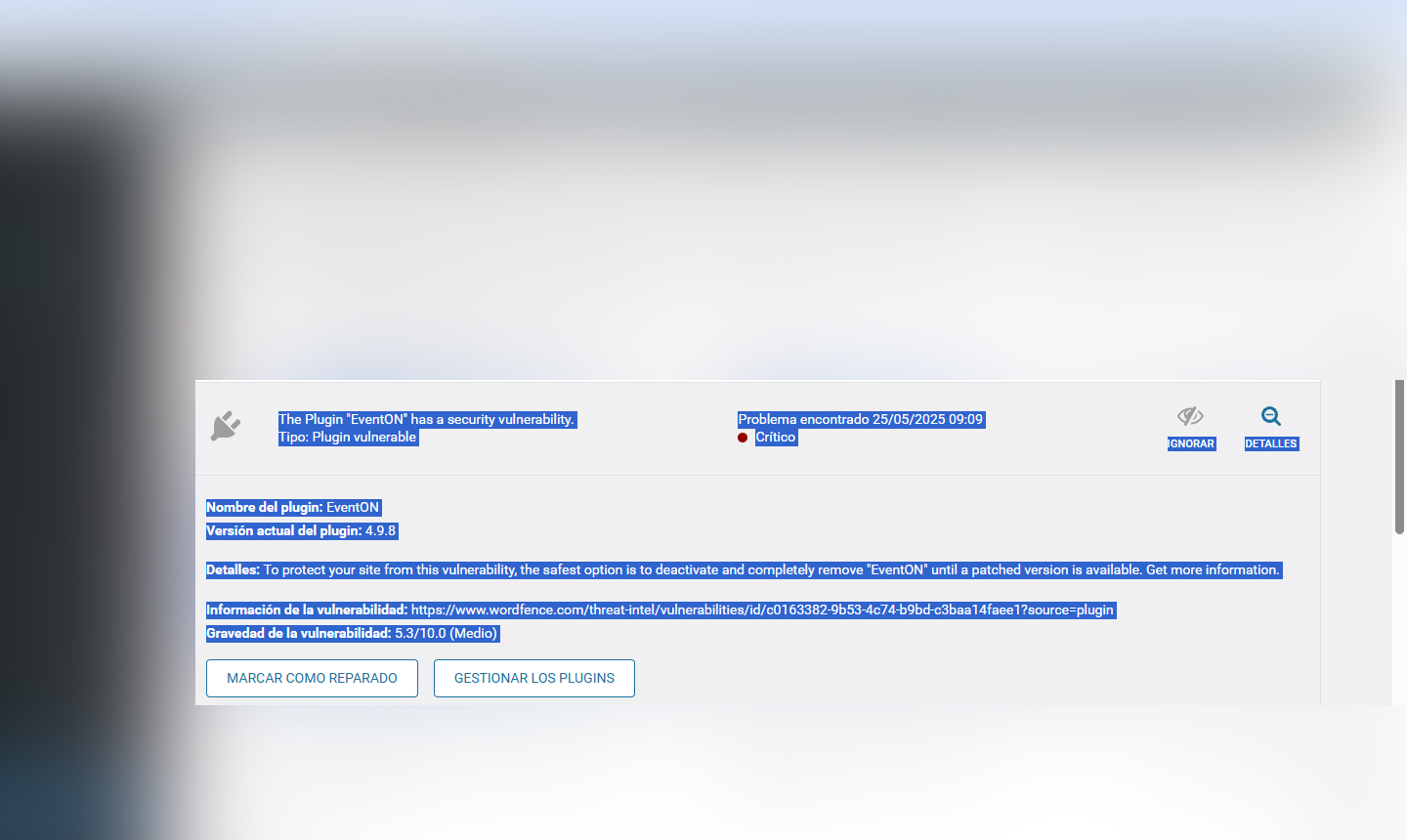
As you can see in the print screen attached here, I already have to deactivate your plugin and now I can not show any of my events. It is really bad and I do not see any solution from you? Do I have to use another event’s plugin from now? I was really happy with EventON but this is a huge and dangerous problem that you are still not fixing…
Are you ever going to fix it? My site es blocked again because of you vulnerability issue!
depends on how you set up the original event and end times and possibly the timezone
Please send us wp-admin access to your site as a private message and we can edit the event and see if you have set it up right
Thanks for the information, the important thing is that version 4.9.8. is safe and not vulnerable.
Best regards.
Roberto Albini
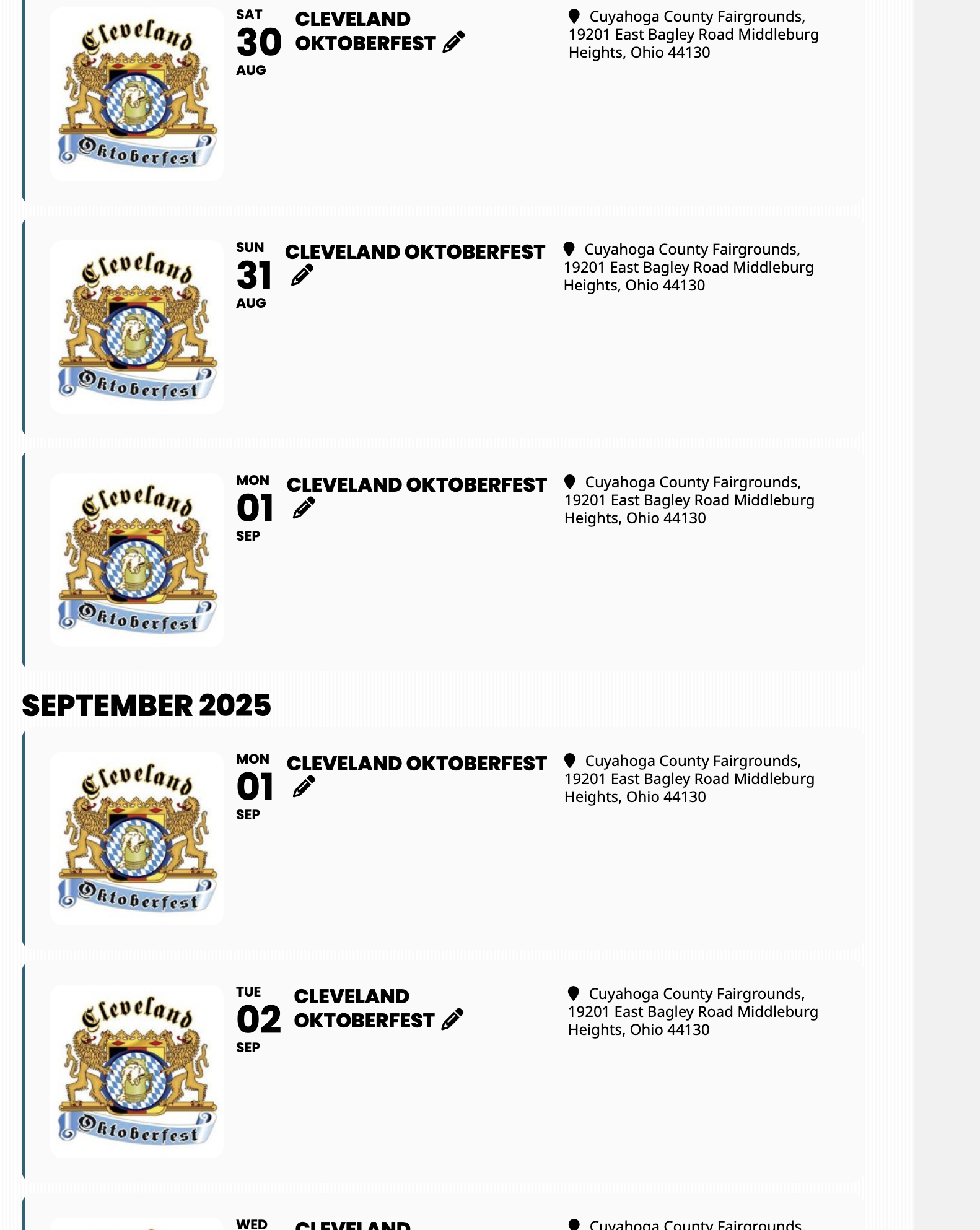
Example of the display of the September date in duplicate.
We had also been investigating more and changed this page to a youtube embed which still works. e.g.
<iframe title=”YouTube video player” src=”https://www.youtube.com/embed/AZr9lYz12jw?si=BzXCxWiHqO2EUaHs” width=”560″ height=”315″ frameborder=”0″ allowfullscreen=”allowfullscreen”></iframe>
However, if you just add in the youtube video link:
https://youtu.be/fc5zbSCgudA?si=3GAR-ispWE6AvZH-
We have added this back in to the Bridget Jones example above so you can see the issue. This has always worked in previous EventOn versions.
Thanks
Ken
FYI it just happened again when saving for the last time (deleting words dates etc from the title) just now
an entry in the log
Hello
Version 4.9.8 installed hoping this my problem will be solved, but no improvement
Same error continues several versions later
The issue regarding Quform forms (specifically with dynamic logic and Google reCAPTCHA) still persists.
Enable”Activate event description content HTML validity check” in the Diagnostic section is disabled, if I enable it a message “Error: There are unclosed HTML tags in the event details. Please fix the content in the editor” appears.
Again here is the solution
Affected file: includes/calendar/views/html-eventcard-details.php
change
$fullEventDetails = html_entity_decode(stripslashes($object->fulltext), ENT_QUOTES | ENT_HTML5, ‘UTF-8’);
to
$fullEventDetails = stripslashes($object->fulltext);
Ahora todo funciona de nuevo