Hi Artem,
We are going to add a setting option in EventON Settings > Tickets > Emails — that will allow you to hide ticket holder details from woo emails in the next version 2.4.11
Just to be sure: this will hide all holder details from the e-mail?
Because we had 2 questions (a solution for 1 of them was fine):
- or have a proper lay-out in the outgoing e-mail towards an Outlook client, so all details are below each other, instead of 1 long line
- or remove the labels from the fields (instead of “name: John Doe, Age: 18y, Location: New York,… -> show “John Doe, 18y, New York”)
Hi,
This is causing us a lot of issues. Could you please look into it and resolve it?
Thank you.
the location name is just a name- the location address is what google uses to make the map
no sorry login didn’t work
Perfect! Please make sure to send a message to info [at] myeventon.com. Ashan will reply to you directly.
Hello,
Please send us wp-admin access to your site as a private message for us to further assist your situation.
Could you take a look at Checkout and make sure that it’s using WooCommerce’s default checkout shotcode:
https://woocommerce.com/document/woocommerce-shortcodes/#doc-title
Tickets add-on doesn’t support checkout made out of blocks.
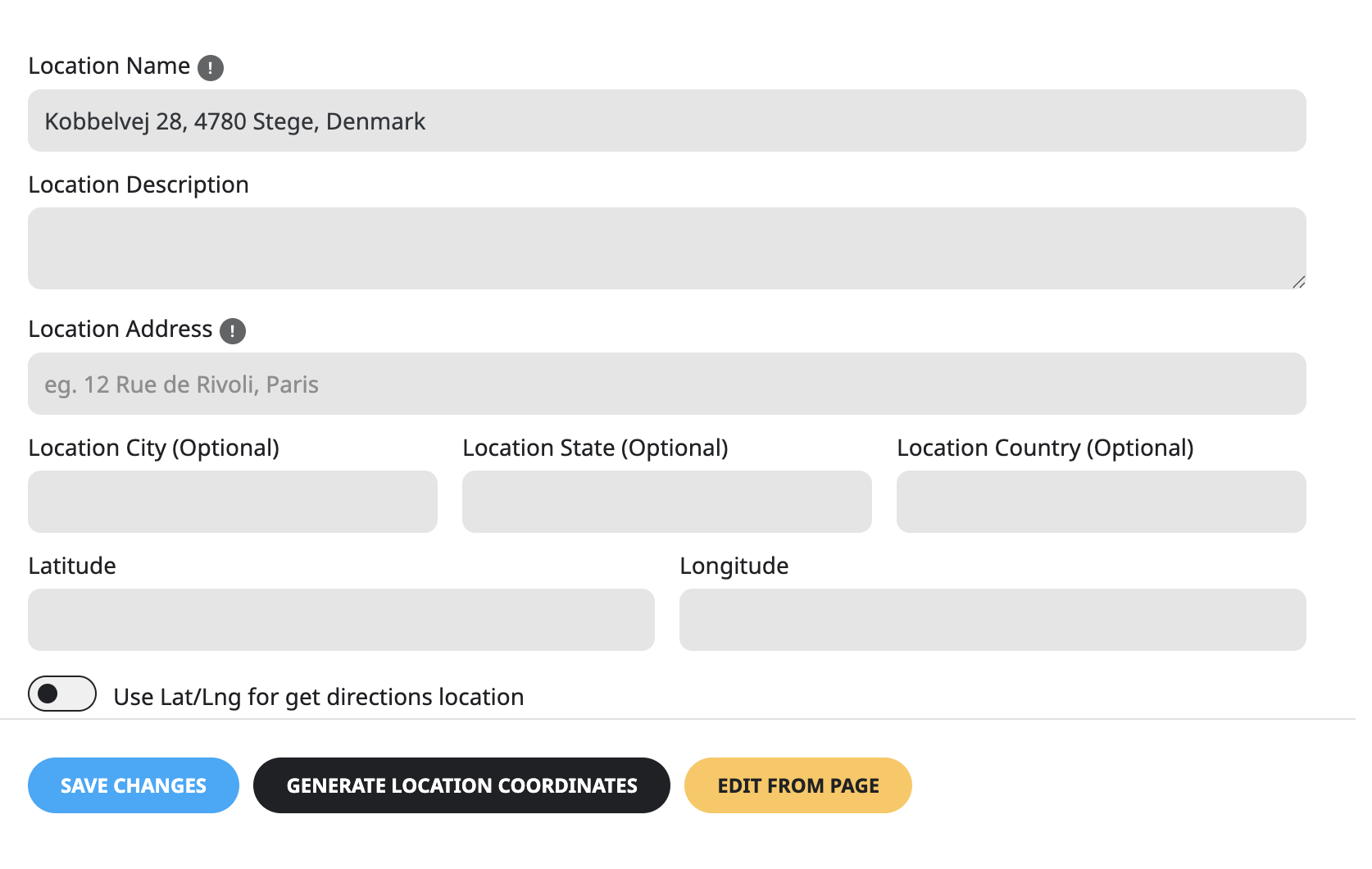
I think I know why. address gets importet wrongly from Facebook Event by WP Event Aggregator
I now have the event card feature ‘Get Directions’ added. Nothings shows up on any event?
moenu.dk
My mistake on the login as I shared the email.
This login is = EventOn Support
That makes sense when it comes to the Events Calendar, but we deleted that plugin weeks ago once opting to go with EventOn.
Thank you for providing information as to why only one Event Type allows for color selection.
Our aim is to separate certain event types by color when the user runs through our calendar of activities to participate in.
If we need to change the category structure to better align with the plugin, this will not be too disruptive.
There is a relatively new issue popping up when logging into each event keeping us from being able to edit these events to potentially add more images or information.
This is attached for your review and we are wondering where this came about considering it was working fine earlier in the day on Saturday.
Thanks,
Jay
login didn’t work for us
the-events-calendar/src/Events/Calendar_Embeds/Calendar_Embeds.php:118
thats not eventon- thats the event calendar- different plugin which we don’t supprt
its not a good idea to have both eventon and the events calendar running at the same time as they might share certain ID names
we have event types and only event type _1 has a color selection altho you can create as many sub cateogries in event type 1 each with their own color
can you provide the right login and also explain a little more about what you want colorwise