Thanks for the run through as we did end up having part of the ActionUser form settings a little askew while testing.
We are experiencing an issue with the plugin altogether which WP support just called out. They referenced the following error:
the-events-calendar/src/Events/Calendar_Embeds/Calendar_Embeds.php:118
Does this have anything to do with how our Event Categories of Indoor Activities and Outdoor Activities do not both show color association options?
Also, you do have Admin access here as that likely is needed to dig into this further.
User = events@wnyfundraiser.com
Password = GHh#tmz8FQ)PvIA6Z8qglty^
SEE VIDEO BELOW
so in order for the sales to registered on the tickets they need to go through the full checkout- when they click those quick avoid checkout button- you get the money still but its not connected to eventon and is not registered as an eventon ticket sale
unfortunatly at this time theres a bout 20-30 different plugins out there that allow you to bypass checkout and we have not developed a method to connect them all to our system
Hey Ashan,
Sorry for the late reply, I was off for a bit 🙂
Really love your cart — awesome work and super smooth integration!
If you’re cool with sharing the code, that’d be amazing.
Cheers,
Alex
Hi,
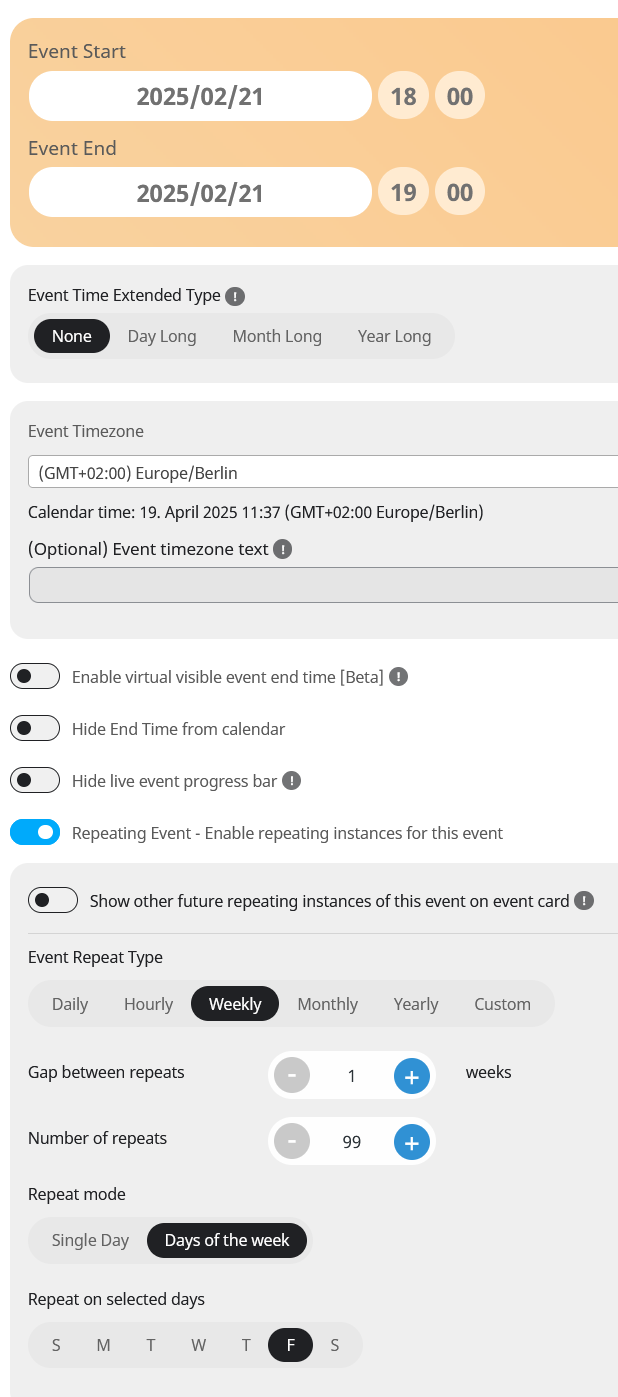
sure, I’ll give you one example. All 55 events are setup identically:
We set the starting and end time under “Time and Date”.
We enable repeating Event and set it to weekly repeat.
We select the days of the week when the sports course will take place.
In the frontend we display a calnder with the weekly view and display the current week with all the registered events.
I hope this helps.
Best regards
‘Always redirect individual WC ticket Product page to event page on frontend’ – was allready enabled.
Hello,
I believe that the best way is to follow and add the contact form section through the code:
https://docs.myeventon.com/documentations/show-additional-custom-data-eventcard/
However, you can also try using Custom Meta Fields:
https://docs.myeventon.com/documentations/setup-use-custom-meta-fields-events/
But you’ll have to add it manually to each individual event.
Please check and let me know.
Ashan,
The same on dev2:
https://dev2.myeventon.com/wp-admin/post.php?post=57440&action=edit
Hello,
Thank you for your messages, I am going to assign this ticket to Ashan and he will be able to take it from here and find you a solution. Please allow some time for him to get back to you, we greatly appreciate your patience and thank you for being a eventon customer! Also please disable any IP blocking on your site if there are any.
Hello,
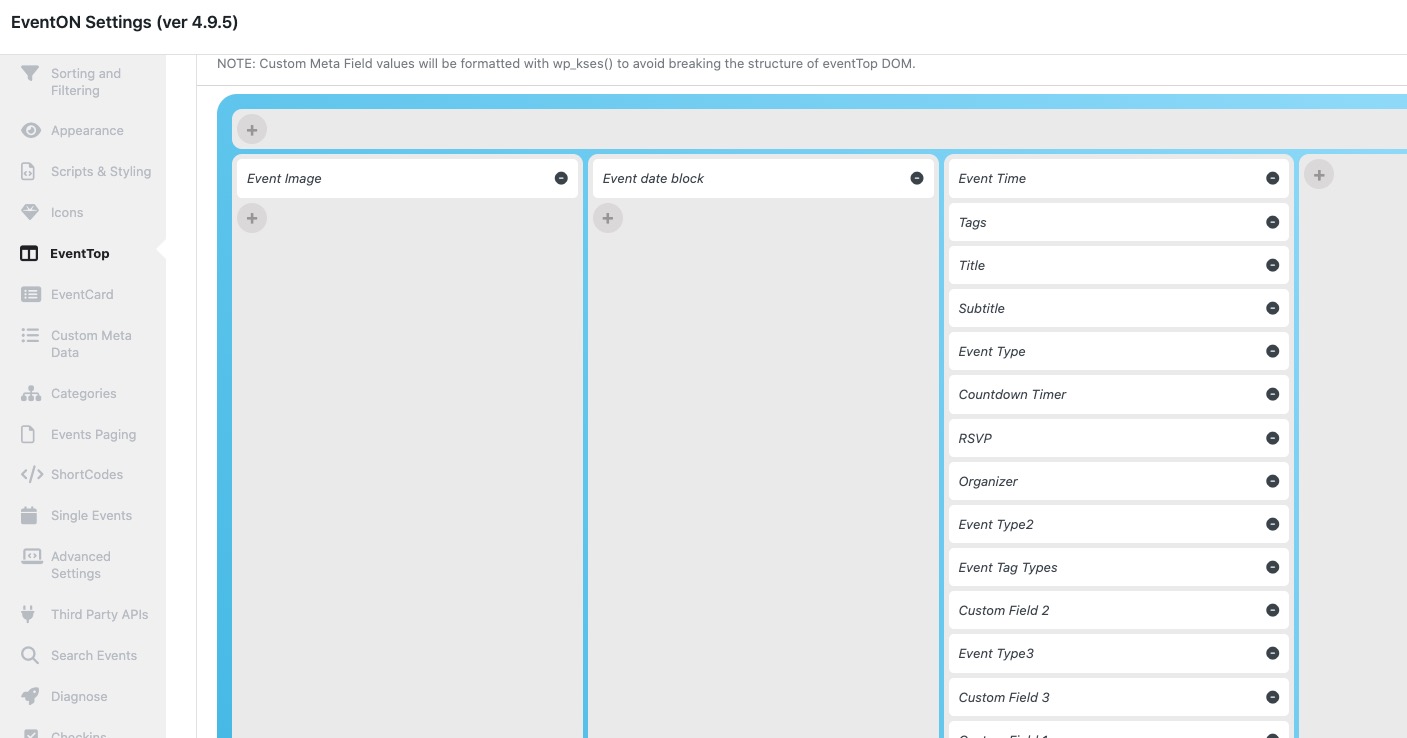
Could you please try rearranging your fields like this?