Hello,
The problem is in length of “Veranstaltungsinfos”. Please add this CSS code to EventON > Styles (If you don’t see any change, EventON > turn off Write styles to header > save settings > turn on Write styles to header):
h3.padb5.evo_h3 { word-break: break-word !important; }
Hello,
Thank you for your messages, I am going to assign this ticket to Ashan and he will be able to take it from here and find you a solution. Please allow some time for him to get back to you, we greatly appreciate your patience and thank you for being a eventon customer!
We are glad your issue is resolved, if you have any further questions or concerns please create a new ticket.
If you have a moment, we would greatly appreciate if you could kindly leave us a review at codecanyon! from your account > downloads. Cheers!
Hello,
The desktop versions of those pages are very good, I really like how it’s looking.
I noticed 2 things, on the https://ceramicpronepal.com/events/ page, the many events with dates and times aren’t clickable. When we have events, I assume they will automatically fill in with the dates/times/event images? Also, is there a way to have a similar autofill feature on the https://ceramicpronepal.com/events/ page where the locations are, but instead of clicking the current location and clicking the location you want, we have the abillity to type in the location you’re looking for and the locations available are shown below (like Google’s autofill feature on searches)?
The last thing I noticed is that on each of the pages, the mobile versions are a little weird. The https://ceramicpronepal.com/events/ page with the events are compressed very small, and the https://ceramicpronepal.com/events/exordium8d/ page has the event image off center a bit, and the event title/get tickets box overlaps the details/date and time/location tabs in the middle. I checked the SEO and it’s looking good on the structured data, so if it works with that plugin I mentioned earlier I will be very happy!
I provided a screenshot of my iPhone and how it appears on my screen in case you need to compare it with another device here:
https://www.dropbox.com/s/77x2cll7554vxgq/IMG_0781.PNG?dl=0
https://www.dropbox.com/s/97iru4lrupt0z38/IMG_0780.PNG?dl=0
Overall, I’m happy with the progress and I’m willing to wait a bit longer than expected if it means the end result is good. Thanks for the update!
https://sharefiles.app/download/cf5887958acf3eb6545f17ce4fe439a075837782
Problem solved. Thank you Artem.
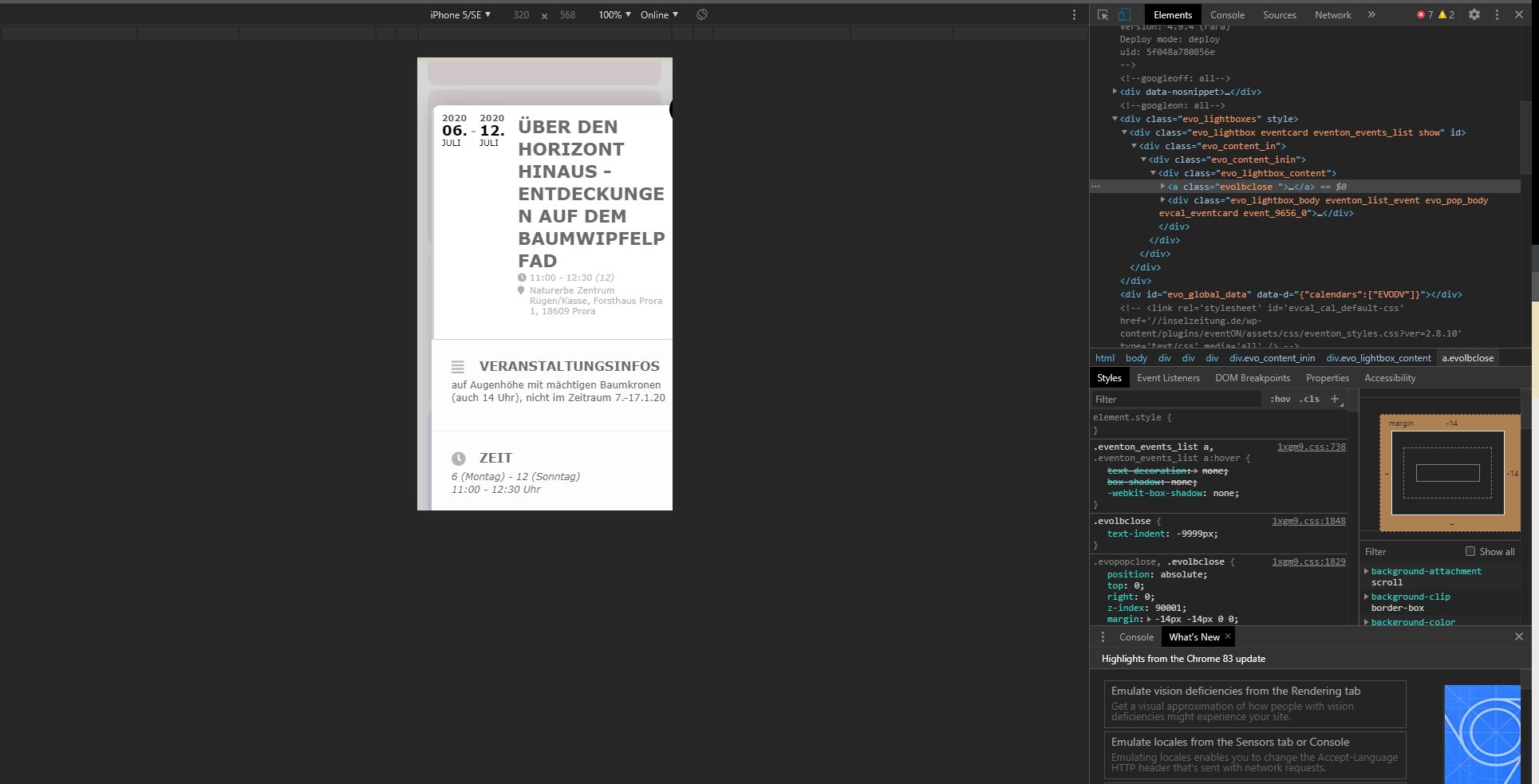
The photo shows a picture from Chrome.
Here I can already simulate the behavior without having to have a screenshot of the cell phone.
Hello
Thks for the news.
For the invoice I just need the bill of what we paid ($450)
Best regards