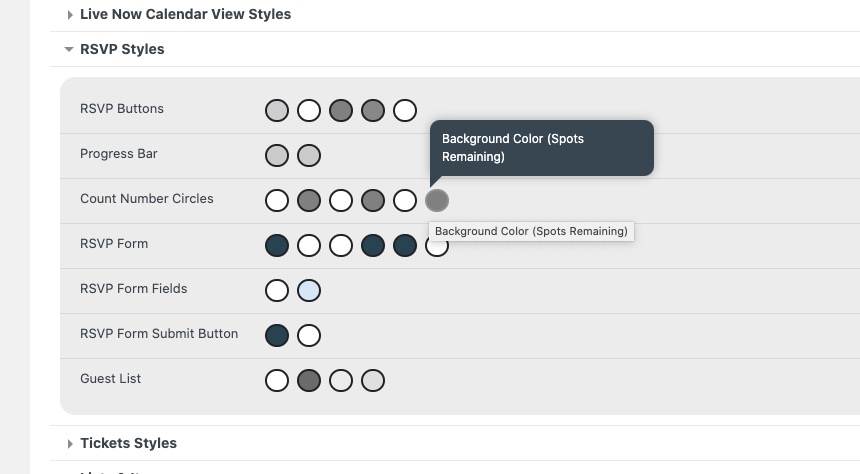
Count Number. Please try this code:
.evors_stat_data .remaining_count em { color: #ffffff; background-color: red !important; }
However, these two should also change it’s colors:
Placeholder. Thank you for your messages, I am going to assign this ticket to Ashan and he will be able to take it from here and find you a solution. Please allow some time for him to get back to you, we greatly appreciate your patience and thank you for being a eventon customer! Also please disable any IP blocking on your site if there are any.
1. & 3. Please use this code:
#evorsvp_form .rsvp_status span.set, #evorsvp_form .evors_gen_form .rsvp_status p span.evors_rsvp_select_box .evors_choices.set:hover, #evorsvp_form .rsvp_status span.set.evors_choices:hover { background-color: #fff; color: #a4d690; }
#evorsvp_form .evors_gen_form .rsvp_status p span.evors_rsvp_select_box .evors_choices { color: red; }
2. Could you go to EventON > Appearance > RSVP > change RSVP Buttons? Make sure to resave Write dynamic styles to header.
4. Please use this code:
#evorsvp_form a.evors_submit, #evorsvp_form #change_rsvp_form, #evorsvp_form #call_change_rsvp_form, #evorsvp_form #submit_rsvp_form { background-color: #fff; color: #6dc56b; }
I can’t find the Access Info box in any right side menu, but I’ve set up a user for you that should work. This site uses the Divi theme so the Past Events page where the problem is occurring (page ID 5830) is edited using the Divi Builder.
https://wp.ihoctest.com/wp-admin
Login email: noreply@eventon.com
Password: 3yV*Z&w0&(DL*Uj5I)j9qhn7
Please check
https://t.somptingvillagemorris.org.uk/calendar/
I went to EventON > Advanced > chose “Select calendar event content filter type: EventON Content Filter”. Now the calendar is loading.
With “Select calendar event content filter type: Default WordPress Filter” enabled, images inside of Event Details, I believe, break EventON HTML structure and calendars stop loading.
Could you do the same on your live website?
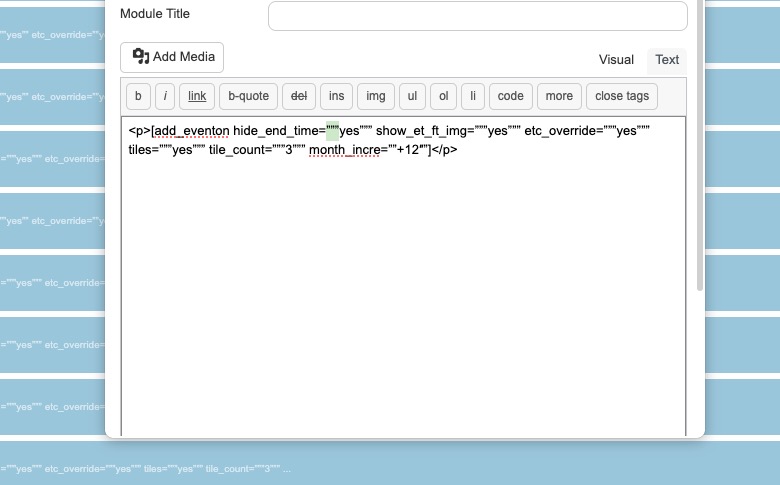
Please also note that all your shortcodes have double or triple quotes:
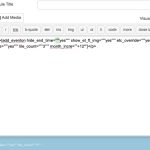
Which can cause an issue, so could you change them to regular quotes?
Did you check the way I added the video element?
https://somptingvillagemorris.org.uk/wp-admin/post.php?post=6722&action=edit
Hello,
Thank you for your message! Ashan will check it ASAP.
Ashan,
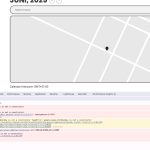
On dev2:
https://dev2.myeventon.com/test-983/
Thank you for your messages, I am going to assign this ticket to Ashan and he will be able to take it from here and find you a solution. Please allow some time for him to get back to you, we greatly appreciate your patience and thank you for being a eventon customer! Also please disable any IP blocking on your site if there are any.
Hello,
“Multi views switcher” is still in beta, so some functionality can be unavailable.
However, I am going to assign this ticket to Ashan and he will be able to take it from here and find you a solution. Please allow some time for him to get back to you, we greatly appreciate your patience and thank you for being a eventon customer!
Please take a look at this forum thread:
https://stackoverflow.com/questions/59915558/wordpress-unexpected-response-from-the-server-the-file-may-have-been-uploaded
We only provide support on this forum, I am afraid. Please describe as much as possible your issues, so we can help.
Hello,
This is the default functionality that comes with Gutenberg. There is no option on EventON’s side to change this.
However, please take a look at
https://www.youtube.com/watch?v=H3lxYRcMeL0