Hello,
WP All Import allows me to automate my events creation as recommended by Basilis, one of your employees. In the plugin I can set certain fields to be drawn from based on the column of a spreadsheet I have automatically, but the address field isn’t setup correctly to produce a correct location within Google’s SEO event schema markup. I just want this to be correctly made as it’s wrong on your end’s according to Basilis. I don’t imagine this will be hard, it will just entail fixing the address function to match up with the events schema.
If my bullet points sound good, I will pay the $950 payment upon confirmation.
Hi,
No we don’t have any cache plugins…
Thanks again for your continued effort to help us!
Zoe
Please check now.
If any elements don’t appear on the frontend, you can toggle them in myeventon>eventcard data
Hi any time on completion please, thank you
Just an update.
i have got the Fusion Builder working thanks so no need to worry about that.
but like quite a few people on here i still cant change colors through the APPEARANCE section.
i really need to get this working as soon as possible please. I purchased the plugin in good faith having used it years ago.
some of the support team have suggested commenting out some code In one of the js files but that hasnt helped me and also someone else has said the same on the forum
kind regards
Customer completed payment of 20 for the job.
Hi Ashan,
Thanks very much for your reply.
We continue being happy Eventon users :))
With regards,
DV
Please send us wp-admin access to your site as a private message for us to further assist your situation.
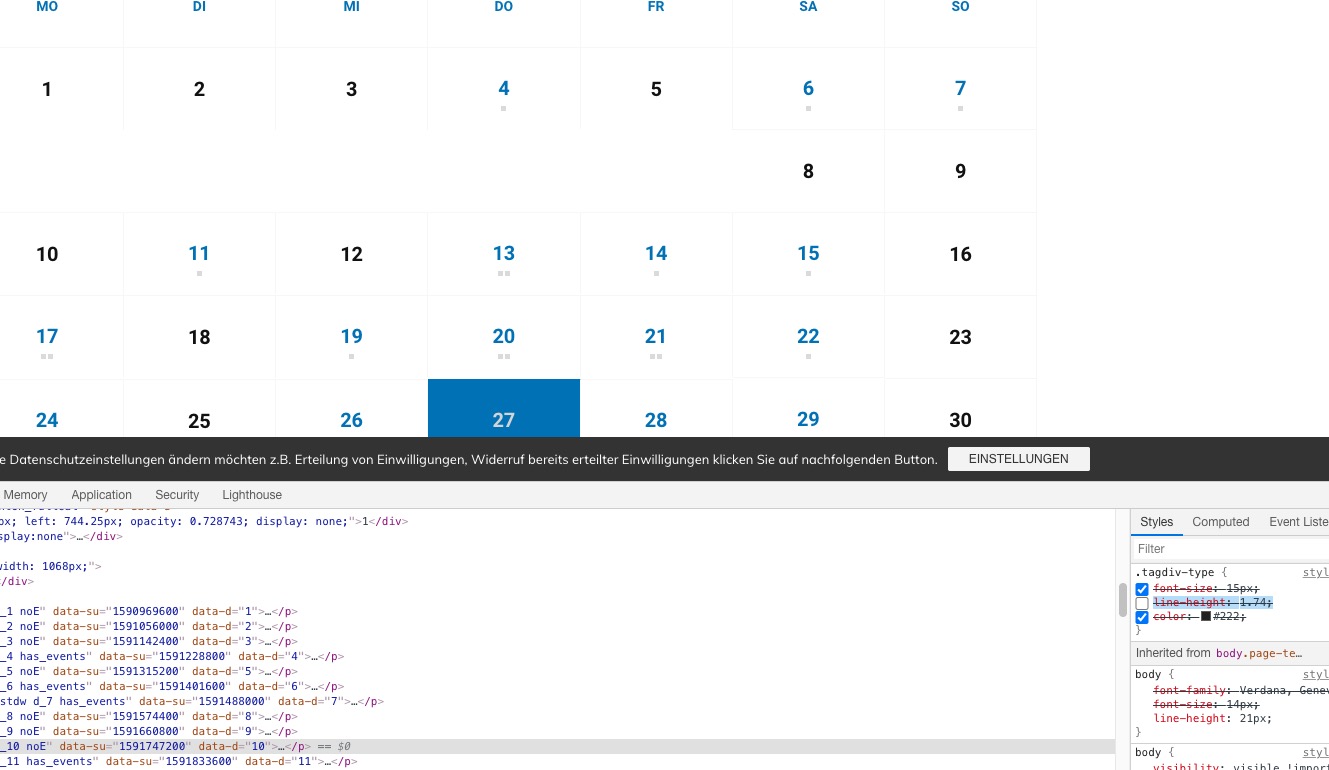
I just commented “line-height: 1.74;” of “.tagdiv-type”:
https://helpdesk.ashanjay.com/wp-content/uploads/2020/06/Screenshot-2020-06-27-at-12.49.00.jpg
The problem is that if “Switching to 2020 theme help to solve the problem, also the test-side from your link seems to be fine.” then this means that the issue is solely in the theme you are using.
Hi,
Thank you! Yes, you can try disabling EventOn. It is maybe the addon Event list ext. that causes the issue???
Thanks,
Christophe