This is the post: https://helpdesk.ashanjay.com/ticket/appearance-dark-theme-doesnt-appear-to-work-for-me/
Thanks!
Replies for tickets on suppota
This is the post: https://helpdesk.ashanjay.com/ticket/appearance-dark-theme-doesnt-appear-to-work-for-me/
Thanks!
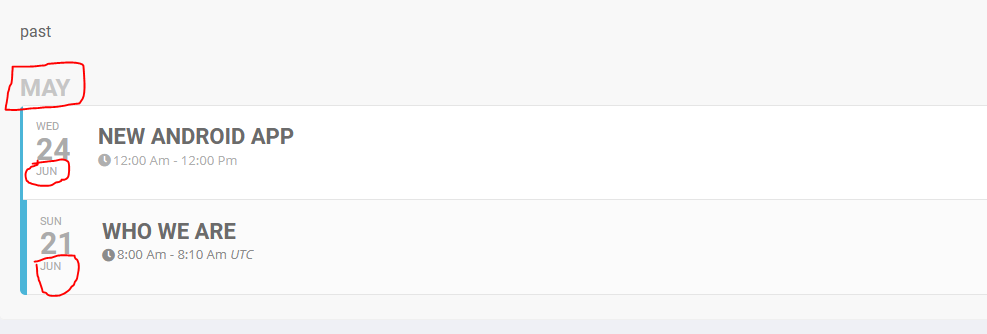
no, it doesn’t work. can you go through the link and scroll to bottom then take a look of past events
https://gsos.wemeet.com/all-videos-2/ – username: gsonlineshow, password: wemeet888
I did, it’s still the same only some of my CSS is gone because now the button is blue 🙁
Hello, where i add ux_val=”4″??
“What settings have you enabled over the event shortcode? Have you enabled the single view?”
Where are this option??
Thnak You
I was just about to send you a PM and I noticed that WP was giving me a PHP out of date notice. I contacted my hosting company and it turns out they were running on an older version of PHP.
Once I had them update to the latest version, the QR Code plugin seems to no longer crash the site.
Thanks for your help!
I also wanted to clarify: search.google shows that a lot of duplicates are being created.
How can I fix it?

Great, the update helped, before that there were no necessary fields.Thanks!!!
Although after there was an error when adding url Organizer

had to edit class-calendar-event-structure.php , after editing the error disappeared)

If you see it`s difficult to solve, forget it.
I see it won`t be easy to combine the Lightbox with Divi and with some flipbooks that are at the event card and also has conflict to open, so I probably will link the event to the Event Page.
Sorry, and thanks for your interest!
*main eventon plugin
It’s not the add on which is out of date it’s the main eventual plugin which needs updating, how do I update this? Will I loose event data if I upload the latest download from envata?