1. Thank you for your messages, I am going to assign this ticket to Ashan and he will be able to take it from here and find you a solution. Please allow some time for him to get back to you, we greatly appreciate your patience and thank you for being a eventon customer! Also please disable any IP blocking on your site if there are any.
Switched to WP 2020 Theme – colorpicker looks correct now. But of course we cant use another WP-Theme… 🙁 Do you have any suggestions on how to solve the problem?
Unfortunately, no. It seems that your theme replaces colour pickers everywhere even so it’s not supposed to. Could you contact the theme developer?
The Update requires the classical editor block to be activated.
Could you tell us how you do it? So we can share this info with other customers, if needed.
The google maps api not loading error is still happening, but the past date issue has been fixed. The description field is not escaping text properly, so extra garbage from Google Sheets being pasted was breaking something. Removing the cruft fixed the event not showing past a certain date issue.
Hi,
Link: https://webstaging.multiprevention.org/wp-admin/
UN: Client
PW: Jame$$Bond007_Skyfall
Thanks for the help
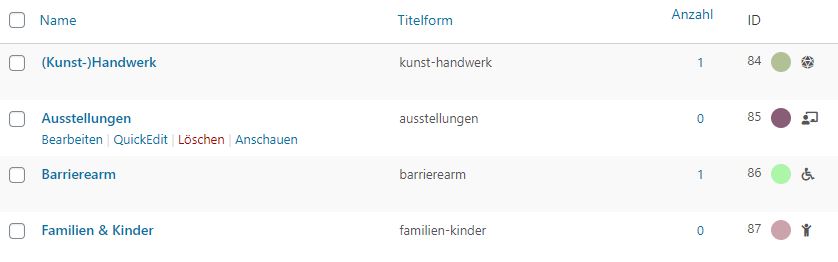
The photo shows the extract from the backend.
It can be seen there that the ID 84 means “(Kunst-)Handwerk”.
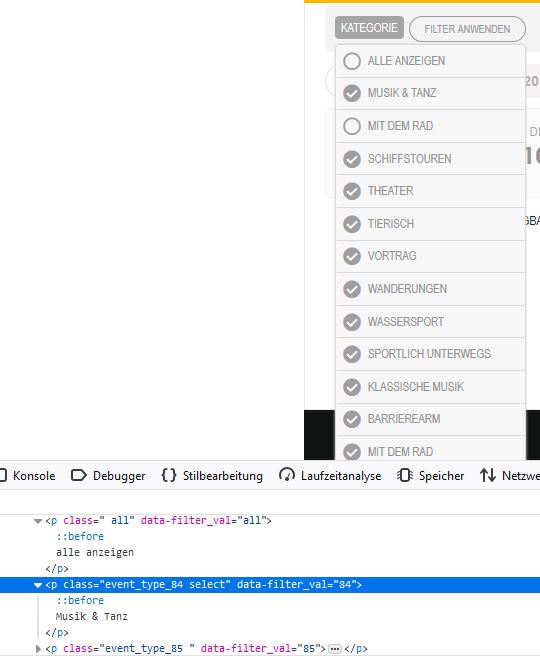
The photo shows the excerpt from the website.
This shows that the first entry has the ID 84 and carries the name “Musik & Tanz”
You can also see in the photo that individual names appear twice (“mit dem Rad”). The category (event_type) is only available once.
The past events have been moved to:
Dates before the current month (June) are still not showing up.
I wasn’t sure where to send the private message. Can you delete my previous message with the login info?
Ok, I will send you information with our staging website. It should be identical to our main website.
Staging login:
https://www.staging1.experiencefountainvalley.com/
Username: staging_1
Password: 5B6x712xnIS$P&o0*dIGL5IXzW03lsTogOqdFIQjkj5vJpa!i&
Admin login:
https://www.staging1.experiencefountainvalley.com/wp-admin/
Username: Support
Password: m(N*%vQ38RxFcuV%($Psg4@9
Thank you,
Andy Nguyen