Ashan,
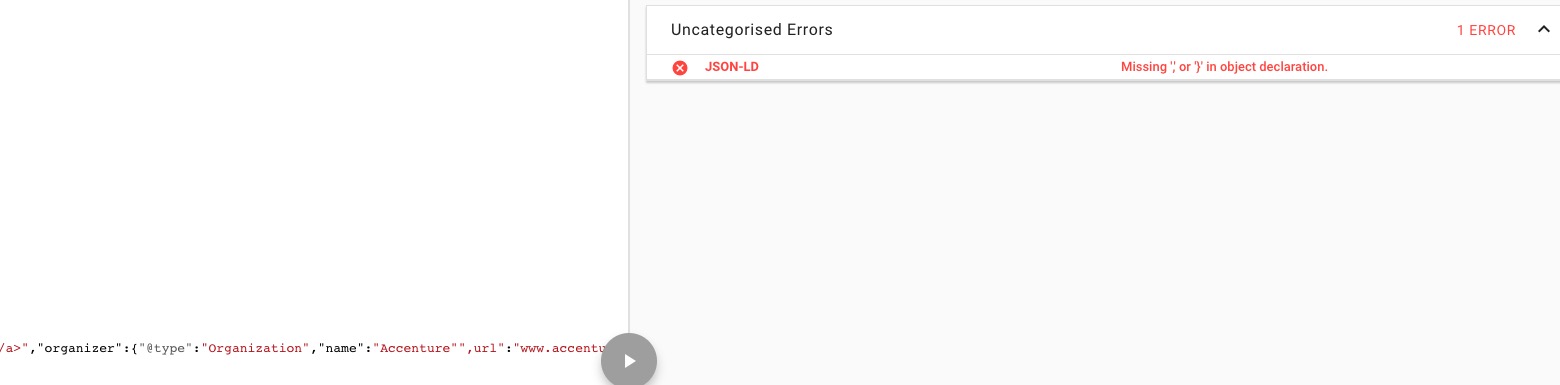
Could you check this error:
Replies for tickets on suppota
Ashan,
Could you check this error:
Hello,
Please go to wp-admin > All Event RSVPs > Edit/Delete. Unfortunately, you cannot create a new RSVP.
Hello,
Please add this CSS code to EventON > Styles (If you don’t see any change, EventON > turn off Write styles to header > save settings > turn on Write styles to header):
.evo_location_card .evo_location_tax, .evotax_term_card .evotax_term_details { background-image: none !important; background: none !important; padding: 50px 50px 0; } .evo_location_card .evo_location_tax:after, .evotax_term_card .evotax_term_details:after { content: none !important; } .evo_location_card .evo_location_tax span, .evo_location_card .location_description p, .evo_organizer_card .organizer_description p, .evotax_term_card .tax_term_description p, .evotax_term_card .evotax_term_details span { color: black }
Странички организатора я продвигаю в интернете (SEO), можно ли в событии выводить только часть (отрывок) организатора
You can customize Organizer’s template by following https://docs.myeventon.com/documentations/customize-location-organizer-archive-page/
Thank you. But this is not specifically what I’m looking for. Yes, it removes the day. But for instance, if it’s an all day event, I want to display “All Day” (without the day in parentheses) instead of “12:00 am – 11:59 pm”. Is that possible?
ok thanks fro reply!
Hello,
1. We are working on this issue and will contact you in your other ticket.
2. Please check https://docs.myeventon.com/documentations/how-to-use-event-types-to-do-more/ > The need: How to show a calendar of events that are only on Mondays. But do the same with dates.
Maybe better use this add-on: https://www.myeventon.com/addons/full-cal/ or https://www.myeventon.com/addons/yearly-view/. Try on http://dev.myeventon.com/wp-admin/
My client would like the filters (categories/locations) to be listed out like the jumper months/years (without a dropdown) and similarly loaded via ajax.
Please check EVENT LISTS & ITEMS add-on https://www.myeventon.com/addons/event-lists-items/:
http://dev2.myeventon.com/21968-2/
And the client would prefer the date search be a text input field with a datepicker. Is any of this possible?
Unfortunately, no. You can send us a customization job request by creating a new ticket in here and selecting Customization Request as the category.
It’s working now, however, I cannot login to wp-admin:
Error: la contraseña que has introducido para el nombre de usuario EventOn no es correcta.
Could you check?
So I’ve been trying everything I can think of and cannot make this work. I tried shutting off every plugin, and activing them one by one. the basic plugins that are absolutely necessary, “elementor”, “eventon” and “eventon weekly” being turned on after clearing the cache does not fix this issue.
Any other thoughts? Are you able to get into the site and look?
Please go to EventON > Time Settings > enable Allow universal event time format on eventCard > add
g:i a
Hello,
Could you tell us why do you think that the problem is in EventON?
Please follow the instructions in this documentation to activate debug in your site to see any PHP errors recorded that can provide insight on to whats going on. Please reply with a link to debug.log file. If you are not able to do this please send us FTP access to your site so we can do this for you.