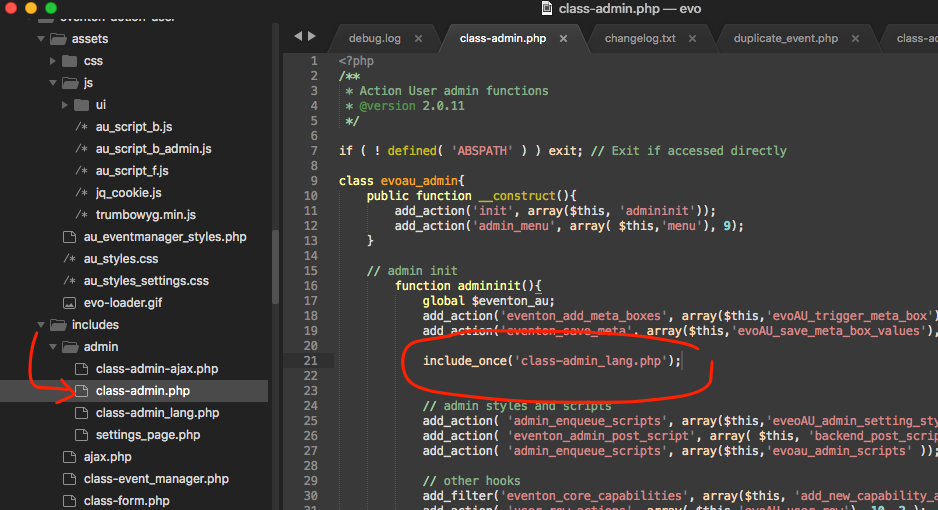
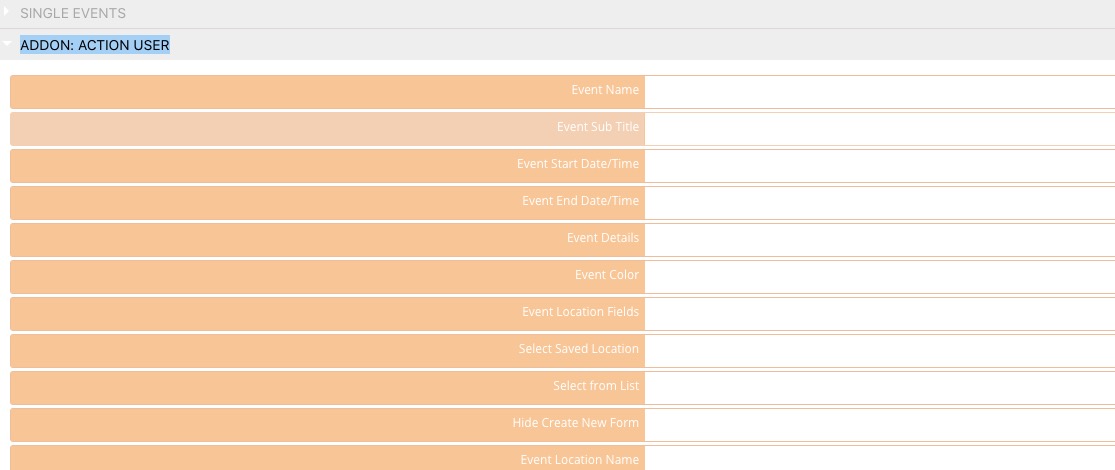
I applied the fix. Please go to EventON > Language > ADDON: ACTION USER:
Replies for tickets on suppota
I applied the fix. Please go to EventON > Language > ADDON: ACTION USER:
Hi,
I dont know where to putthe code, please help.
User: eventon_supporter
PW.: fR$rSJLW9^EQJRUx8xNfYOM1
Yes I translasted all the words and phrases in “language” under “action user”
Thanks
Hello,
We are sorry for the inconvenience.
I am sorry, the access information you have provided did not work for us. Please check them and post the correct login information as a private message, thank you!
Could you check if ADDON: ACTION USER is available in EventON > Language? If not please apply this fix to the source code:
https://helpdesk.ashanjay.com/wp-content/uploads/2020/05/Screen-Shot-2020-05-29-at-10.05.49-AM.png
Hello,
Could you update EventON to 2.8.9 so we can test this properly? Thank you!
To update eventon to latest version: If you are unable to do autoupdate, you can go to codecanyon your account > download and get the latest eventon version as zip file. Then you can go to your website, deactivate old eventon, activate (Do not delete eventon settings & data when EventON is uninstalled) from eventon settings, delete old eventon, install new one and activate. This link will further explain the process it. Also you can follow us on twitter to get real-time announcements on updates!
Ashan,
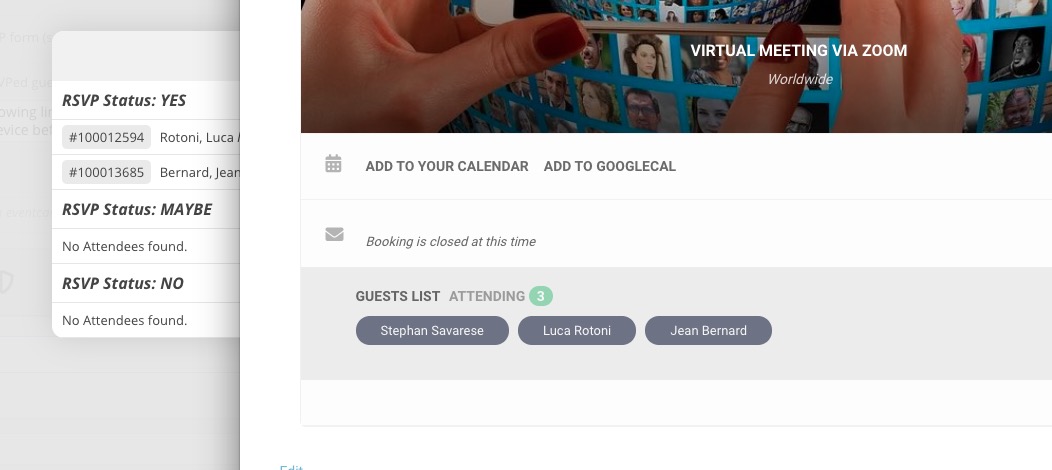
Event RSVPs trash is empty, Edit Event RSVP is synced. However, it still shows 3 RSVP on Event Card, but 2 on the attendees list.
https://www.globalbusinessowners.com/wp-admin/post.php?post=100012455&action=edit
We are very sorry for the inconvenience. I am going to assign this ticket to Ashan and he will be able to take it from here and find you a solution. Please allow some time for him to get back to you, we greatly appreciate your patience and thank you for being a eventon customer! Also please disable any IP blocking on your site if there are any.
Please add this CSS code to EventON > Styles (If you don’t see any change, EventON > turn off Write styles to header > save settings > turn on Write styles to header):
.evosliderbox.ajde_evcal_calendar .eventon_events_list .eventon_list_event .evcal_desc span.evcal_desc2 { color: white; }
.evosliderbox.ajde_evcal_calendar .eventon_events_list .eventon_list_event .evcal_desc span.evcal_event_subtitle { color: white }
The first is for Title and the second is for Subtitle.
Sorry for the typos, I have so many issues with EventOn and the customizing I paid for but is not being delivered that I am getting a bit fed up.
First sentence is supposed to read:
I just did that, but I am not sure in how far this is supposed to help?

and the result
the tile title color is not the one I select and I can’t even change it.

I looks like the “Event Title font color (Tile View) ” is not applied
here is the setup