Ashish has accepted the job for 150
Archives: Replies
Replies for tickets on suppota
Reply to: tickets(180767)
Sorry, but it posted my reply while I was typing. It continues below….
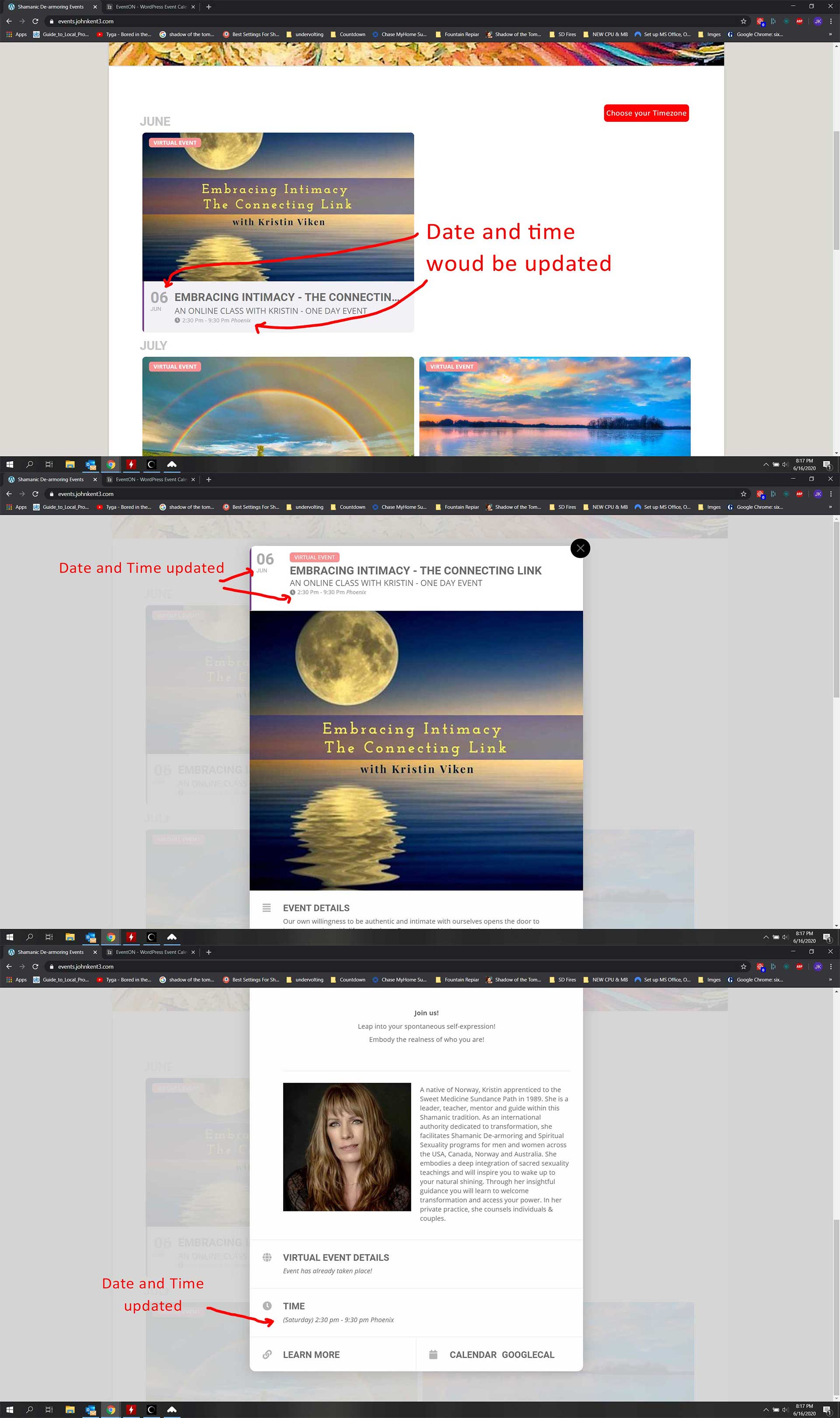
Option 2: Just above the Month Title, there could be a dropdown that says choose timezone. They choose their timezone and all event day/times/timezones would update to show in the timezone they selected.
- The date/time in the event tile and image would show the date/time in the new timezone
- The event details page header would be updated to show new date/time
- The date/time/timezone would be updated in the Time section of the event details page
I tried to make a mock-up image of what I’m thinking.
Does this make sense?
Reply to: tickets(181087)
ok now this is weird.. i cant get the color picker to work on any of the settings. no color picker pops up if i click on the color button. I tried unchecking the ‘write dynamic styles..’ and i cleared the browser cache and also tried deactivating all the other extensions. It was just working before i made the previous change above. ANy ideas?
try this production site if you need to access..
https://www.brettsfirstresponders.org/qoh
usrname: eventon
password: z9P%bMI#A27^OKoA7JvX%LmG
(I changed this to private)
Reply to: tickets(180767)
Hi Basilis,
We are not planning on using the calendar part of the plugin. I have a been working up a sample of how we are planning on using EventOn plugin. See it at https://events.johnkent3.com
Option 1: When someone clicks on an event and see the event details, under the Time section, they would see the event day, time and timezone of the event, they would also see a second listing of the event in their day/time/timezone.
-
- Their info could be pulled from their browser or IP address.
- If this is not practical, then there could be a button to see event in their timezone. They click the button, select their timezone and then the event day and time would be shown in the time zone they selected.
Option 2: Just above the Month Title, there could be a dropdown that says choose timezone. They choose their timezone and all event day/times/timezones would update to show in the timezone they selected.
1the info in the event thumbnail wo
Reply to: tickets(181404)
Please send us wp-admin access to your site as a private message for us to further assist your situation.
Reply to: tickets(181434)
Paulo,
Would you mind telling us why you do not them?
and what are the order ids?
Reply to: tickets(181087)
If you have a moment, we would greatly appreciate if you could kindly leave us a review at codecanyon! from your account > downloads. Cheers!
Reply to: tickets(181087)
Thanks. Turning that on did it.
Reply to: tickets(179193)
For Invoice receipts, please charge the company name as: Vivid Fortune Ltd.
Reply to: tickets(180288)
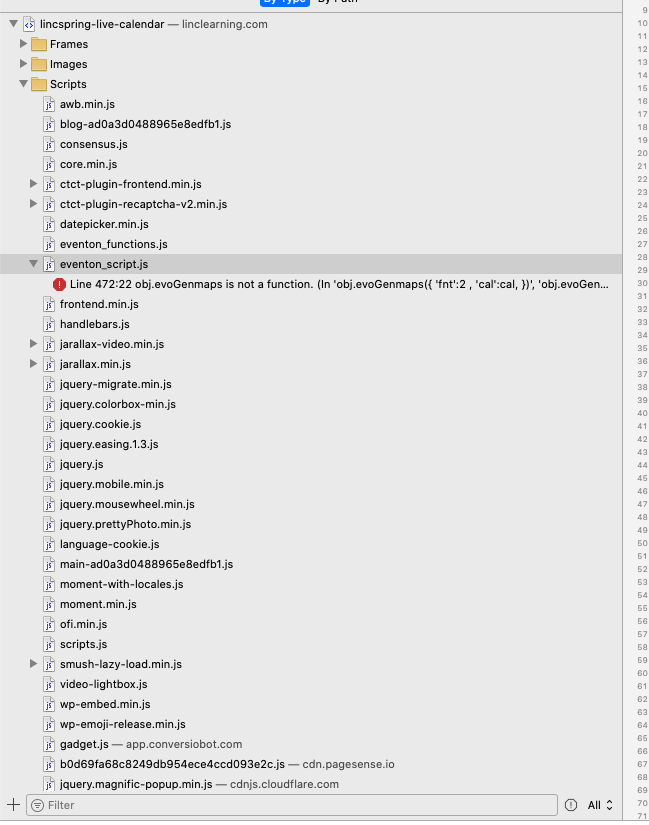
I was, but I disabled it and cleared any of the cache files when I installed the update. As of now the drop-down to reveal more is working again, but each click adds the attached error to the console.
It also remains that past events before June 10 are not being listed — there are several in May and April.
(https://linclearning.com/lincspring-live-calendar/)