Hello,
1. You can do this with CSS. Follow the css customization guide or send us a customization job request by creating a new ticket in here and selecting Customization Request as the category.
2. Could you send us a link to the shortcode?
Replies for tickets on suppota
Hello,
1. You can do this with CSS. Follow the css customization guide or send us a customization job request by creating a new ticket in here and selecting Customization Request as the category.
2. Could you send us a link to the shortcode?
Hello,
1. You can find acceptable CSV file fields by going to EventON > CSV Import > **CSV file guidelines.
To add more please follow https://docs.myeventon.com/documentations/import-additional-fields-using-hooks/.
For example, if you want to import slug, replace _field_var_name with $post_slug you can get by following https://wordpress.stackexchange.com/questions/42117/how-do-i-retrieve-the-slug-of-the-current-page
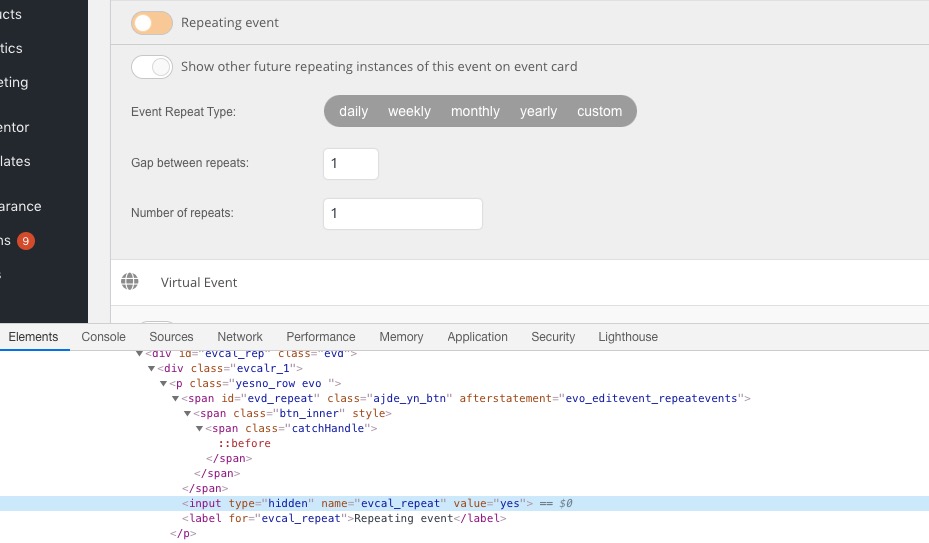
2. You can find the repeating fields you need in the HTML code by using Inspect element. For example, Repeat Event (yes/no) is evcal_repeat:
You can send us a customization job request by creating a new ticket in here and selecting Customization Request as the category.
We are glad your issue is resolved, if you have any further questions or concerns please create a new ticket.
If you have a moment, we would greatly appreciate if you could kindly leave us a review at codecanyon! from your account > downloads. Cheers!
Ashan,
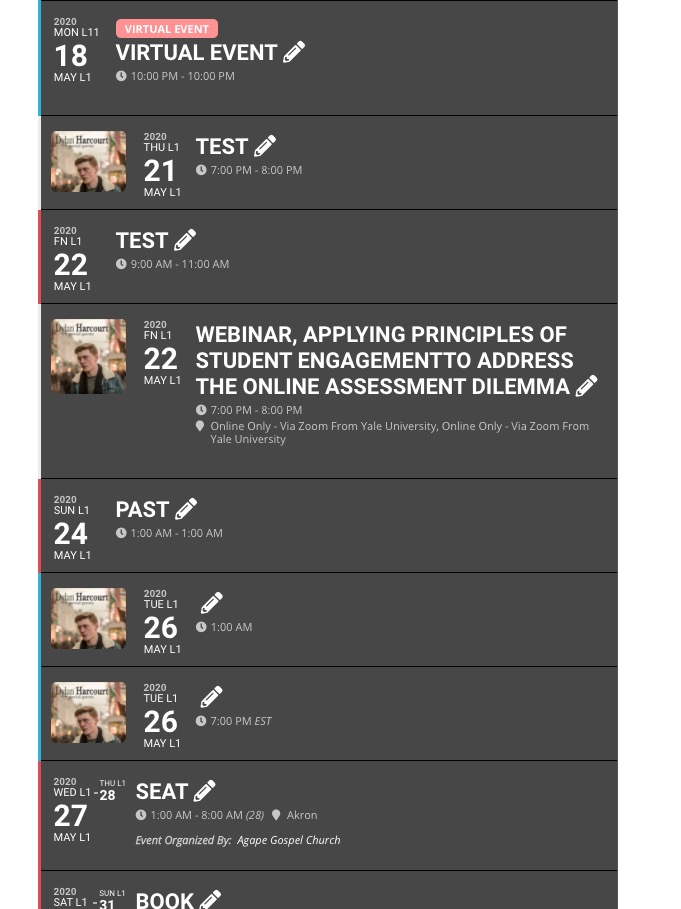
Sometimes the default image works and sometimes it doesn’t:
http://dev2.myeventon.com/21888-2/
Hello,
Thank you for your messages, I am going to assign this ticket to Ashan and he will be able to take it from here and find you a solution. Please allow some time for him to get back to you, we greatly appreciate your patience and thank you for being a eventon customer! Also please disable any IP blocking on your site if there are any.
I’d like to place the text “Filter By:” inside the filter bar, before the filters. I’ve added it via CSS but it highlights on hover with the first filter. Is there a better way?
You need to customize the source code for this. Please send us a customization job request by creating a new ticket in here and selecting Customization Requestas the category.
How do I go about removing Categories and Locations that have previously been entered. Some must be removed from the filtering dropdown.
Please go to wp-admin > Events > Event Type or Event Location > press Delete.
Please fix this issue:
Geocoding Service: This API project is not authorized to use this API. For more information on authentication and Google Maps JavaScript API services please see: https://developers.google.com/maps/documentation/javascript/get-api-key
More info https://elfsight.com/blog/2018/06/how-to-get-google-maps-api-key-guide/
Hello,
They are loaded locally.
For privacy reasons…
Could you tell us more about those reasons?
The problem is that you need to go through the code and manually hide every single icon.
To hide the icon on “schließen” please add this CSS code to EventON > Styles (If you don’t see any change, EventON > turn off Write styles to header > save settings > turn on Write styles to header):
.event_description .evo_card_row_end:before { content: none !important; }
You can send us a customization job request by creating a new ticket in here and selecting Customization Request as the category. set your budget and one of the team will get back to you to see if its doable
1: can you provide access to the eventon settings so we can diagnose
or
make sure that in myeventon>>>>settings>>>>>event card date that featured image is activated
if that fails we would need to get into it to diagnose
2: what version of eventon are you running?
3: it would be handy to see the settings- without them we can only guess
eventon events run off your wordpress time zone so make sure this is set to the right time zone
in your wordpress dashboard- Settings>>>>General (scroll down to time zone) make sure that is your time
there are additional settings in myeventon>>>>settings>>>>Time settings- but you need to set the wordpress time/date first
if these don’t answer your questions please provide wp-admin access so we can get in there and diagnose
I disabled the Autoptimize plug-in and the problem continues. Now the following error appears below:
Uncaught TypeError: jQuery.easing[jQuery.easing.def] is not a function
at Object.swing (jquery.easing.1.3.js?ver=1.0:46)
at init.run (jquery.js?ver=1.12.4-wp:1)
at i (jquery.js?ver=1.12.4-wp:1)
at Function.n.fx.timer (jquery.js?ver=1.12.4-wp:1)
at pb (jquery.js?ver=1.12.4-wp:1)
at HTMLSpanElement.g (jquery.js?ver=1.12.4-wp:1)
at Function.dequeue (jquery.js?ver=1.12.4-wp:1)
at HTMLSpanElement.<anonymous> (jquery.js?ver=1.12.4-wp:1)
at Function.each (jquery.js?ver=1.12.4-wp:1)
at a.fn.init.each (jquery.js?ver=1.12.4-wp:1)
It must be a problem with the theme