Hey Pendro,
Not sure if there is any simple solution for that, but I have assigned this to our CEO.
Maybe it is an extension / plugin or a quick solution we might be able to work out for more users, as it is something others might also need.
Replies for tickets on suppota
Hey Pendro,
Not sure if there is any simple solution for that, but I have assigned this to our CEO.
Maybe it is an extension / plugin or a quick solution we might be able to work out for more users, as it is something others might also need.
Hi Alex,
can you please create a new ticket for that issue, so we can review it properly?
Hey Matthew,
Can u check wit the hosting company of there is something blocking that please?
Thank you. that worked.
thanks! if you want you could send me the files and instructions to emilio@pixelperfect.cl so i can apply the changes, regards!
im in love with eventon!
Hope to see new updates regarding streaming and such, this is a must nowadays!
In this case the only possible solution is to use a third-party plugin or customize the source code.
3. Please check my suggestion from May 18,2020 AT 2:18AM – Posted 2 Weeks Ago – #176792.
You can use [add_eventon_el number_of_months=”12″ event_count=”1″ event_count_list=”yes” hide_empty_months=”yes” hide_mult_occur=”yes” event_past_future=”future” ] to show the most recent event.
Now if you follow https://docs.myeventon.com/documentations/how-to-use-event-types-to-do-more/ and add event_type=”1″ (replace 1 with any type you like) to the shortcode, you can show the event you want to show and it’ll be the most recent event. Try on http://dev.myeventon.com/wp-admin/
if I put up the shortcode two weeks ago it will only show the event from two weeks ago
My shortcode shows the most recent event since it has event_past_future=”future”.
Nope, I’m referring to the WP backend not to Event Card.
I need to show up the classic excerpt field in each single event page. I cant’ find into “custom fields” the classic excerpt field that i can see in each post type in wp and into the theme. If I switch from a post type to events post type I can see that my custom excerpt field can be read but I cant’ find the input excerpt field in single event page.
Hello,
It seems that they are using Event Slider add-on to show featured events. Please check https://www.myeventon.com/addons/event-slider/. Try on http://dev.myeventon.com/wp-admin/:
[add_eventon_slider only_ft=”yes” ]
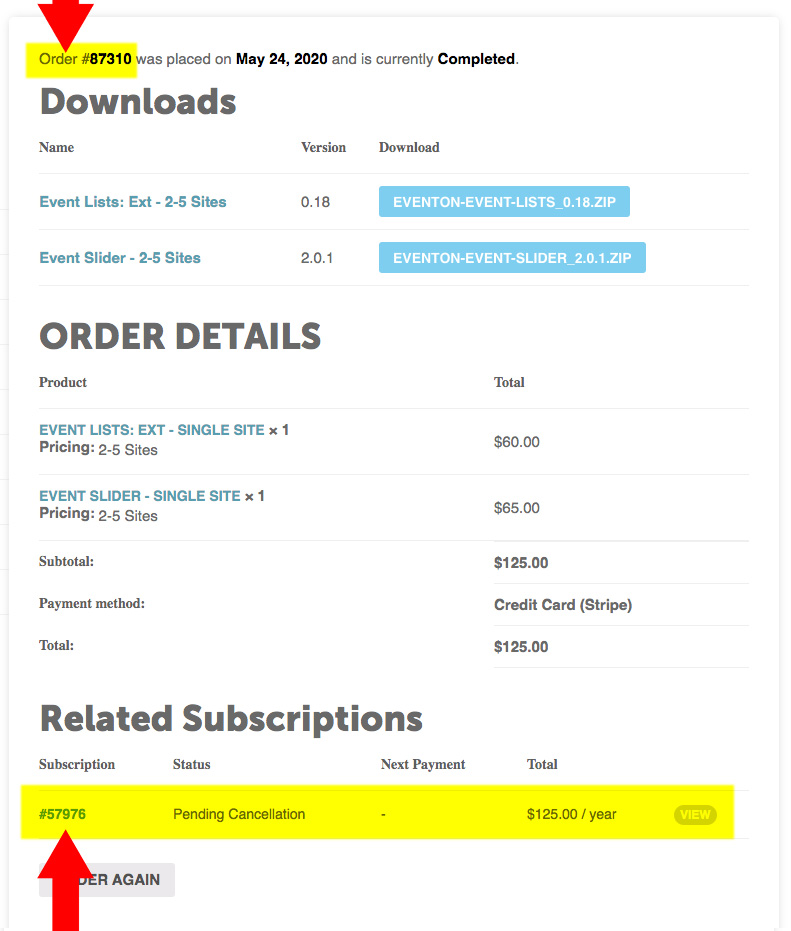
try #87310. See attached.