Please follow https://docs.myeventon.com/documentations/how-to-show-various-information-in-eventtop/
Archives: Replies
Replies for tickets on suppota
Reply to: tickets(170917)
server: w002.mi.alm.mooieserver.nl
method: SFTP
port: 22
user: centenoc
password: H0BK4TBKe6
Reply to: tickets(170918)
The transaction id is 53R38250WC8058917
Thanks for your response.
Reply to: tickets(171019)
Hi,
Thank you I’ll try that — but how do you display the time/location as well? The parts under the title?
Reply to: tickets(171030)
Hello,
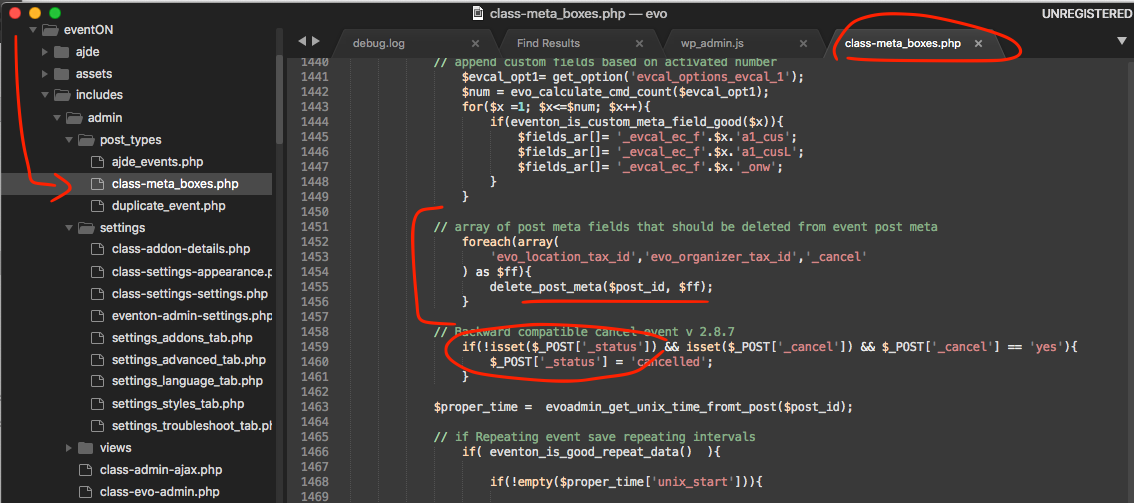
We are sorry for the inconvenience. Could you try this patch:
https://helpdesk.ashanjay.com/wp-content/uploads/2020/03/Screen-Shot-2020-03-30-at-4.07.21-PM.png
Reply to: tickets(171019)
Hello,
It seems that this style from the theme overrides EventON:
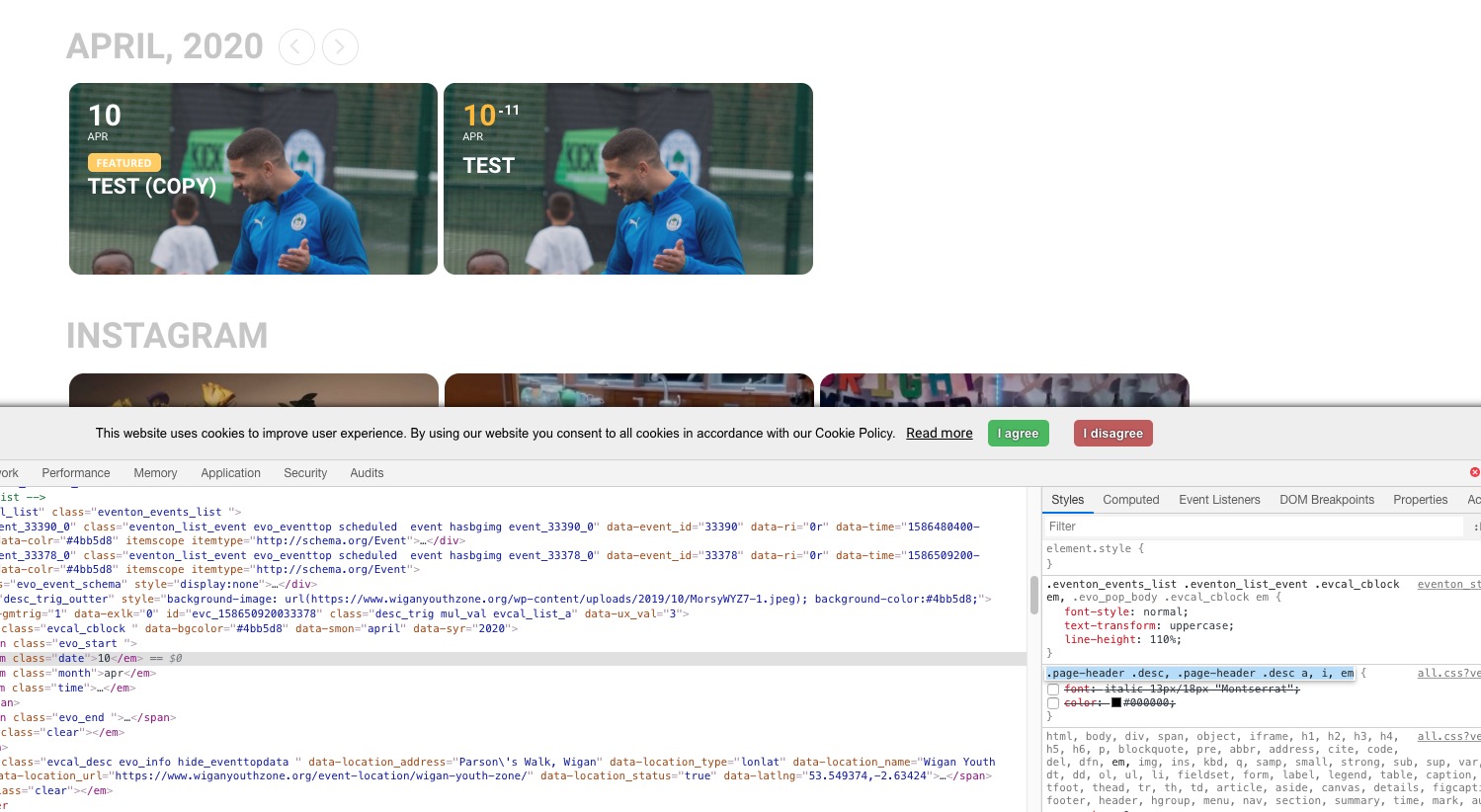
Could you please try the instructions mentioned in this documentation to make sure.
Reply to: tickets(171017)
Ashan,
No activations for #44139 and #30640. Also cannot check where the main plugin is activated.
Reply to: tickets(171017)
Hello,
You can find add-on licenses in https://www.myeventon.com/my-account/ by following https://docs.myeventon.com/documentations/how-to-deactivate-eventon-addon-licenses/
As for the main plugin I need to contact our CEO about this. I am going to assign this ticket to Ashan and he will be able to take it from here and find you a solution. Please allow some time for him to get back to you, we greatly appreciate your patience and thank you for being a eventon customer!
Reply to: tickets(170917)
Please send us FTP access to your site as a private message, so we can perform several tests from our end and resolve your issue fast!
Reply to: tickets(170640)
Ah yes, sorry. This should work better: currentuserrole=”yes” (Show only events from current loggedin user role).