Hello,
Can you explain in detail what you are trying to do please?
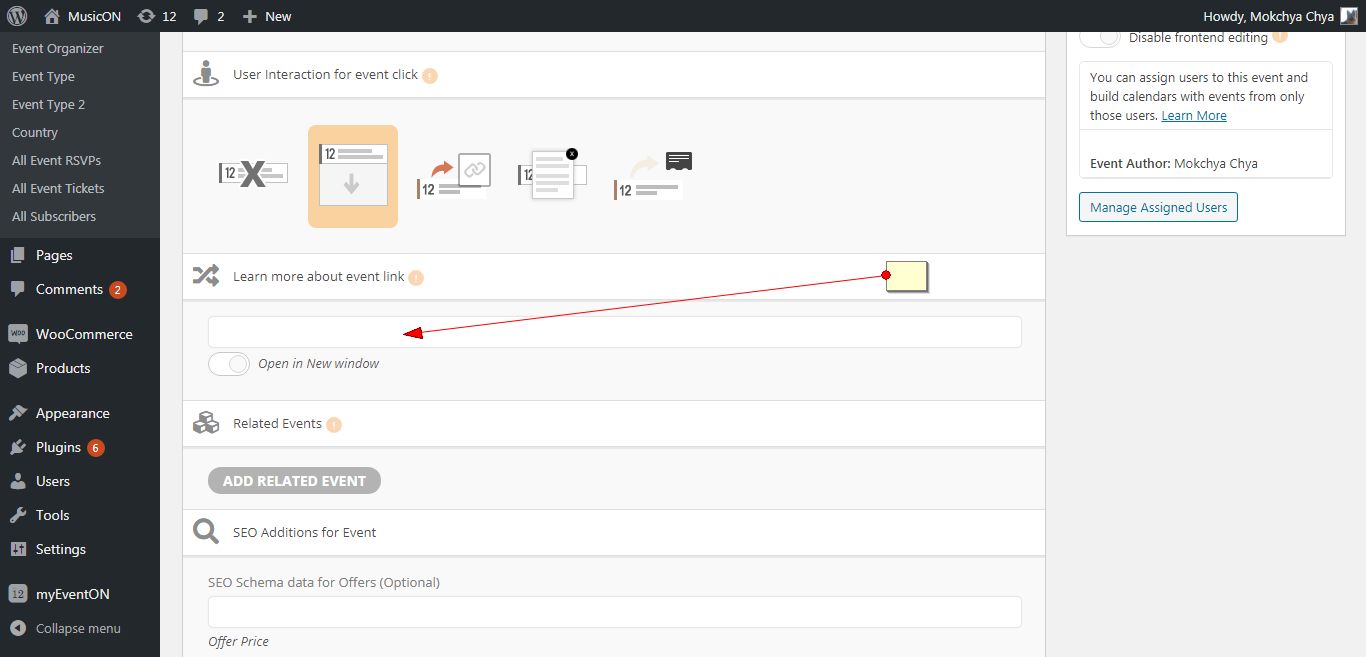
When you create an event there is already an option to add a link. Please check the screenshot.
Replies for tickets on suppota
Hello,
Can you explain in detail what you are trying to do please?
When you create an event there is already an option to add a link. Please check the screenshot.
Hi,
It is not available for now. sorry.
Let us know if you need help with anything else.
Thank You
Ah yes I have seen that before thanks – great plugin by the way.
It works on the website event view and on the order summary on the website.
Not on the email order confirmation though. There is the start and end date of the first module shown. Can you adapt?
Thanks
Ray
Please delete your browser cache and download from the same link. Thanks
Thank you for the explanation.
At this moment we will keep everything the same for speed of launching the website. Let’s keep it the way it is but of course, responsive design.
Thank you!!! It works now.
Just to make sure: when I tried to change your code, did I do it wrong? Or did you change more? Will this be fixed in the next release?
I have updated to 2.8.7. PLEASE look into this ASAP. I have mounting customer emails looking for this schedule.
Thanks
Jason Connolly
Hello,
It seems that it’s working now:
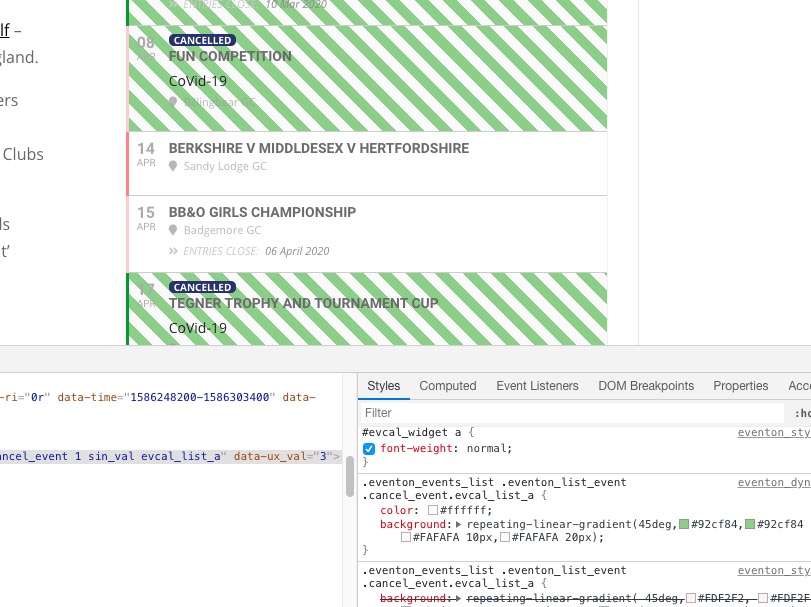
After every change in EventON > Appearance when you finished could you go to EventON > turn off Write styles to header > save settings > turn on Write styles to header.
Please also note that EventON > Appearance > EventTop Styles > Cancelled Events Tag > Background-color is tag’s background and not event’s.
Added the code. Please check and let me know.