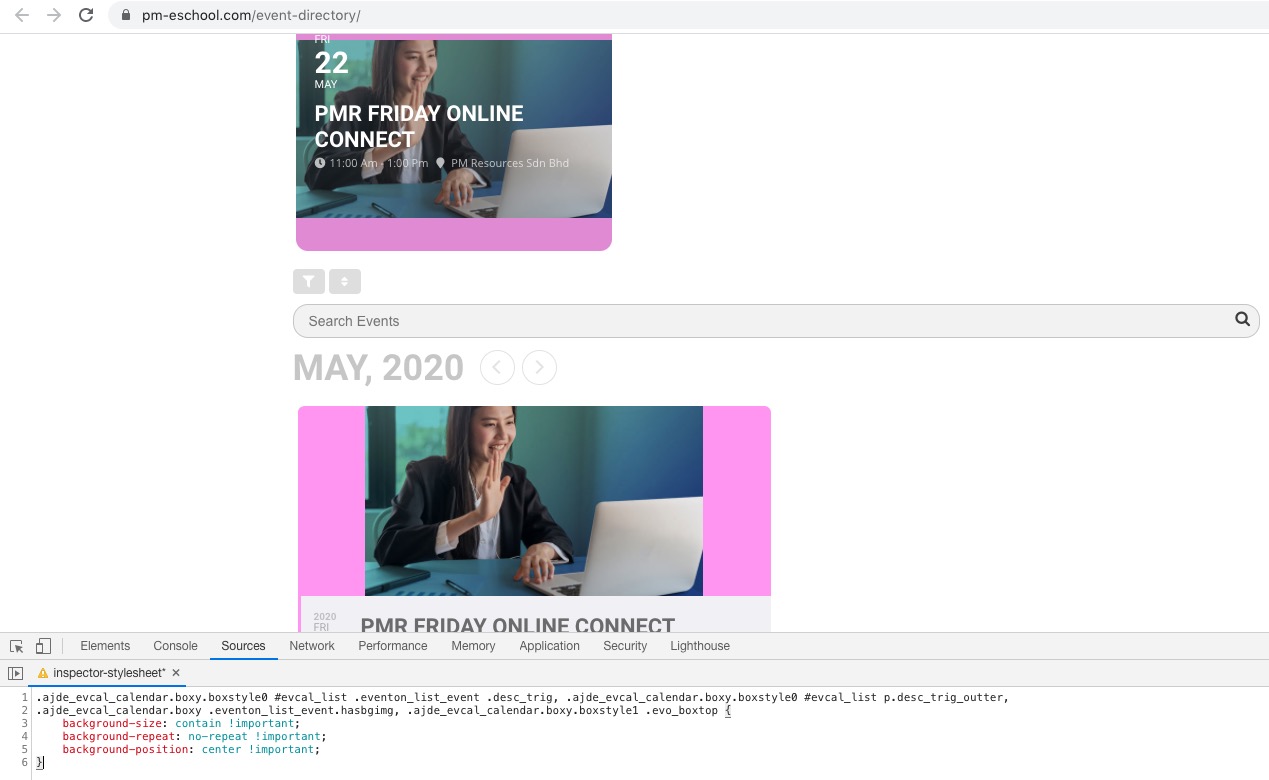
It’s impossible to have full images and make them responsive for multiple screen resolutions and ratios.
Please also try adding this CSS code to EventON > Styles (If you don’t see any change, EventON > turn off Write styles to header > save settings > turn on Write styles to header):
.ajde_evcal_calendar.boxy.boxstyle0 #evcal_list .eventon_list_event .desc_trig, .ajde_evcal_calendar.boxy.boxstyle0 #evcal_list p.desc_trig_outter, .ajde_evcal_calendar.boxy .eventon_list_event.hasbgimg, .ajde_evcal_calendar.boxy.boxstyle1 .evo_boxtop { background-size: contain !important; background-repeat: no-repeat !important; background-position: center !important; }
Sure, Ashish, I will leave a review at codecanyon.
Hi, Ashish,
Here is the link: https://pm-eschool.com/event-directory/
Thank you.
Hi, Ashish,
Here is the link: https://pm-eschool.com/event-directory/
Thank you.
Unfortunately, we are unable to provide support for issues caused by their-party themes or plugins. As they are not our products, we are unaware of how they have been programmed or how it is supposed to work. As such, we recommend you to contact the developer and ask them for their assistance in solving the problem. Let us know if you need help with anything else.
Sorry, its the background colour i need to change
Hello,
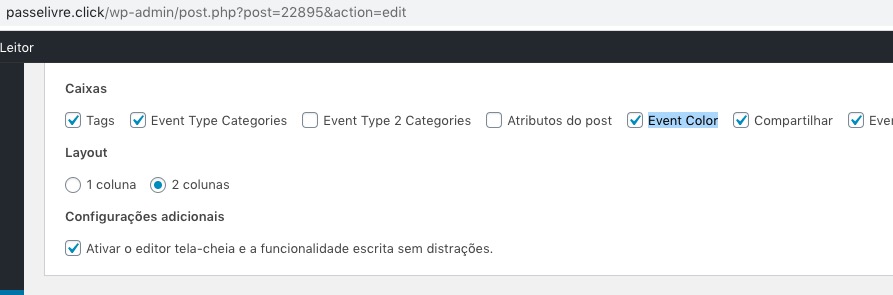
You can enable it from Opções de tela:
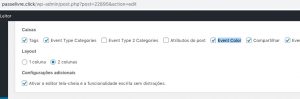
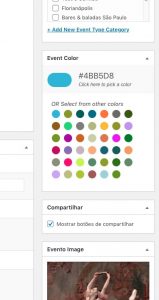
Please check and let me know.
Hello,
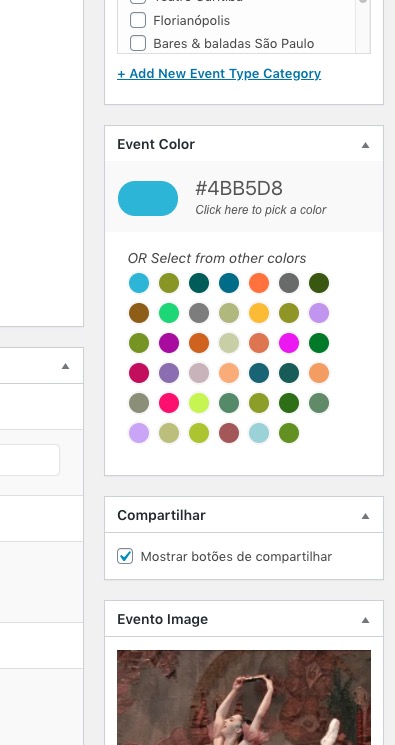
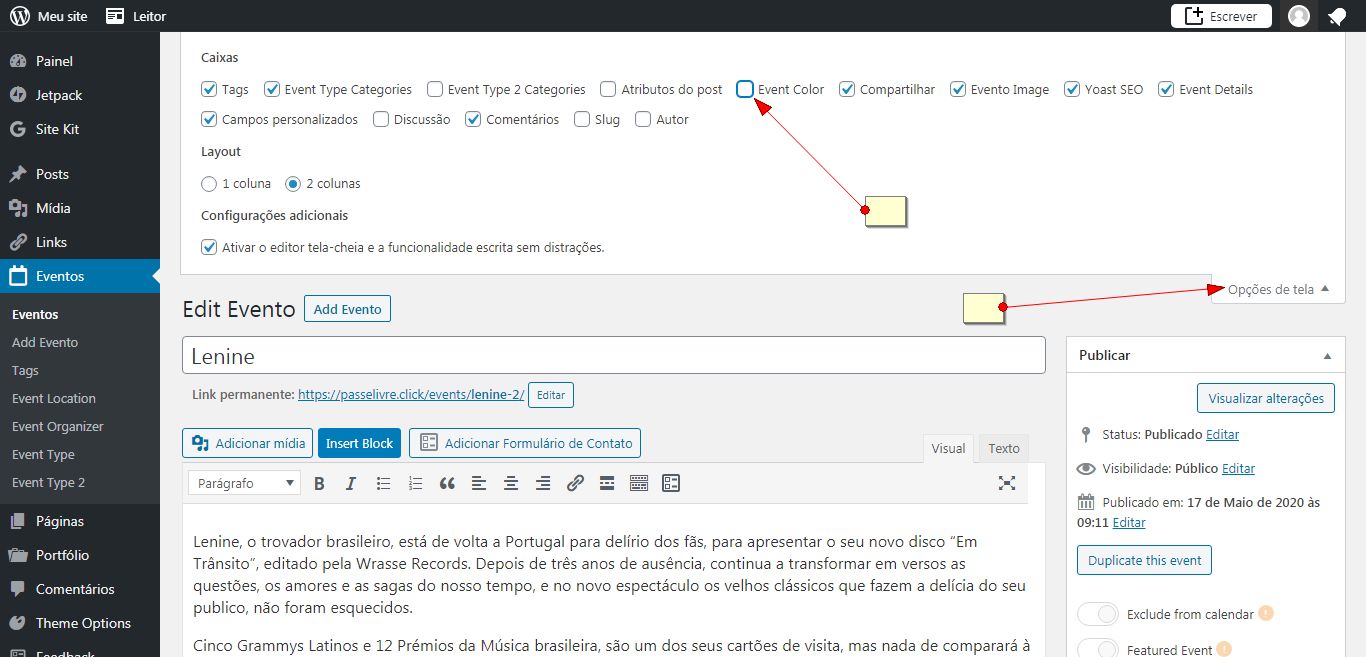
Please check the screenshot.
Open the dropdown window and turn on “event color” option.
If you have a moment, we would greatly appreciate if you could kindly leave us a review at codecanyon! from your account > downloads. Cheers!
Hello,
Please follow the instructions in this documentation to activate debug in your site to see any PHP errors recorded that can provide insight on to whats going on. Please reply with a link to debug.log file. If you are not able to do this please send us FTP access to your site so we can do this for you.