Hi,
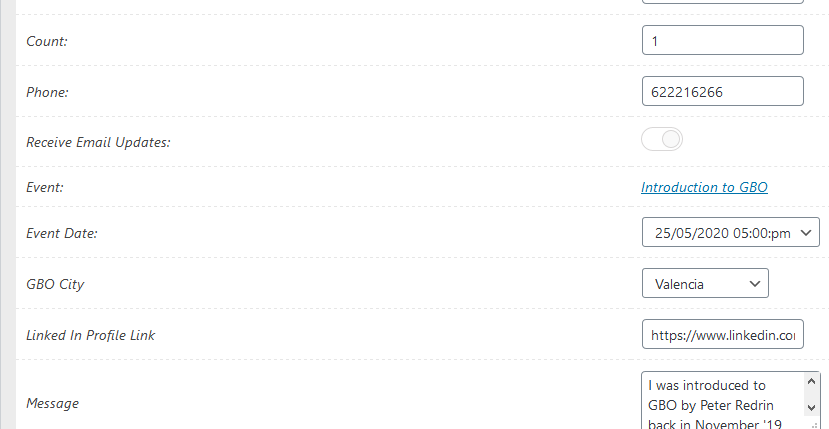
no, I do not need the RSVP Form submission date transferred, but the actual date event date. See screenshot 1
i.e. Event is scheduled for 25 May 2020 and a RSVP is submitted, 25 May 2020 needs to be transferred to Hubspot, where the form field is called “Meeting date”
See screenshot 2
The unique identifier from hubspot is meeting_date
Sorry for not providing login details. I figure that’s not needed since it looks like the issue is with the downloadable update package (it happens on two of my sites that have EventOn).
Thanks
JP
Yes, I figured out what happened, this is working fine now.
Thanks,
Randy
I by the way tried the following, but it didn’t work for me:
Enabling EventON > Write dynamic styles to header and clean cache plugin
The following site is not mine, but I found a similar type URL generated by google search.
https://subaeru.info/page/4/?post_type=evo-tix
Although it is in Japanese, the name of the purchaser is also displayed.
Thank you for reply.
https://painty.jp/?post_type=evo-tix
https://painty.jp/?evo-tix=ticket-feb-15-2019-010440am
I changed setting in wordpress theme so the author’s name (customer’s name) is hidden now.
Lastest version doesn’t work, breaks the page.
Please send us wp-admin access to your site as a private message for us to further assist your situation.
Please add eventtop_style=”1″ to the shortcode:
https://mkpqld.org.au/4257-2/
[add_eventon_list event_type=”39″ event_type_2=”36″ etc_override=”yes” eventtop_style=”1″ ]
After go to Edit Event > Event Color.