Hi, thanks for your prompt response – I really appreciate it. My order ID is 85432
I’ve looked again into the unassigned seating and I still can’t make it look how I want it to. What I would essentially need (using the image you have sent as the example) is the white square with EQWE in it to represent the stallholder table. I would have 20-40 of those around the room, with plug sockets, windows, doors and things marked off so that people could select their space. Some spaces might be larger than others, depending on the available space and the layout.
Then, once someone had selected their space and had it approved before paying, their company name would appear in place of the EQWE text.
What I don’t want is the little green circles which are all uniform. But there feels no way of changing those.
Without the ability to do this (which is what I was wanting to do ever since I set up my business), I might as well stick with GeoDirectory. I’ve just been charged for that, and I would need to put in my refund request with them if I could get this working, but I’m pulling my hair out trying to make it work.
I was so excited when I found your plugin extension, but the floorplan thing really just isn’t working how I thought it would. So without that, I want to just stick with what I have and find some other way of making it better.
I bought all the extensions I would need in one go to benefit from one of the bulk options you had available. Otherwise I would have bought just the bare minimum to get this working first.
Thank you
Yvette
Thank you so much! I’ve just added the addon yearly-view.It is not the result I wanted to.. I hoped it was only a simple view of all the events with pictures…
The thing is that I don’t see where to change this appearance and if it is possible. I would like the appeareance with pictures…not like a book calendar. If you can help, thank you very much in advance.
Hi Artem
I know that it is on the event card but it is not correct, the time of the ICS calendar is not the same as of the event. Does that mean I need to disable the ICS download as it can confuse people with incorrect times? Can I manually add the timezone to the calendar entry?
Thanks
Michael
It’s already on Event Card:
Thank you for your great suggestion, at the moment it is not supported. However please create a new ticket and select Feature Request as category so others can vote on your idea and get it moved into development faster.
Hello,
The best solution in this case will be using ESE widget https://docs.myeventon.com/documentations/use-eventon-shortcode-executor-widget/ with this shortcode:
[add_eventon_list number_of_months=”12″ hide_empty_months=”yes” show_year=”yes” ]
Please check and let me know.
Please also note that I cannot see Widgets with provided login info:
Hello,
Please check this add-on: https://www.myeventon.com/addons/yearly-view/. Try on http://dev.myeventon.com/wp-admin/
Please also check this shortcode:
[add_eventon_list number_of_months=”12″ hide_empty_months=”yes” show_year=”yes” ]
Danny Lawrenz,
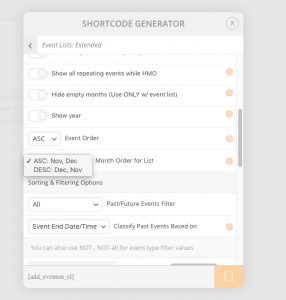
Please purchase and install https://www.myeventon.com/addons/event-lists-extended/. You can use Month Order for List to order months:
Try on http://dev.myeventon.com/wp-admin/.
Hello,
Instead of eventon_eventtop_one please try eventon_eventtop_abovetitle. How it looks in the source code:

Unfortunately, we cannot help with customizations. You can send us a customization job request by creating a new ticket in here and selecting Customization Request as the category.
Hello Artem,
thanks for your feedback.
Where do I add to Calendar link. Is this in “General Calendar Settings”?
I think it would be a really helpful features to allow to select the timezone in *Edit Event” and then represent in the Calendar link.
Best
Michael
Hello,
Edit Event > Event timezone doesn’t affect event time in any way, it’s there for information purposes.
Add to Calendar link (GOOGLECAL) exports time in UTC+0 timezone so each user can choose their own timezone when adding events to Google Calendar.