If you do not see any changes, go to myeventon->settings and turn on “Write dynamic styles to header” button.
If you still do not see any change, turn off “Write dynamic styles to header” button, save the settings, turn it back and save the settings again.
Thank You
Hello,
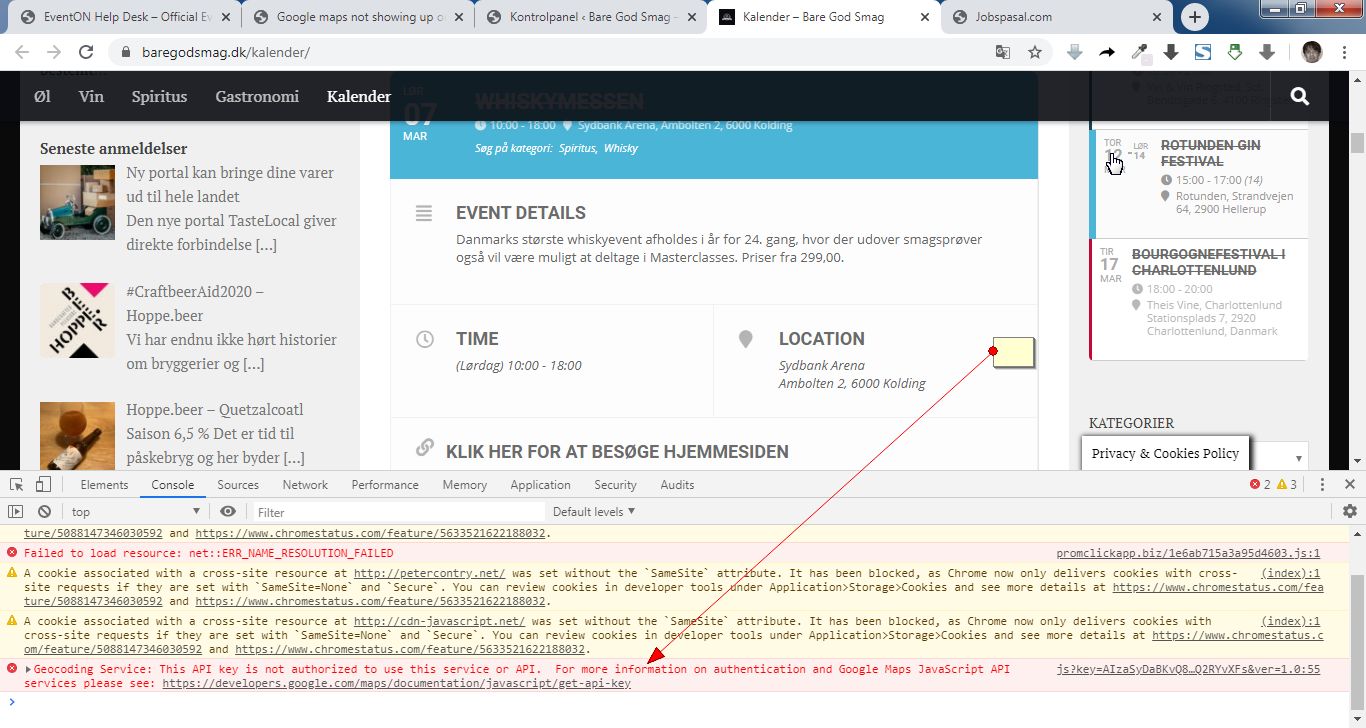
There seems to e something wrong with the API key you are using.
It says that the API key is not authorized. You can check the screenshot.
Now it works. Thank you!!!
[add_eventon_list number_of_months=”24″ month_incre=”-12″ event_order=”DESC” ft_event_priority=”yes” hide_month_headers=”yes” hide_mult_occur=”yes” hide_empty_months=”yes” show_et_ft_img=’yes’ accord=”yes” show_year=”yes” etc_override=”yes” ux_val=”3″ ]
OK thanks. I’ve added addresses to all the locations. Perhaps you could make that a mandatory field in a future update?
Yes, the Month jump settings in the Appearance section, along with the months and sorting buttons and years.
Is there a visual user guide detailing what color setting affects, what element on the calendar?
We have inserted a new API key into the plugin so please see if you are able to get it looked at now.
Hello
Once i add the CSS in style eveno its still not working:
.tax-event_type aside#secondary { display: none !important }
May i ask your advice ?
thanks
NItzan
Started service as a single developer a year ago
But after a while, I closed the service
Forgot to buy this plug-in and lived hard every day
One day, I was surprised that $ 600 was suddenly paid.
I do not use this service now and I will never use it
I can’t go out because of covid-19 now.
So I can’t make money
$ 600 is my family’s monthly cost of living
plese save me