Thank you. What do I add to the shortcode to enable ICS download?
Also, I’d like to return to my initial question – is it possible to display more than the current month in the ‘main calendar’ option?
Replies for tickets on suppota
Thank you. What do I add to the shortcode to enable ICS download?
Also, I’d like to return to my initial question – is it possible to display more than the current month in the ‘main calendar’ option?
Купил дополнение FullCall
Вечная загрузка мероприятий и ничего нет, я пытался по разному вывести при помощи шорткодов
https://mb05.ru/events/
Спасибо!
We are glad your issue is resolved, if you have any further questions or concerns please create a new ticket.
If you have a moment, we would greatly appreciate if you could kindly leave us a review at codecanyon! from your account > downloads. Cheers!
Perfect thankyou!
These two are available: Allow ICS download of all events and Hide featured events.
Please check http://dev2.myeventon.com/21496-2/
Hello,
This was already done before I opened this ticket.
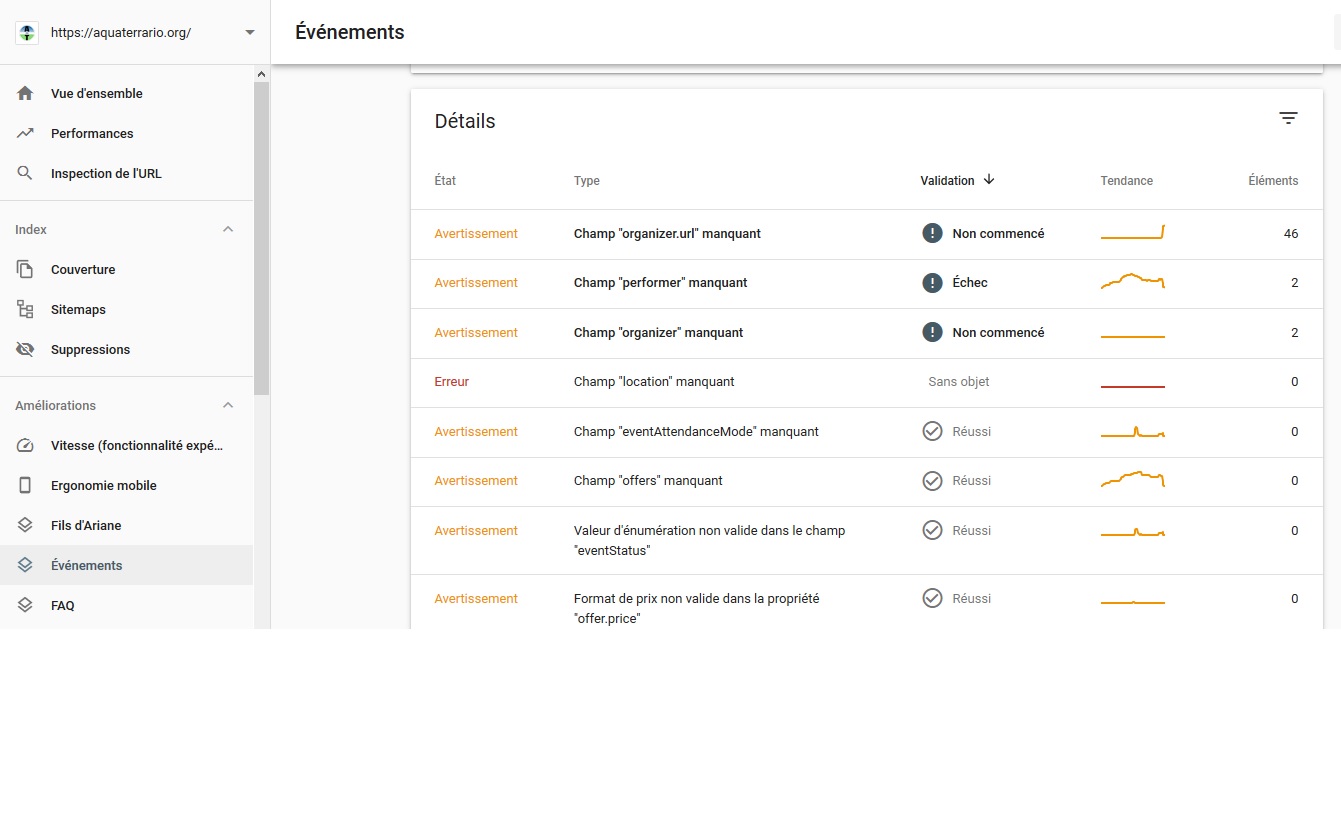
On search console, I noticed “performer” was replaced by “organizer”
I never had “organizer.url” notice before. It was working fine until now.
See enclosed picture. It may be a change by google.
Regards
1. You can use User Interaction: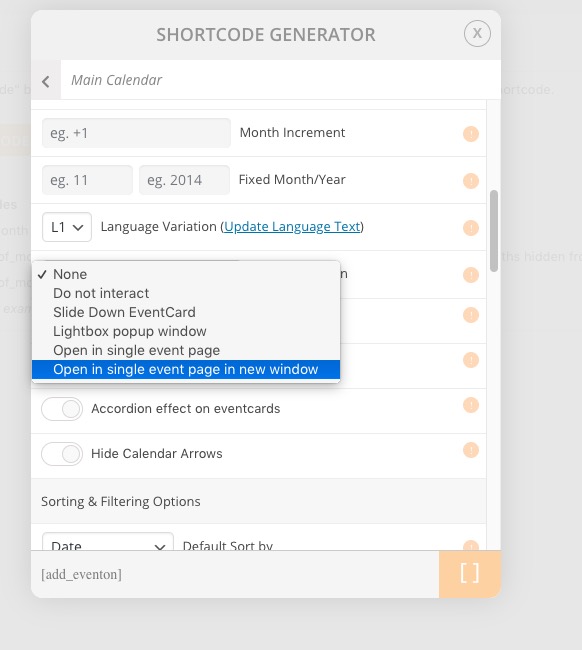
The problem is that you cannot set External Link this way.
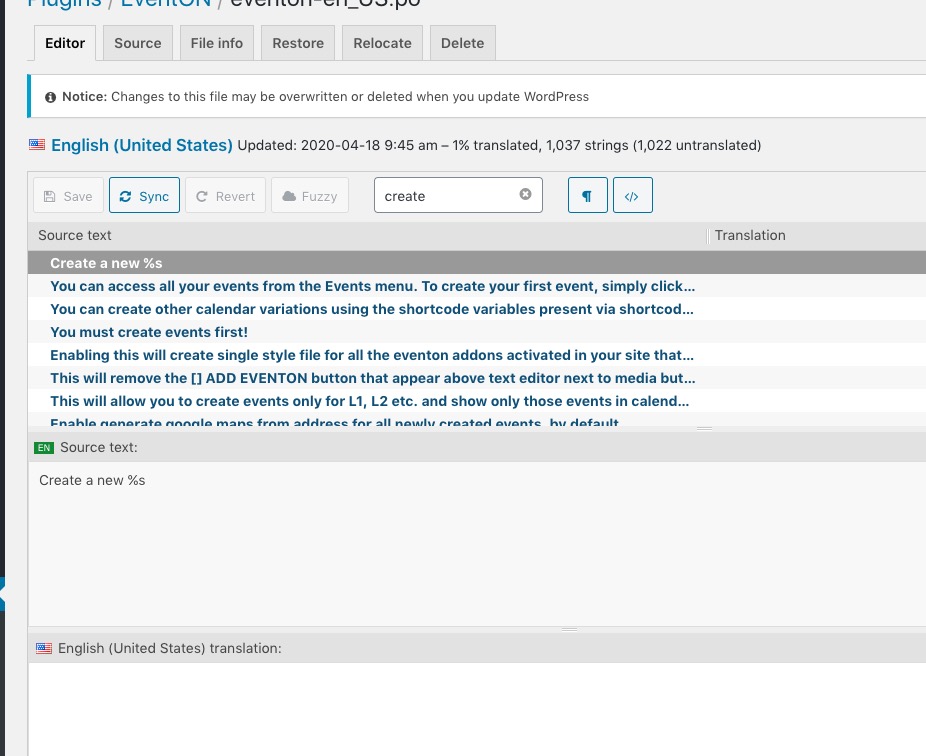
2. Please find “Create a %s” and “Select a %s from list”:
Hello,
Unfortunately, you cannot change font sizes from EventON Settings. However I can give you the CSS code for any part you like.
You can change font families from EventON > Appearance > Calendar Font family.
Please also note that we cannot refund the main plugin from here. Could you contact CodeCanyon?