Hello,
It seems that the problem is in Quick Edit. Please go to Edit Event and press Update. This should solve the issue. Worked for this one: https://dakotadiningdeals.com/wp-admin/post.php?post=1072&action=edit
Could you tell us more about the whole Quick Edit process so we can fix this? For example, from what date did you change this date from: https://dakotadiningdeals.com/wp-admin/post.php?post=1072&action=edit?
thank you for the input.
I have decided to keep the old trick, just copy a new event with own url (and keep the date in the URL)
I hope there will be a feature added in the future where you can just add more dates to a singular event, which woulc make things a lot easier…
We are glad your issue is resolved, if you have any further questions or concerns please create a new ticket.
If you have a moment, we would greatly appreciate if you could kindly leave us a review at codecanyon! from your account > downloads. Cheers!
Hey,
I have found the problem, already working on updating my CSS code 🙂
Yes, my suggestion is for new events only as answer on this question: I have another question, it’s possible to put auto RSVP with the CSV importer addon?¿
We are glad your issue is resolved, if you have any further questions or concerns please create a new ticket.
Hi,
Yes I have started wokring on it 🙂
Hi,
Still working, there is an issue with the fee value but I will find out where it comes from.
Sorry for the delay
Hi Iwan,
Sure:
Payment URL:
https://paypal.me/Basilakis/50usd
You need to send me after:
WordPress Access
FTP Access
I will start after will try to deliver the soonest.
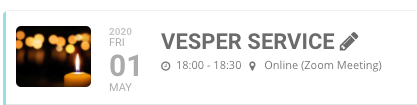
And one more – wehre the icon is ok