Please go to wp-admin > Settings > change Time Format to g:i a or similar.
Archives: Replies
Replies for tickets on suppota
Reply to: tickets(168195)
Hello,
Please go to Edit Event > Tickets > Enable ticket variations & options > enable Sell Price Options as Separate Tickets.
Reply to: tickets(168135)
Hello,
Please go to EventON > EventCard > enable Show full event description.
.eventon_events_list .eventon_list_event .evcal_desc span.evcal_desc2, .evo_pop_body .evcal_desc span.evcal_desc2 { font-size: 23px;}
Could you send us a link to POSTPONED part?
.eventon_list_event .event_description p, .evcal_list_a .event_description li, .evo_pop_body .evcal_evdata_row .evcal_evdata_cell p { font-size: 16px; font-style: normal }
Please add eventtop_style=”1″ to the shortcode and change Edit Event > Color.
Reply to: tickets(168170)
Please add this CSS code to EventON > Styles (If you can’t see any change, EventON > turn off Write styles to header > save settings > turn on Write styles to header):
.eventon_events_list .eventon_list_event .evcal_desc span.evcal_desc2, .evo_pop_body .evcal_desc span.evcal_desc2 { font-size: 22px; }
.eventon_events_list .eventon_list_event .evcal_desc span.evcal_event_subtitle, .evo_pop_body .evcal_desc span.evcal_event_subtitle { font-size: 16px }
.eventon_events_list .eventon_list_event .evcal_desc .evcal_desc_info, .evo_pop_body .evcal_desc .evcal_desc_info { font-size: 15px }
.evcal_cblock .evo_start { font-size: 35px }
Reply to: tickets(167689)
This page https://beirabaixatour.pt/home/event-directory/ from my side: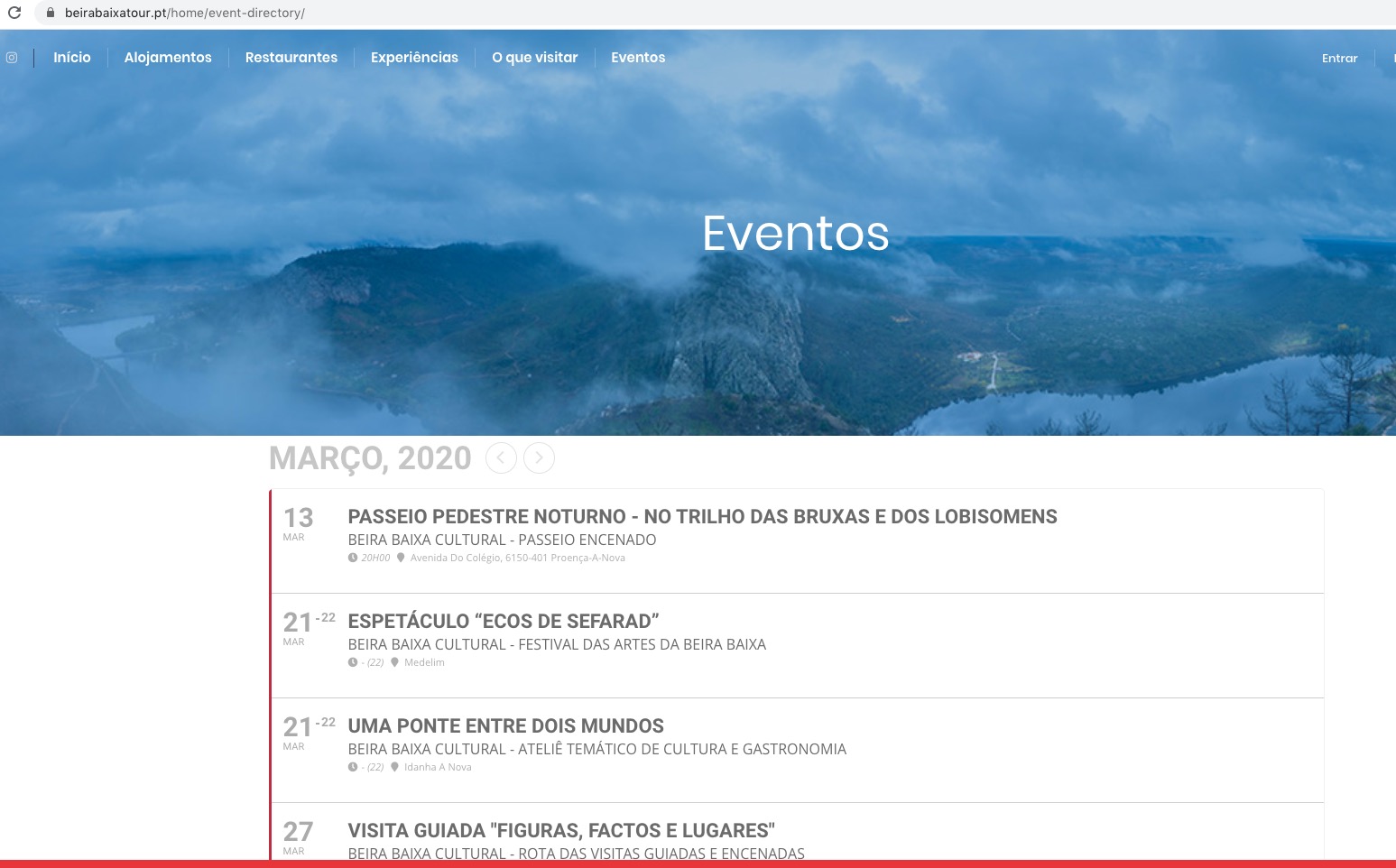
Reply to: tickets(161726)
You have disabled auto updates right?
Unfortunately, autoupdates aren’t available at the moment.
Only blank white space is left, side-menu and all the auto ads not working as well. I use automatic ads from Google and turned it on via Advanced Ads plugin. This is the only subpage where ads doesn’t show so I guess it has connection with eventON code or something? Cheers
Could you send us a screenshot of where ads are supposed to be?
I hope that won’t cause any issue?
No. The problem is that after update you’ll have to change this once again.
I also noticed display glitch with new update:
Please add this CSS code to EventON > Styles (If you can’t see any change, EventON > turn off Write styles to header > save settings > turn on Write styles to header):
.ajde_evcal_calendar .calendar_header .evcal_arrows i { top: 0; } .ajde_evcal_calendar .calendar_header .evcal_arrows.evcal_btn_prev i {left: 8px;} .ajde_evcal_calendar .calendar_header .evcal_arrows.evcal_btn_next i { left: 3px; }
Reply to: tickets(168137)
EventON > EventTop > Event Time (to and from) is not for this time but the one under the title.
Please add this CSS code to EventON > Styles (If you can’t see any change, EventON > turn off Write styles to header > save settings > turn on Write styles to header):
.evoDV .eventon_events_list .eventon_list_event .evcal_cblock { display: none }
.evoDV .eventon_events_list .eventon_list_event .evcal_desc { padding-left: 15px }
Reply to: tickets(168138)
Thank you for your messages, I am going to assign this ticket to Ashan and he will be able to take it from here and find you a solution. Please allow some time for him to get back to you, we greatly appreciate your patience and thank you for being a eventon customer! Also please disable any IP blocking on your site if there are any.
Reply to: tickets(168138)
Ashan,
The same on dev2:
http://dev2.myeventon.com/20958-2/
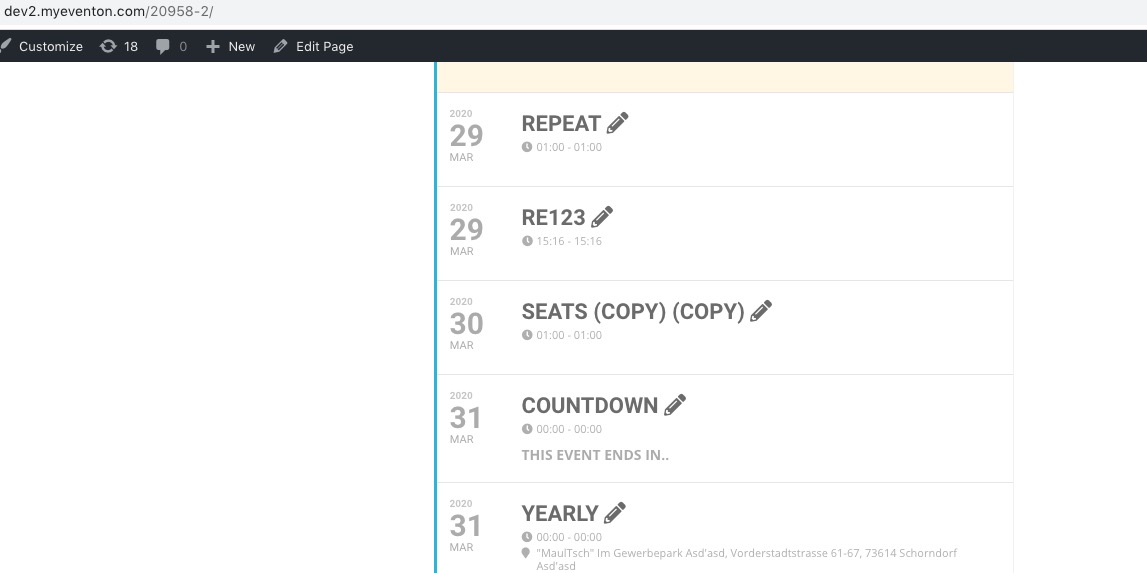
Also when Slide Down it doesn’t show at all:
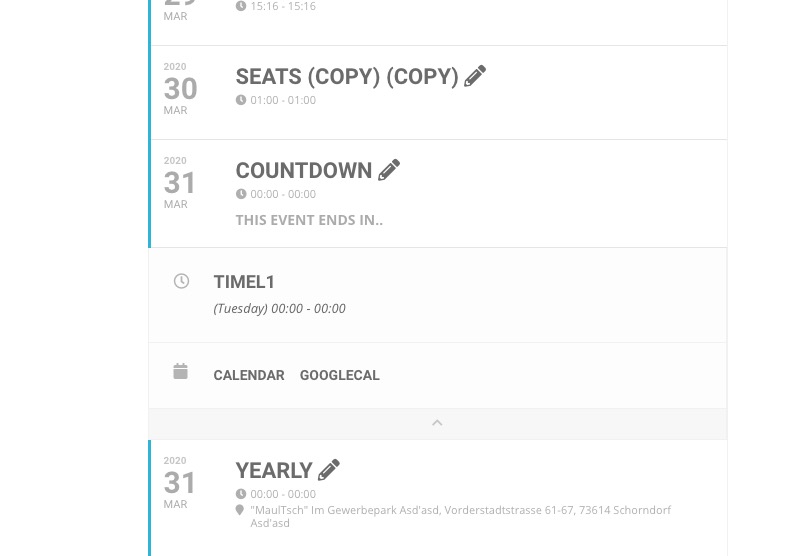
Reply to: tickets(168126)
Hello,
Please add this CSS code to EventON > Styles (If you can’t see any change, EventON > turn off Write styles to header > save settings > turn on Write styles to header):
.eventon_events_list .eventon_list_event .evcal_desc span.evcal_desc2, .evo_pop_body .evcal_desc span.evcal_desc2 { font-size: 18px }
.ajde_evcal_calendar.boxy.box_4 .eventon_list_event { height: 160px !important }