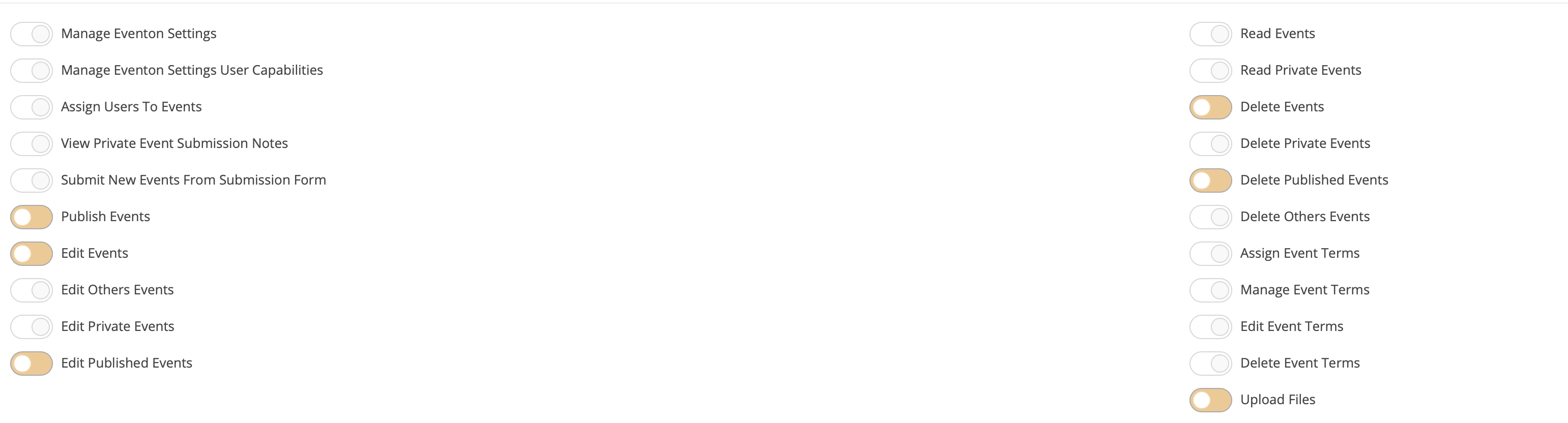
Yes the role is correct, already have the permission to upload Files. I have never changed anything.
Replies for tickets on suppota
Yes the role is correct, already have the permission to upload Files. I have never changed anything.
We are glad your issue is resolved, if you have any further questions or concerns please create a new ticket.
And which User Role does this “user account” have? Please go to EventON > Action User > User Capabilities > select the correct Select Role. > enable Upload Files.
OK sarah, can u also show me the page u have a map on your web site please?
I have also noticed that eventon will only import 3/4 lines of the event description
Great! – Thats working now
Follow up questions – how do I add custom colors AND/OR custom categories for new ICS imports?
Thanks
Im not sure what you mean by
If you comment font-size: 0
is this will display the English or what?
Thanks
Of course 🙂
You guys are awesome
Hi
So I did all things except the shortcode I’m confused about how to do so.
Can you help me: my shortcode for Arabic language is this
[add_eventon_fc grid_ux=”2″ load_fullmonth=”no” event_type=”75″ lang=”L1″ jumper=”yes” ]
How can I add: wpml_l1=’ar’ << this ar like arabic i think from WPML
BUT its the defult languge for the website.
so its like this https://albaraka.org/
and doents have ar
The English shortcode is this:
[add_eventon_fc grid_ux=”2″ load_fullmonth=”no” event_type=”74″ lang=”L2″ jumper=”yes” ]
How can I add also the language on WPML is: en
wpml_l2=’en’
like this
Thanks