Not a problem Remesh please contact codecanyon for a refund as they handle the payments for eventON main plugin exclusively.
Archives: Replies
Replies for tickets on suppota
Reply to: tickets(172010)
Thank you. Ok so I was able to dig into this but there are some problems at the cart level.
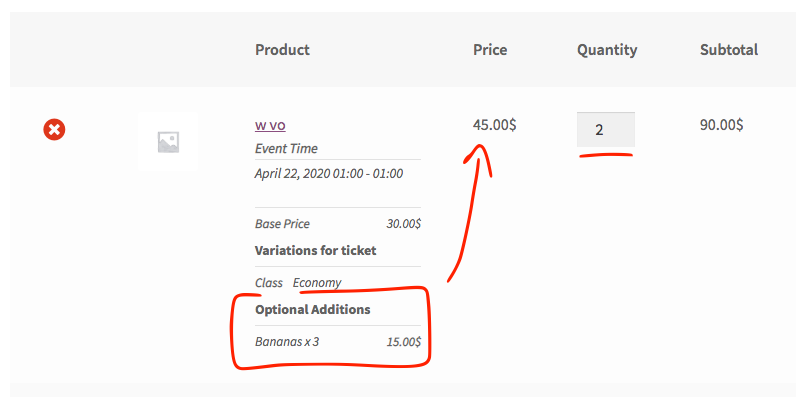
Even when I was able to get the prices correct on the event ticket section when we add it to cart woocommerce interpret it as complete part of individual ticket. Anyways I will see if I can find a way to override this.
Reply to: tickets(170919)
When someone RSVP for first time. Do you get a notification email? These are the conditions where system will send email when RSVP is changed
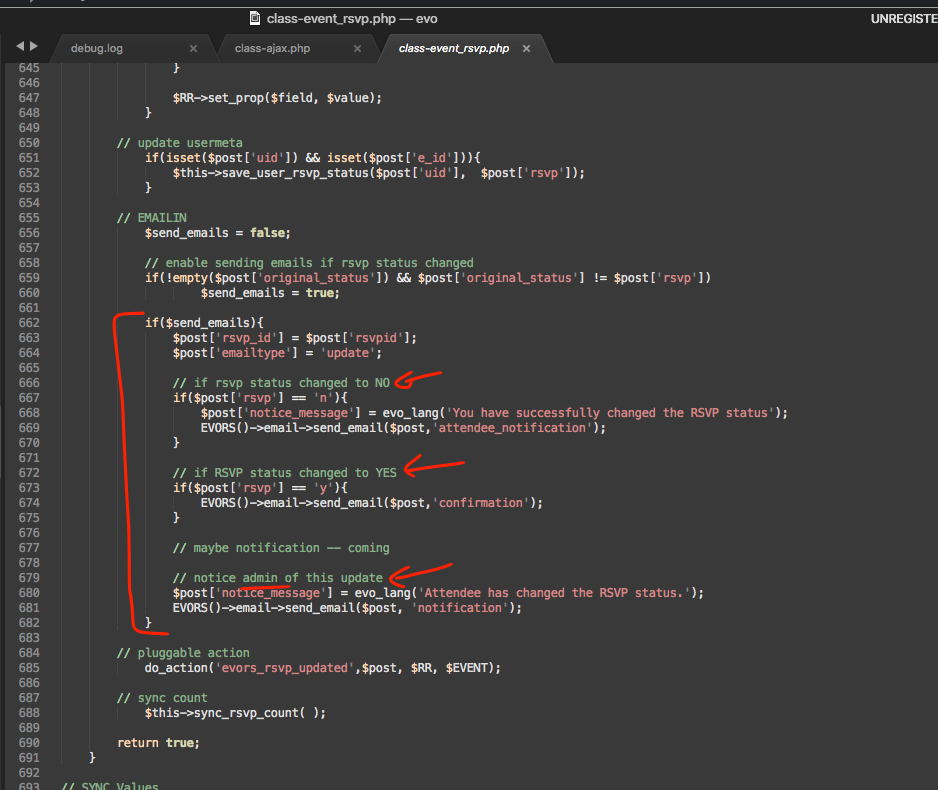
Are these not working for you?
Reply to: tickets(173135)
Hello,
Are you referring to this element:
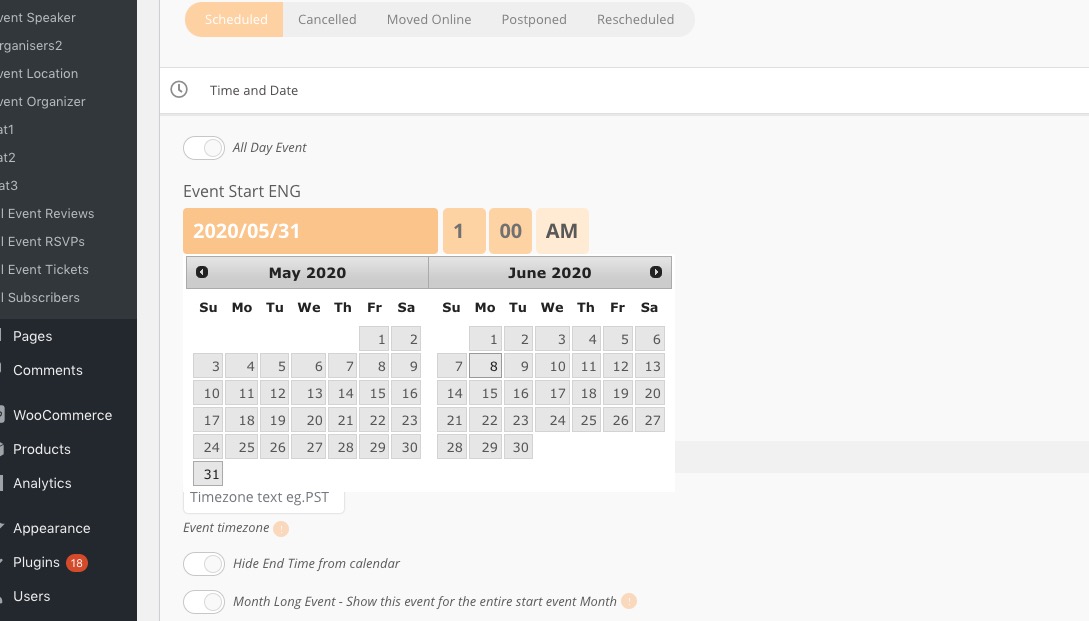
If so please follow this guide: https://docs.myeventon.com/documentations/translating-eventon-backend/
Reply to: tickets(173125)
Hello,
For example, this event https://www.sfonthebay.com/events/leila-by-the-bay/ takes place from April to June. This is why it has Apr in the corner. Please try adding this to the shortcode:
hide_mult_occur=”yes”
Reply to: tickets(170911)
Will this is related to your other ticket. So lets keep everything in one place 🙂
Reply to: tickets(170911)
Did you try the diagnose test I mentioned?
Are you able to give us wp-admin access to this site?
Reply to: tickets(172901)
I made this whole ticket private.
We are glad your issue is resolved, if you have any further questions or concerns please create a new ticket. If you have a moment, we would greatly appreciate if you could kindly leave us a review at codecanyon! from your account > downloads. Cheers!
Reply to: tickets(173109)
Hello,
Unfortunately, at the moment it is not supported. You cannot show events on Event Map without Lat/Long values. What you can do is to add full Location Address that includes Street, City, Postal Code, State, Country. This way EventON can generate Lat/Long values automatically. OR You can also go to Events > Event Location > Edit > Add Lat/Long values manually using this service: https://getlatlong.net/
Reply to: tickets(170660)
FTP is working for me, thank you!
I installed EventON 2.8.8 alongside with 2.7.3 and it seems that it’s loading speed is quite fast:
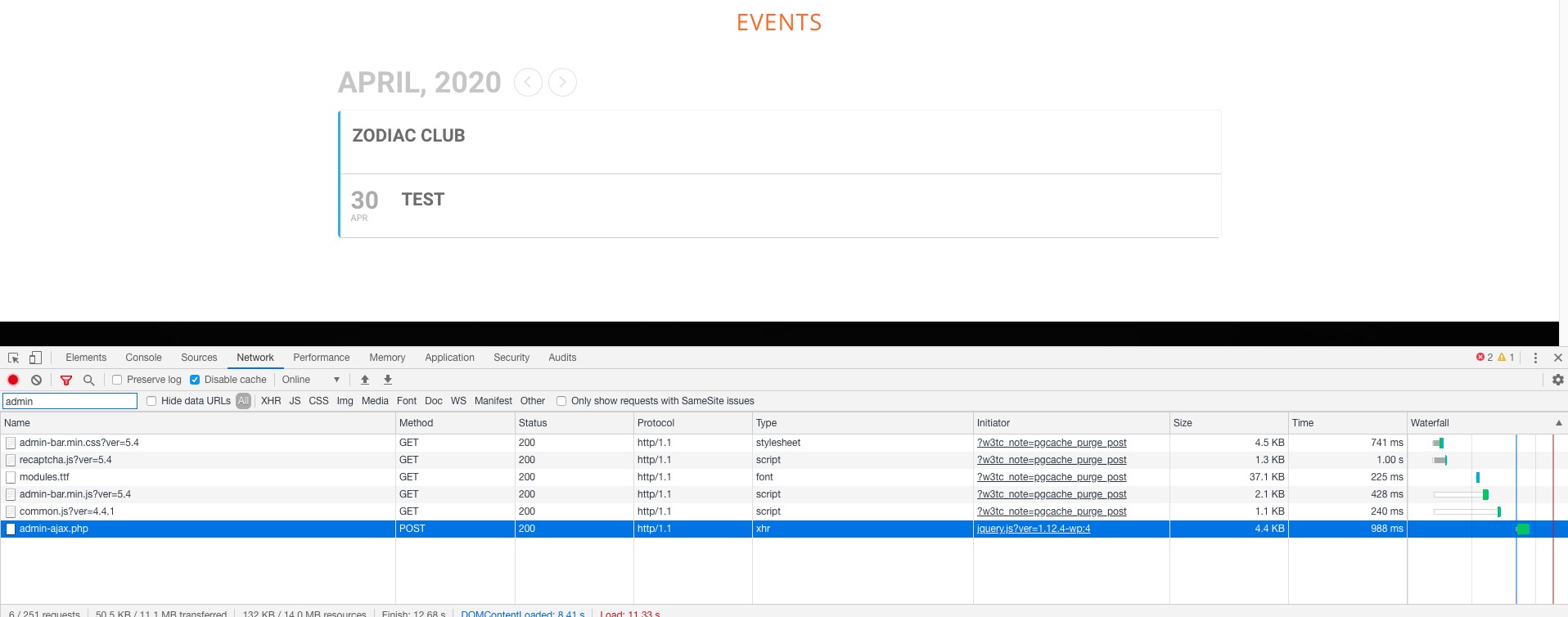
As you can see it’s less than 1 second for EventON’s admin-ajax.php request. And for May:
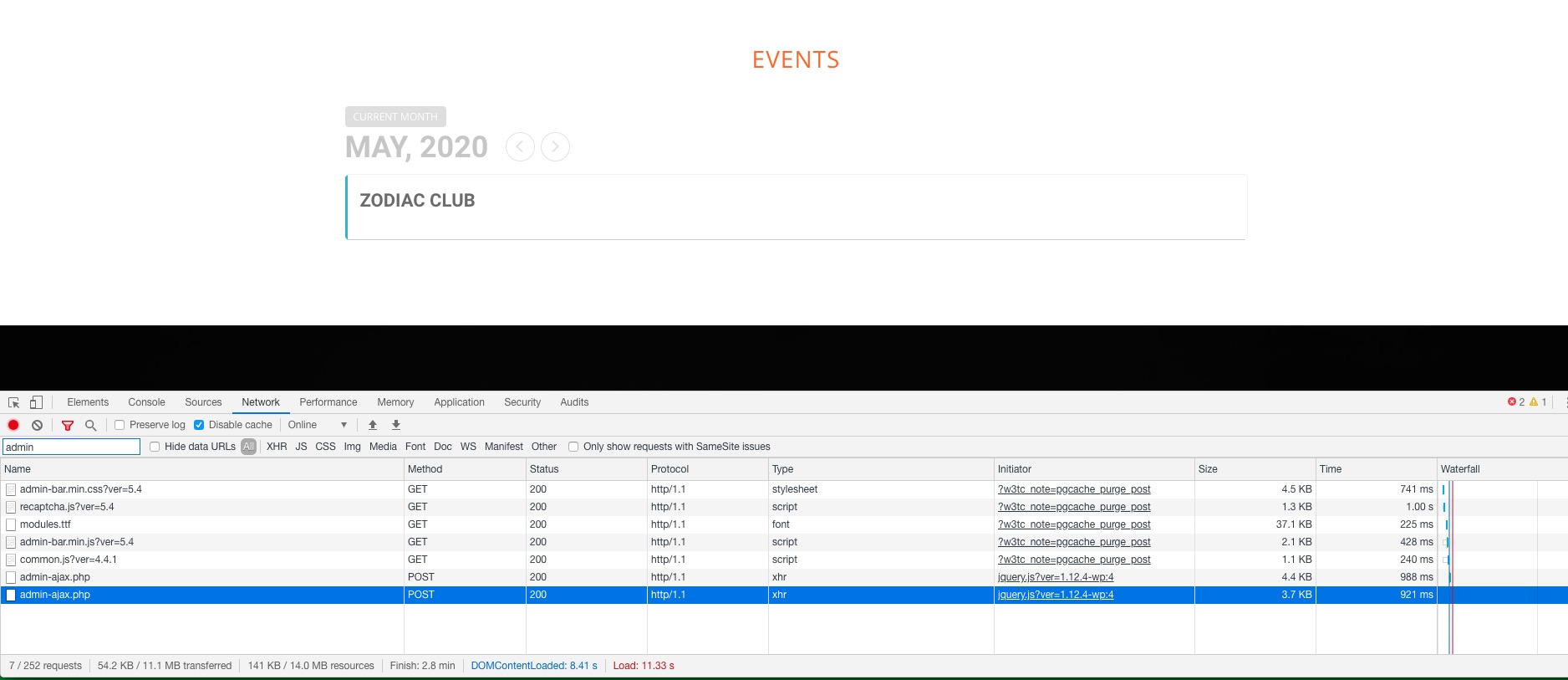
Could you check and let us know?