I have gone ahead and refunded you for both the orders. “Order is #83923 and #81252” both the subscriptions are cancelled as well.
If you would like kindly purchase the addons using the correct payment method. So then next time it will use the correct payment method for updating.
And I acknowledge that there is an issue in our system that does not update the payment methods and I will look into solving that for future.
Best Regards Ashan Jay
Stay safe out there my friend!
Thank you! I just purchased the Event API add-on this morning. I used my work email (which I should have done in the first place – so you’ll see the purchase under: online@ivypublications.com)
I’m confused about this though… I have pasted the code onto another website (https://www.wineandcountryweddings.com/events/), and I see the list, but when you click on an event, it was directing me to the main page of the original website. I took that URL out but now it just reloads this same page.
Is there a way for it to link directly to the event information? Not sure if that’s called the event card??? I don’t want to have to manually link every one of these events, as we add them it would quickly get overwhelming.
Please help!!
Thank you.
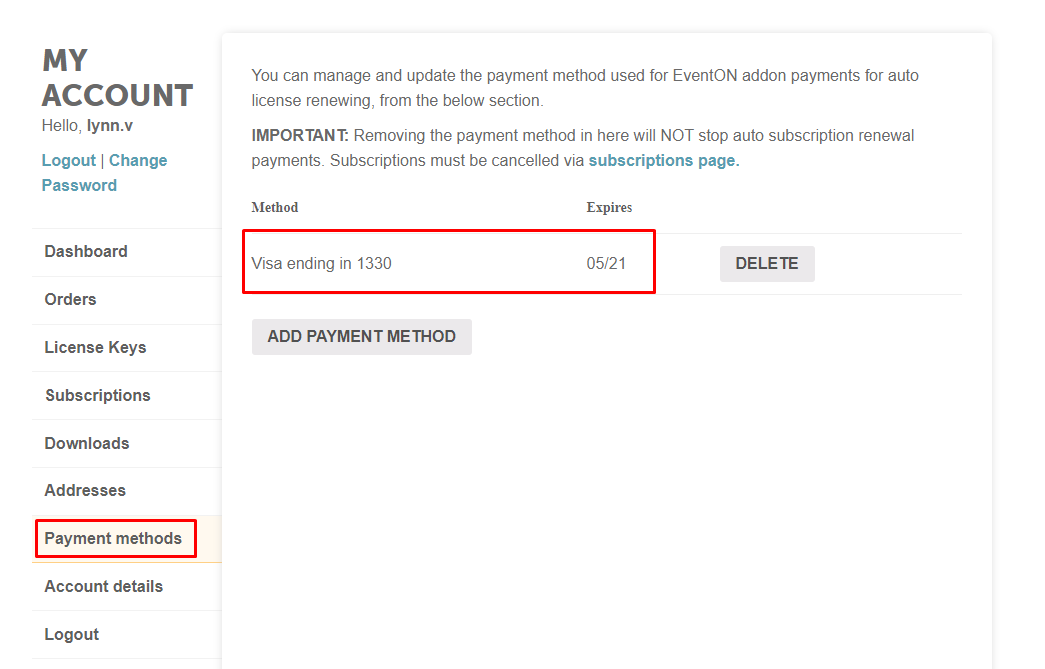
As it currently stands, see attached image for Payment Method set in place.
You can see that card in place is a card ending 1330, expiring 05/21.
| Visa ending in 1330 |
05/21 |
For some reason, it has charged card ending 0373, expiry date 04/22.
How do we sort this? And we just want to be clear that we will not be repurchasing. This will mess with our accounts.
The correct payment card needs to be charged and the other refunded.
There seems to be a break for where card added in the account does not update payment method for the subscription.
How do we ensure payments are taken with the correct card moving forward?
Roldan
Hello Jason as I mentioned earlier I have created a custom database code for you that seems to use less resources so you can use all the shortcode options now and those should work fine without causing events to stop loading.
hello,
Since support period for customization work is 5 days, please let me know if anything is not working as soon as possible. Thank You
For this WEEKLY SCHEDULE,
How do I adjust the short code so that:
- on first load, the events that appear below the WEEKLY bar are the current date events ONLY
Short code:
[add_eventon_wv show_et_ft_img=”yes” ux_val=”3″ ]
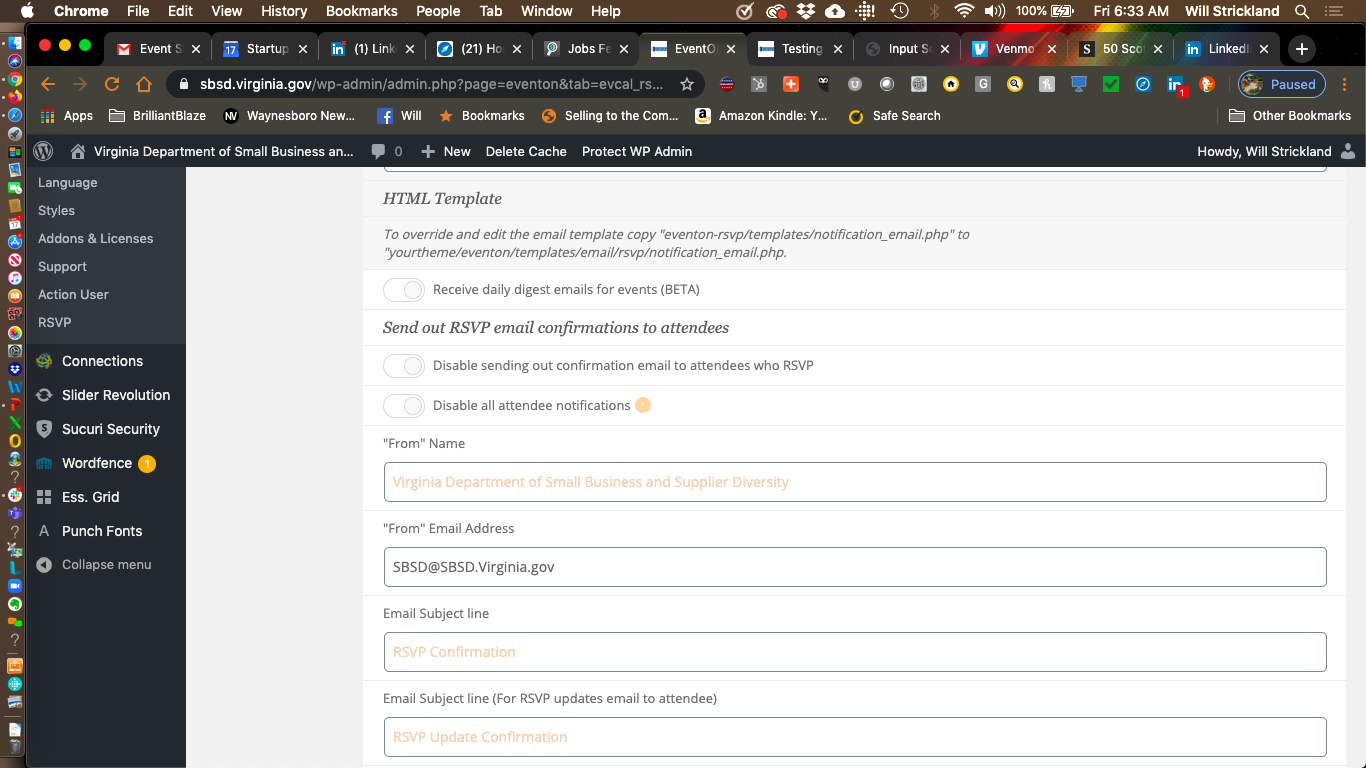
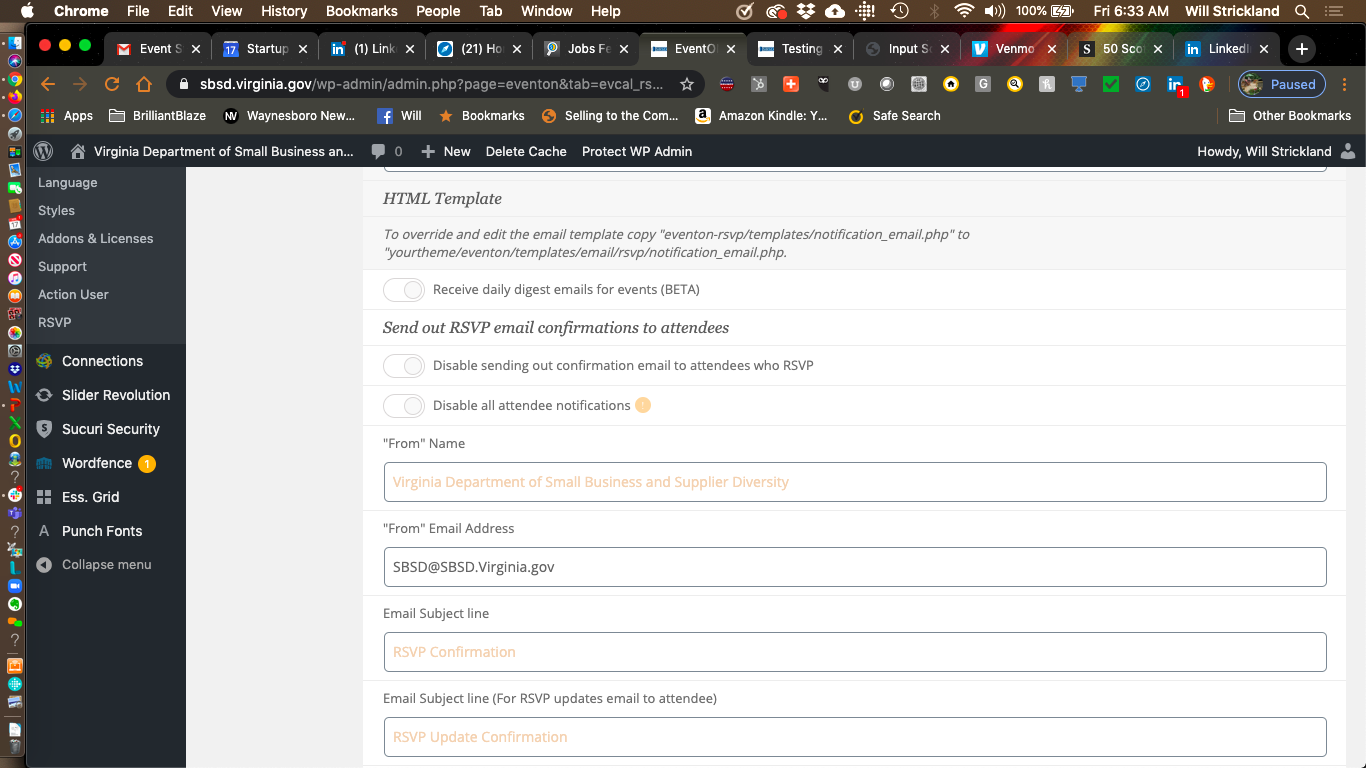
The input screen is working … I am testing the email notifications
The clients issue:
“I tested it on April 22nd event…First I checked the box to email the author of the event,
updated and got out of WP, I registered for the event from my personal email
(cox.net) did not receive a personal confirmation (did not go to spam
folder) and did not receive a notification as the author to my sbsd
email….
I logged back into WP, added my sbsd email address in the box for additional
emails, updated, got out… since I did not get a personal confirmation… I
went to our website to events, clicked on the event, then selected change my
rsvp, located my cox.net address, I changed the rsvp to maybe … I
received a notification to my sbsd mail that the rsvp had been changed.. but
still no personal confirmation to my cox.net email that it had been changed.
Definitely something going on… I should be able to get an email as the
author when there is an rsvp… only got a notification when I added my
email address… this field is supposed to be used for those other than the
author to receive notification… we should still be getting email
notifications as the author…”
Hi,
Thak you for your help. I got it solved now. And maybe need to purchase the list ext. addon for the other problem.
Could you also please remove the link to my website from your comment (if your comment is public) as it was statet on your form that:
“Kindly let us know where we can find the issue in your website ?
Below information is only visible to our staff!“
I just wanted to share my questions as public so maybe they would be helpful to someone else. But I hope you would respect the information I share with you privately and thought would be only visible for your staff (here the link to my website). Thank you.
Thanks, I’m waiting a good news from you.
I want to launch the service that can hold an event to Japanese people ASAP. It might be hard, but thank you.
Best