How would it then show in the tile view?
Archives: Replies
Replies for tickets on suppota
Reply to: tickets(174056)
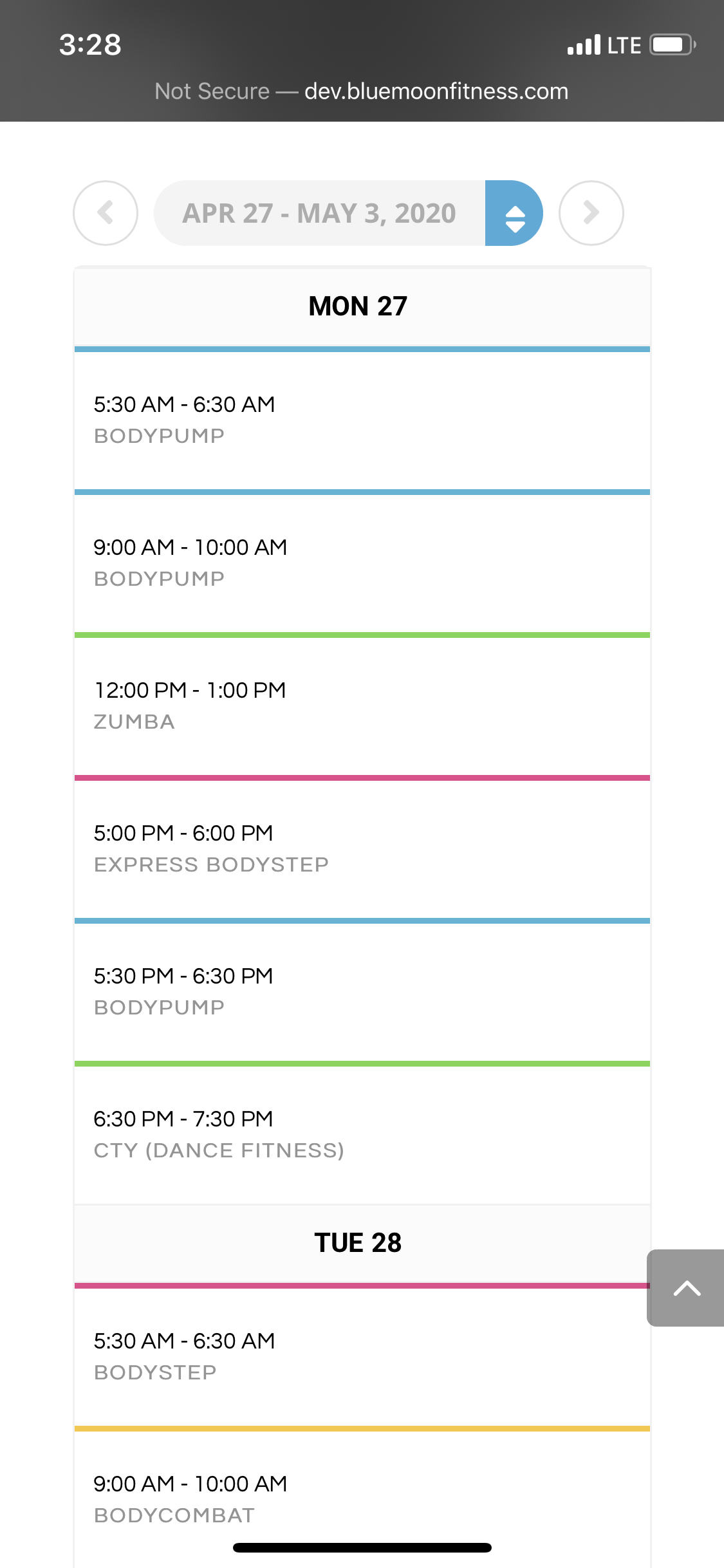
Please advise— I added the !important; to the css for the class name for the size and color but it is still not showing as intended: EVOWV_content.wk_1 .evowv_col_events .event {
padding: 20px 10px;
display: block;
font-size: 16px !important;
line-height: 1.3;
margin: 0px;
cursor: pointer;
text-transform: uppercase;
font-weight: bold;
color: #000000 !important;
border-top: 3px solid;
}
yes, all styles and customizations possible were made in the Styles options of the EventON settings— it did not have an effect on these specific titles.
The color of the time slots changed but I can’t confirm if the font size increased, the class name didn’t not change in size of color.
Reply to: tickets(173205)
So How can I fix this?
Reply to: tickets(173944)
Perfect 🙂
Thank you
Reply to: tickets(174054)
Hi,
It appears that this documentation is for adding social share icons, which I am not wanting. I would like to add, for example, a linked FB icon to send a visitor to the Facebook Page of a particular company; is this possible?
Thanks.
Reply to: tickets(171956)
Video links for what we’re seeing:
https://drive.google.com/file/d/13W_ltrblTYJSomMN0Za53lwj_PPDW9XD/view?usp=sharing
Cannot filter in the Calendar view for Community Food Distribution with filter_relationship=”OR”.
If switched to AND, calendar filters display events correctly, but no events show on landing: https://drive.google.com/file/d/1uoVvyrMDWgeX8zxdavpeeUvXHlLFlKTH/view?usp=sharing
Reply to: tickets(173167)
Unfortunately, no. Please follow https://docs.myeventon.com/documentations/taxonomies-eventon/ > Get Event’s Terms.
Reply to: tickets(171956)
Greetings,
That’s the correct link. We did update the shortcode in place so that it was at least showing the events: See our additional notes from above:
Additional notes:
When we added the filter_relationship=”OR” to the shortcode in place, it was able to display the events on the Calendar tab, but the filtering does not work. With filter_relationship=”AND” the filtering works, but no events display on page load for the calendar tab. Clicking apply filters, will then make the events display.
In addition to the filtering not working, the load time has gone from a few seconds to 15+ seconds to load.
Is there any way for us to speak in real-time? We need this fixed for our client like last week, and it may be faster if we can at least chat back and forth a bit 😀
Reply to: tickets(174099)
Hello,
Could you try this shortcode and let me know:
[add_eventon_el number_of_months=”5″ event_count=”4″ tiles=”yes” tile_style=”1″ tile_bg=”1″ tile_count=”4″ tile_height=”400″ event_count_list=”yes”]
Reply to: tickets(174053)
Unfortunately, at the moment it is not supported. However please create a new ticket and select Feature Request as category so others can vote to get this moved into development faster. OR You can send us a customization job request by creating a new ticket in here and selecting Customization Request as the category.