please try what artem suggested and if that still doesnt resolve the issue kindly let us know and please also send wp-admin aceess for us to take a look.
Archives: Replies
Replies for tickets on suppota
Reply to: tickets(164540)
Here is how to cancel the subscription https://docs.myeventon.com/documentations/how-to-cancel-addon-subscription-before-auto-renew/
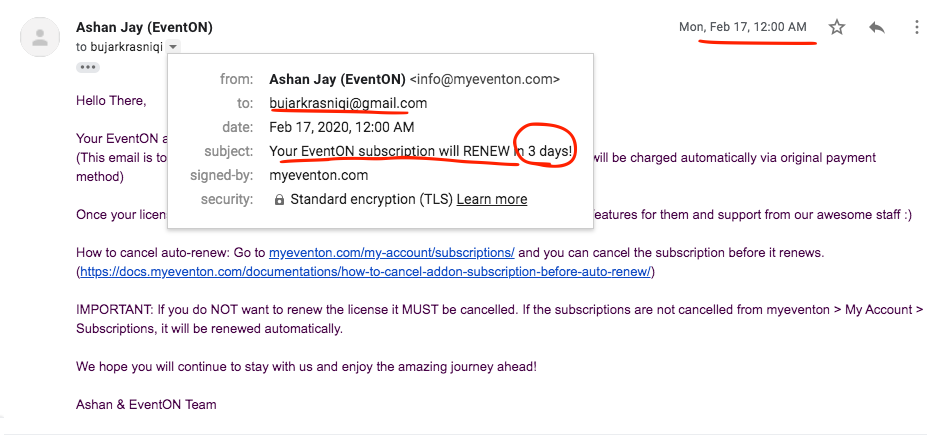
We have sent you a reminder email on feb 17th before the order was renewed on feb 20th. According to our refund policy http://docs.myeventon.com/documentations/terms-and-conditions-and-refund-policy/ we do not refund for auto renewals.
Reply to: tickets(164858)
Thank you for your help!
Reply to: tickets(167498)
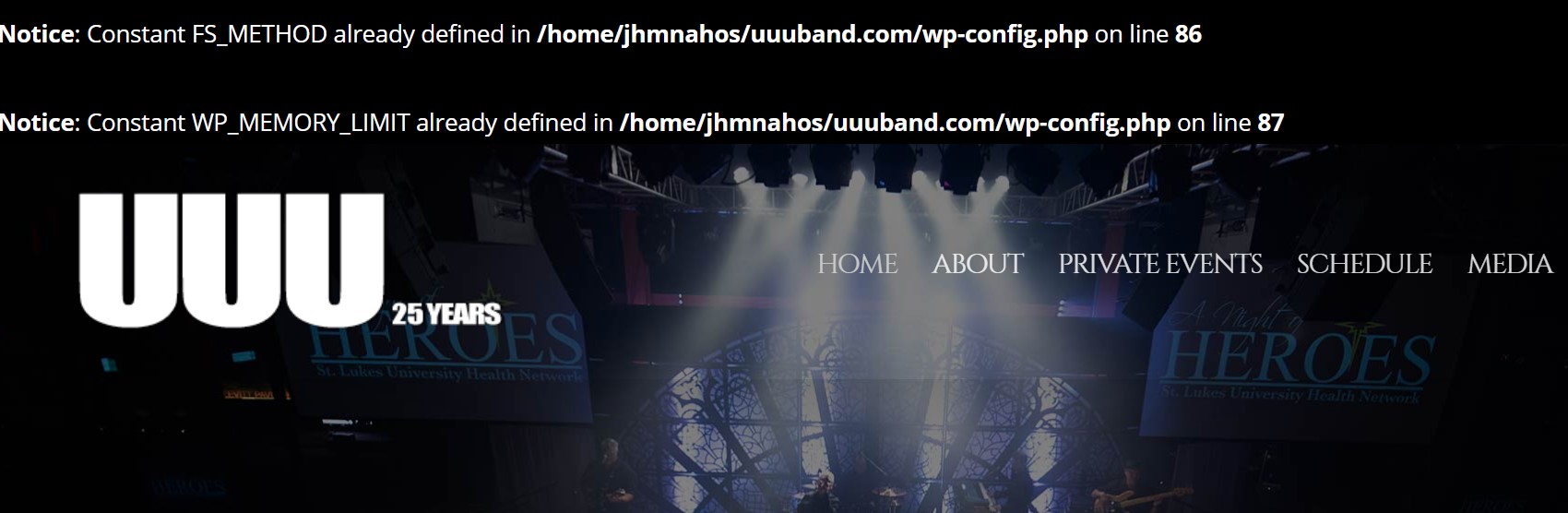
I am going to leave the Sync Plugin enabled for the time being so that you can still see the errors that are showing up.
https://www.uuuband.com/?ithemes-sync-%72equest=1&cid=261958
Reply to: tickets(167594)
We have not tested eventON tickets addon for latest version yet. We will release a new version of tickets addon if we find any issues with new woo Until then please update with cautions
Reply to: tickets(167186)
I looked at this and just decided to drop the calendar links. Thanks for the help!
Reply to: tickets(164843)
Reply to: tickets(164843)
Hello Ashish
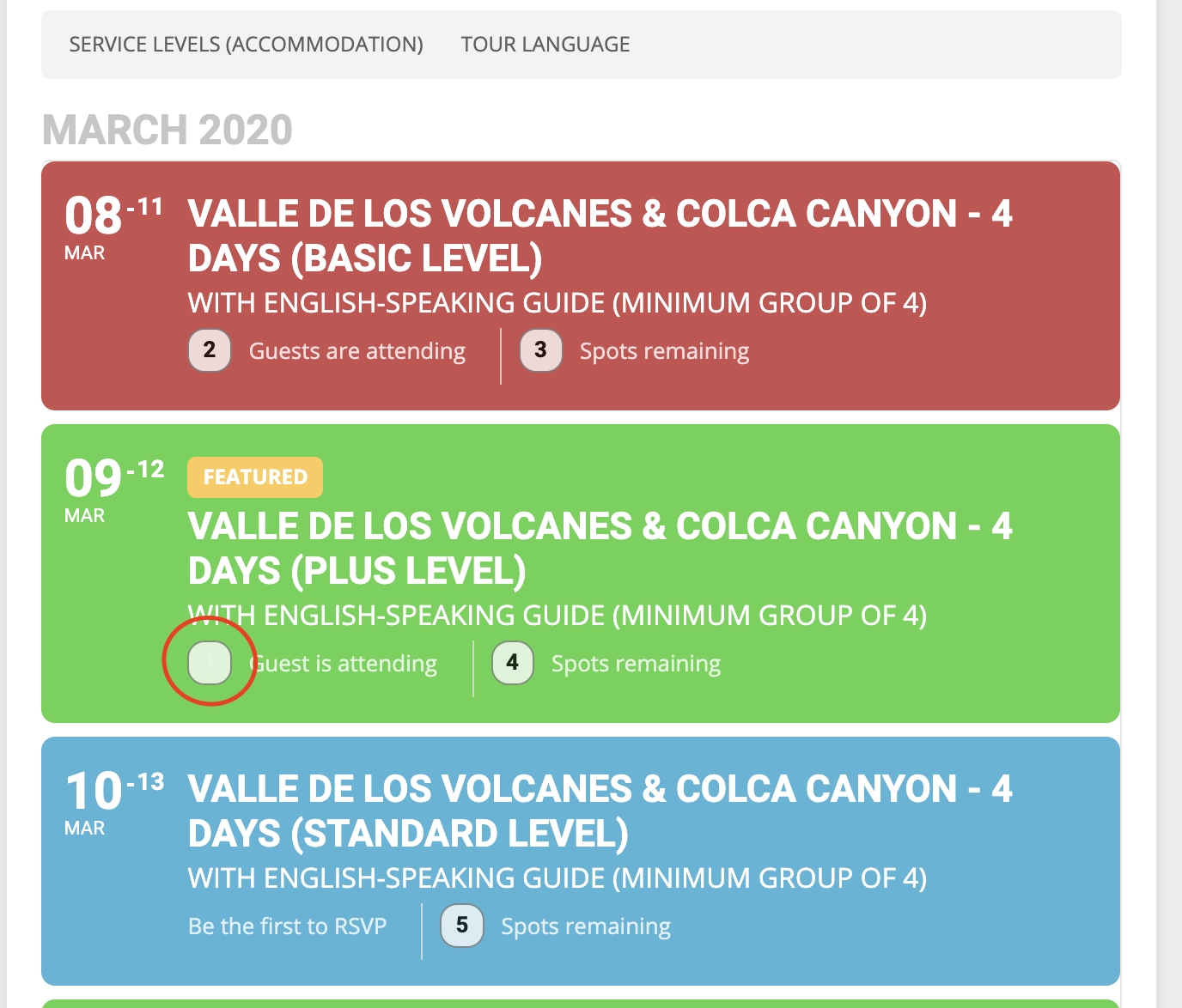
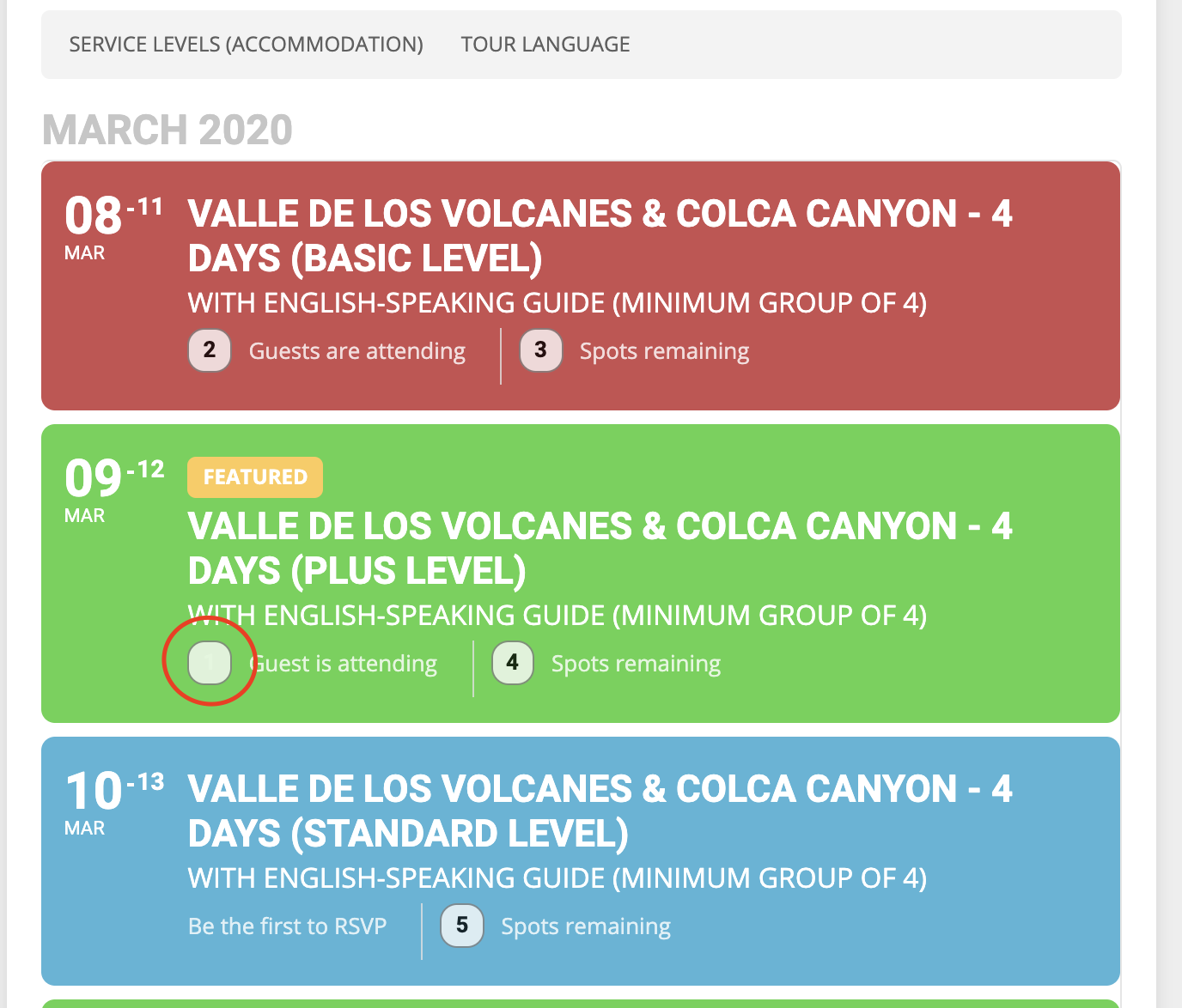
Thank you for the code. I have used it and I have also followed your instructions if I didn’t see any changes (go to myeventon->settings and turn on “Write dynamic styles to header” button, etc) but I am getting a strange result (please see image attached). So my first event has been fixed but the following event still has the same problem.
Please advise how to fix that. Thank you!
Reply to: tickets(165115)
Thank you, that worked and I am not receiving those emails. Thanks again
Reply to: tickets(167614)
It works ! Thanks !!!