Hi Artem,
I didn’t know, that the User Capabilities settings are stronger then the User Role capabilities settings….and I didnt know, that we can change those settings on user level. So thank you for helping out 🙂
cheers,
Yannick
Replies for tickets on suppota
Hi Artem,
I didn’t know, that the User Capabilities settings are stronger then the User Role capabilities settings….and I didnt know, that we can change those settings on user level. So thank you for helping out 🙂
cheers,
Yannick
Hello,
You can follow this guide: https://docs.myeventon.com/documentations/how-to-use-event-types-to-do-more/ and filter events by Event Type: [add_eventon event_type=”36″]
If you want to show these event in one list please use Event Lists shortcode: [add_eventon_list number_of_months=”12″ hide_empty_months=”yes” event_type=”36″]
Hello,
You have this js error on Edit Event page:
Uncaught TypeError: Cannot read property ‘getEditedPostAttribute’ of null
at u (wp-seo-post-scraper-921.min.js?ver=9.2.1:1)
at e.value (wp-seo-post-scraper-921.min.js?ver=9.2.1:1)
at e.value (wp-seo-post-scraper-921.min.js?ver=9.2.1:1)
at new e (wp-seo-post-scraper-921.min.js?ver=9.2.1:1)
at HTMLDocument.D (wp-seo-post-scraper-921.min.js?ver=9.2.1:1)
at i (load-scripts.php?c=0&load[chunk_0]=jquery-core,jquery-migrate,utils&ver=5.3.2:2)
at Object.fireWith [as resolveWith] (load-scripts.php?c=0&load[chunk_0]=jquery-core,jquery-migrate,utils&ver=5.3.2:2)
at Function.ready (load-scripts.php?c=0&load[chunk_0]=jquery-core,jquery-migrate,utils&ver=5.3.2:2)
at HTMLDocument.J (load-scripts.php?c=0&load[chunk_0]=jquery-core,jquery-migrate,utils&ver=5.3.2:2)
Could you try turning off WP SEO Post Scrapper plugin?
Please try the instructions mentioned in this documentation to make sure your issue is indeed coming from eventon.
Please check Event_Supporter’s User Capabilities: https://blueskies.rocks/wp-admin/admin.php?page=action_user&tab=evoau_2&object=user&user_id=57&_wpnonce=7ff51f88fc
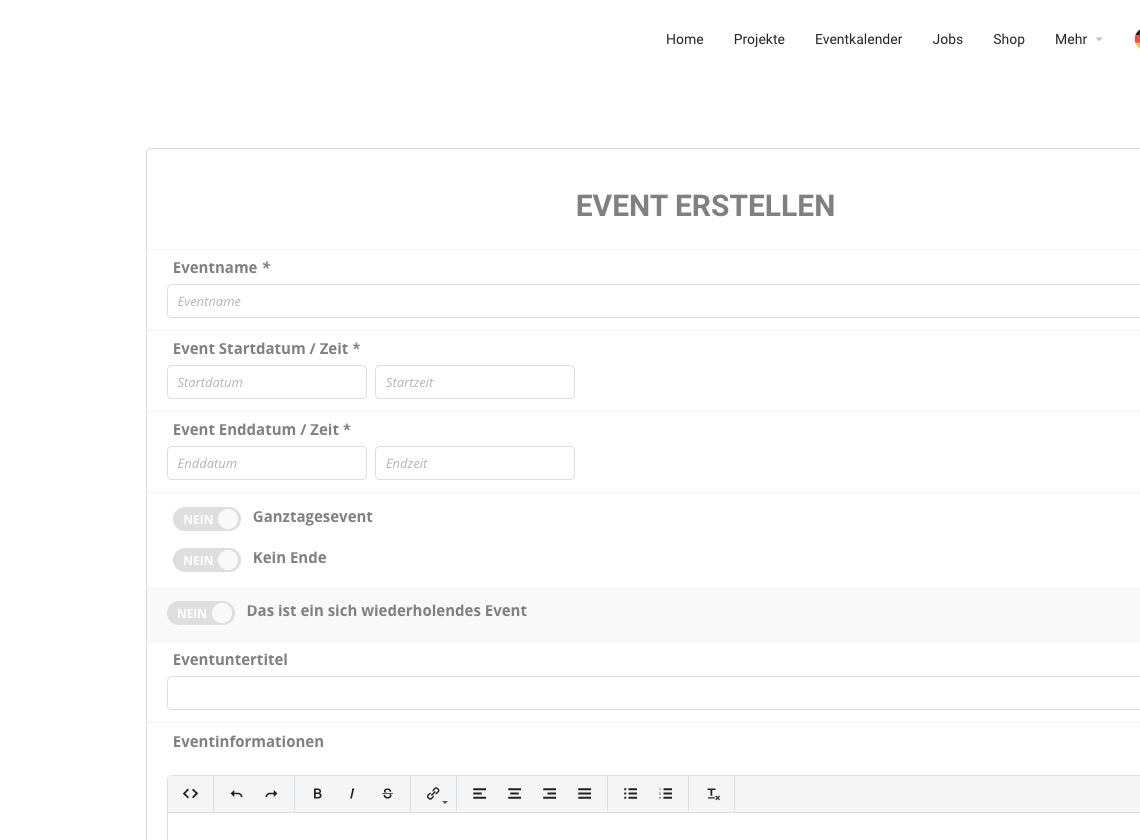
When I checked it had Submit New Events From Submission Form disabled, so I enabled it:
Cold you do the same for your login: https://blueskies.rocks/wp-admin/users.php?
Please also update EventON to 2.8.6 and Lists: Ext to 0.18.
To update eventon to latest version: If you are unable to do autoupdate, you can go to codecanyon your account > download and get the latest eventon version as zip file. Then you can go to your website, deactivate old eventon, activate (Do not delete eventon settings & data when EventON is uninstalled) from eventon settings, delete old eventon, install new one and activate. This link will further explain the process it. Also you can follow us on twitter to get real-time announcements on updates!
To update eventon addons: You can download latest eventon addons from myeventon > my account. Then you can go to your website, deactivate old addon and install new one and activate then delete the old addon. This link will further explain the process. Also you can follow us on twitter to get real-time announcements on updates!
You have only one event associated with Event Type 86: https://entwicklung.frohsinn-ag.ch/wp-admin/edit.php?event_type=gastroagenda&post_type=ajde_events
Event Lists: Ext can only show Upcoming events, Past or Date Range at once. If you want to show past events please choose Past or Date Range.
Hello,
No issues on our test server: http://dev2.myeventon.com/20874-2/
Could you try updating EventON to 2.8.6?
To update eventon to latest version: If you are unable to do autoupdate, you can go to codecanyon your account > download and get the latest eventon version as zip file. Then you can go to your website, deactivate old eventon, activate (Do not delete eventon settings & data when EventON is uninstalled) from eventon settings, delete old eventon, install new one and activate. This link will further explain the process it. Also you can follow us on twitter to get real-time announcements on updates!
Please fix this issue:
Google Maps JavaScript API error: DeletedApiProjectMapError
https://developers.google.com/maps/documentation/javascript/error-messages#deleted-api-project-map-error
Hello,
The problem is in this:
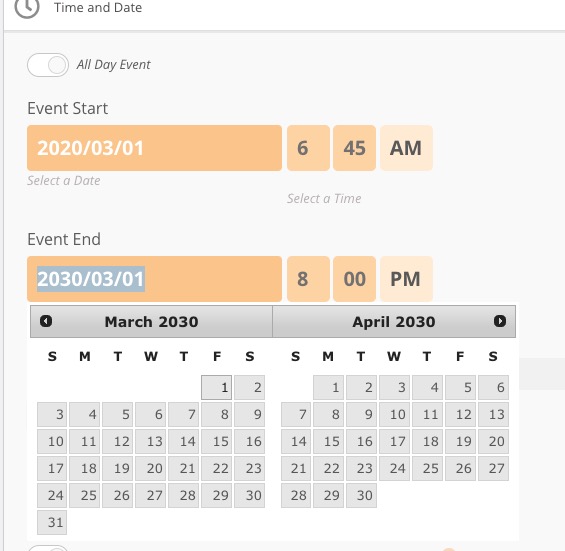
When Repeating events is enabled, Event Start and End dates should represent the first repeat. Could you try replacing 2030 with 2020?
More info on repeats: https://docs.myeventon.com/documentations/setting-up-repeating-events/
Great! Lets wait for their answer.