Hello,
Please follow: https://docs.myeventon.com/documentations/confused-event-type-categories/ and https://docs.myeventon.com/documentations/how-to-use-event-types-to-do-more/
To activate custom filters please go to EventON > Sorting and Filtering > Event filtering options to show on the calendar.
Could you tell us more about your third-party plugins? Are you using better-wp-security or ithemes?
Hello,
Unfortunately, we are unable to provide support for issues caused by their-party themes or plugins. As they are not our products, we are unaware of how they have been programmed or how it is supposed to work. As such, we recommend you to contact the plugin developer and ask them for their assistance in solving the problem. Let us know if you need help with anything else.
Hello,
Please add this to the shortcode:
ux_val=”3″
no, it’s not that re-uploading files made it work. It’s that they were completely gone from the server and I didn’t delete them. It’s not an issue with the webserver – definintely not. It would be either wordpress theme overwriting them (but the theme hadn’t updated, as I said) or someone deleted them.
It would be better if the php files could live on the root, to take wordpress out of the equation, but i’m sure you put it in the theme folder for a reason.
anyway, I just hope the API extension I purchased is fixed soon so that I don’t have to worry about this.
The Event Tickets plugin is activated and along with the license being activated. The toggle switches work in EventOn admin until the Event Tickets plugin is activated. I do see the Tickets tab when I’m viewing the EventsOn Settings page.
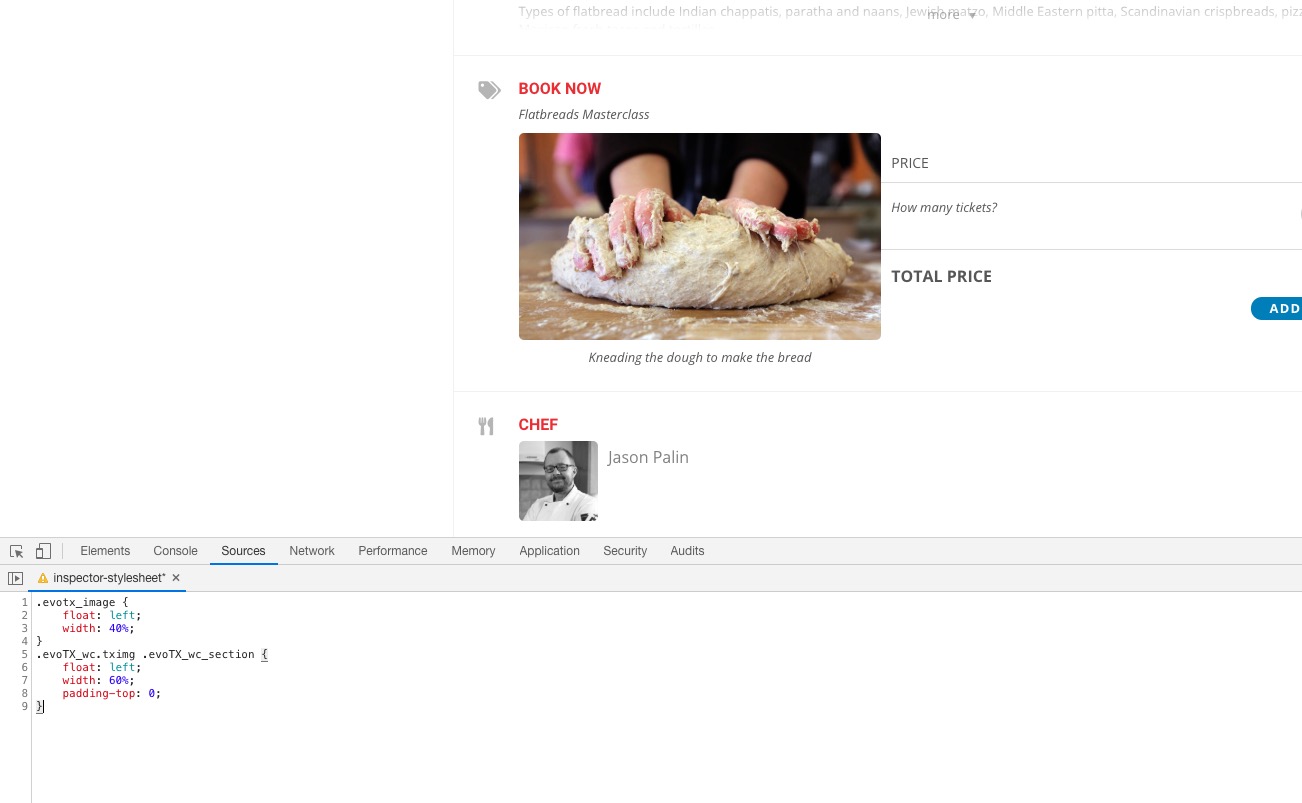
Like this?
If so please add this CSS code to EventON > Styles (If you can’t see any change, EventON > turn off Write styles to header > save settings > turn on Write styles to header):
.evotx_image { float: left; width: 40%; }
.evoTX_wc.tximg .evoTX_wc_section { float: left; width: 60%; padding-top: 0; }
@media (max-width: 960px) { .evotx_image, .evoTX_wc.tximg .evoTX_wc_section { float: none; width: 100%; } }
I think the only option at the moment that can help is to go to wp-admin > Events > Custom Category > press on Count.
Ah yes, sorry for not understanding this first time. Unfortunately, at the moment it is not supported. However please create a new ticket and select Feature Request as category so others can vote to get it moved into development faster. OR You can send us a customization job request by creating a new ticket in here and selecting Customization Request as the category.