Sure no problem. Can you just confirm that this message thread is completely private? I selected private when I created the ticket but I am not so sure.
Thanks
Replies for tickets on suppota
Sure no problem. Can you just confirm that this message thread is completely private? I selected private when I created the ticket but I am not so sure.
Thanks
Thank you! that fixed it immediately. However, it only fixed the ‘Spots remaining’ part and not the ‘Guests are attending’ part as you can see in the very same link (first event of feb 29). Could you please share the code to fix that as well? Thanks
Just few more bugs and we will get this new version of EventON released. appreciate your patient!
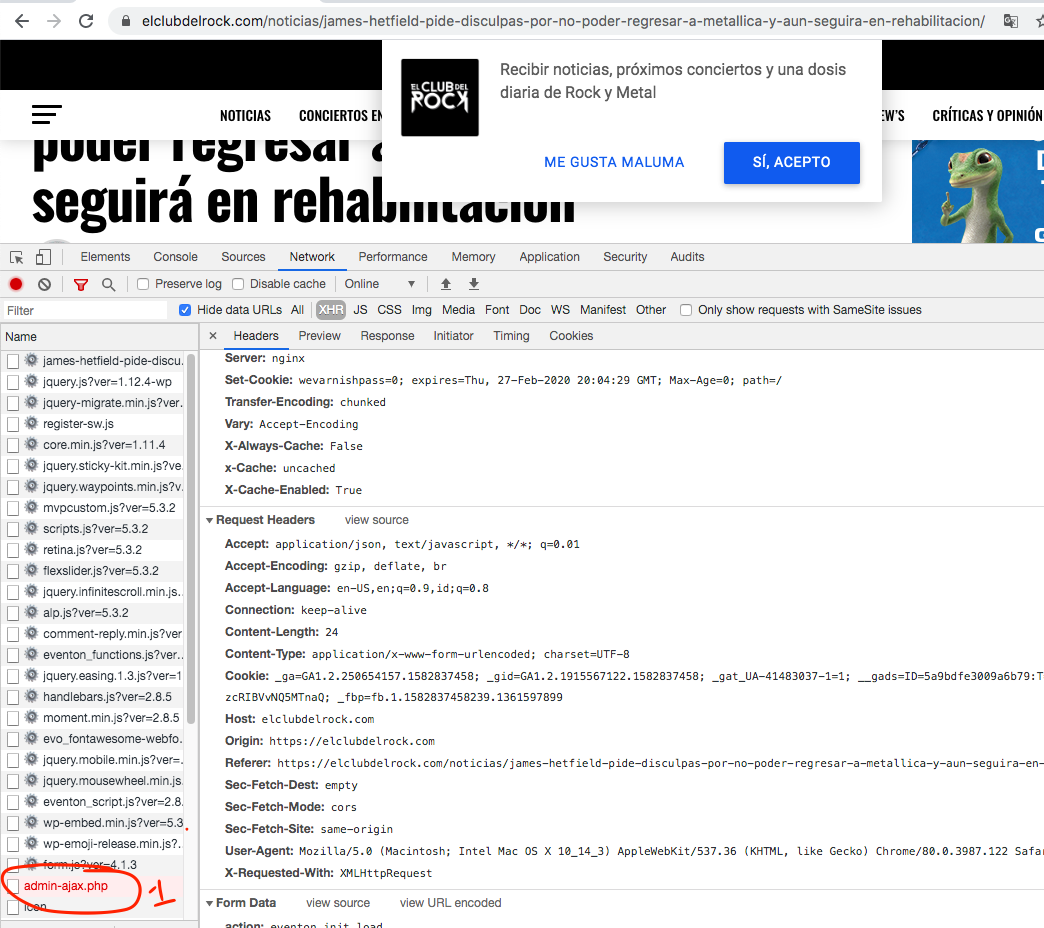
Hi there Erick thank you for the message. I do see the eventON ajax request is running on this page even though there are no eventON calendars on the page. I can not login to your website btw https://elclubdelrock.com/wp-admin/
Im not sure how your web host girl got 10000 requests? i only see one. How many events do you have in there?
Ok, thank you.
Ah I see there is a little confusion as to what this field is doing. This field was initially developed so when attendee information was exported to a mailing system like mailchimp it would pass over attendees compliance to receive emails. It is not connected to anything else apart from that usage.
We are however going to use this value in the future when emailing attendees of an event through event edit > RSVP settings section.
Chris my apologies the code i was asking you to use was in version 1.0.3 which is not released yet. I have added the code into your website.
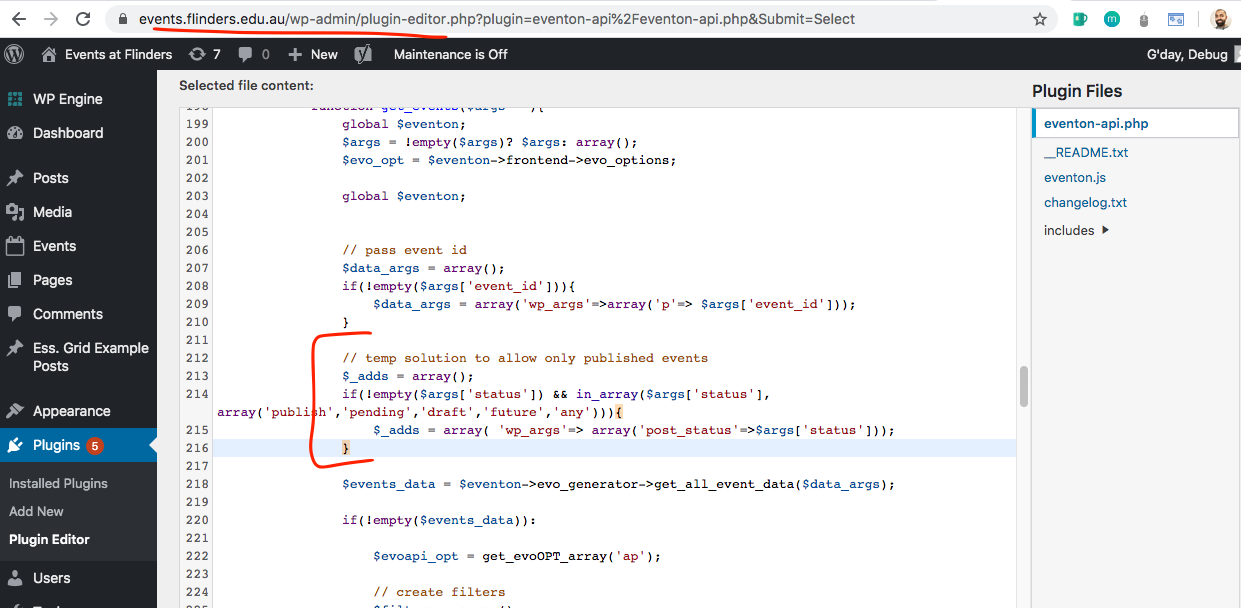
This should help you to get only publish events using above mentioned post_status value.
Hi, yes, make sense i’ll do that. thanks
please give it a try now. the upgrade order is now processed successfully.
John you crack me up my friend 🙂 Ok so here is whats going on we have seen this issue before with customers. Addon activation data is stored in wp_options and your website is using cache to load old wp_options thats why when you activate the addon it still shows as not activated on page refresh because its loading old wp_options data instead of new. So please clear cache on website and database to make sure new wp_options data is loaded after activating.
Since you have given us limited access to wp-admin i can not see anyway to clear cache.