It was a simple user error problem, if the support person had looked at my screenshot he would have pointed out I was in the wrong screen looking for how to edit the language.
Archives: Replies
Replies for tickets on suppota
Reply to: tickets(163626)
Hi,
The Second one is also finished, I have to send you details on how to use it.
Now with the booster I tried it and I each product I bought it was the correct from start to finish
Reply to: tickets(161826)
I have uploaded the newer versions of both add ons. The newest versions show on my Installed Plugin list but when I go into the calendar settings to licenses it shows they need to be activated – I activate them. But then do a page refresh and they show that they are not activated. Again, they do show the correct version in my WP Installed Plugin page.
Can you please advise
Reply to: tickets(165331)
It is not a multiple occurance of an event. It is one event that is showing twice on the calendar.
Reply to: tickets(164864)
Still not sure it made it, so copied to my OneDrive. Sharing link (RO) is:
https://1drv.ms/b/s!Aqn7HUMxScvpiKR-t7YAi0Hcl5_HmQ?e=vmvyxD
Reply to: tickets(164864)
I don’t know if the attachment made it, so sending again
Reply to: tickets(163348)
i fixed it to three. is there anyway to half the size but keep all the details currently
Reply to: tickets(164864)
You did not follow the instructions. Please see the attached PDF for specific steps, with pictures.
Reply to: tickets(161558)
Ok – will try that, thanks.
Also – Menu Choices are not exporting with CSV even after you added the code – have checked now. Can you take a look possibly – it’s this event: https://www.nbwn.co.uk/events/marchs-lunch-at-the-assembly-house/
Reply to: tickets(163156)
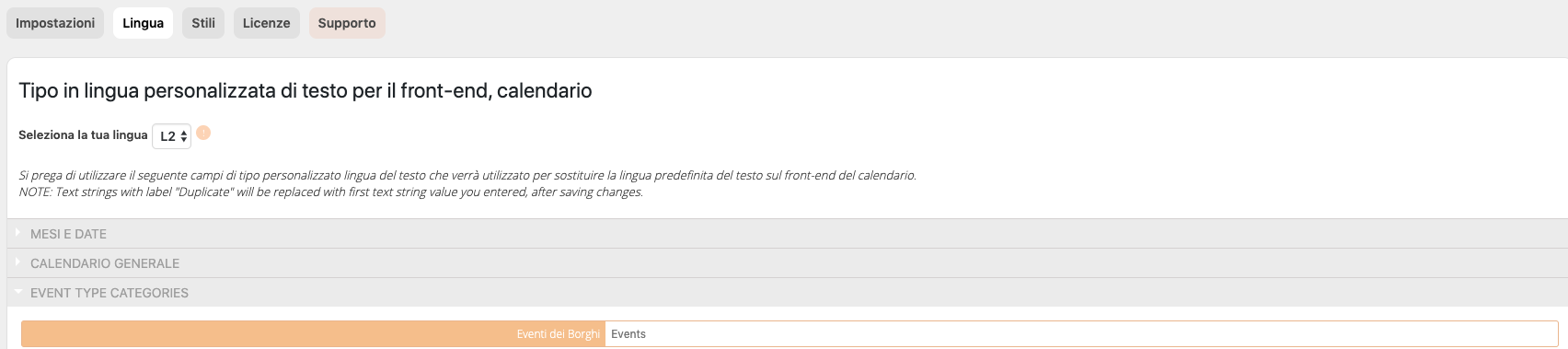
obviously i try both ($lang=’L2′) and ($tax, ‘L2’) but nothing. I try to force L2 language as you can see in the screenshoot.
i fix temporary inserting directly the traslated text in this way:
include_once( ABSPATH . ‘wp-admin/includes/plugin.php’ );
if ( function_exists(‘icl_object_id’) && is_plugin_active( ‘eventON/eventon.php’ ) ) {
if(ICL_LANGUAGE_CODE==’en’):
evo_set_global_lang( ‘L2’ );
$tax_name = ‘Events’;
elseif(ICL_LANGUAGE_CODE==’it’):
evo_set_global_lang( ‘L1’ );
$tax_name = $eventon->frontend->get_localized_event_tax_names_by_slug($tax, ‘L1’);
endif;
} else {
$tax_name = $eventon->frontend->get_localized_event_tax_names_by_slug($tax);
}
naturally i setted L1 for italian and L2 for english