Hi Lisa,
Thank you for sharing the details to us.
Replies for tickets on suppota
Hi Lisa,
Thank you for sharing the details to us.
Hey Adam,
I have checked this again and I have applied the same code to other installation for testing ( mine also ).
The code is working properly, you need to look over the setup of your Installation and the Payment method so you can check the results. If you get an error this means that the issue is coming from the payment provider.
You can also use only the following code:
/**
* Auto Complete all WooCommerce orders.
*/
add_filter( ‘woocommerce_payment_complete_order_status’, ‘cg_update_order_status’, 10, 2 );
function cg_update_order_status( $order_status, $order_id ) {
$order = new WC_Order( $order_id );
if ( ‘processing’ == $order_status && ( ‘on-hold’ == $order->status || ‘pending’ == $order->status || ‘failed’ == $order->status ) ) {
return ‘completed’;
}
return $order_status;
}
/**
* Auto Complete all WooCommerce orders who are Virtual
*/
add_action(‘woocommerce_order_status_changed’, ‘ts_auto_complete_virtual’);
function ts_auto_complete_virtual($order_id)
{
if ( ! $order_id ) {
return;
}
global $product;
$order = wc_get_order( $order_id );
if ($order->data[‘status’] == ‘processing’) {
$virtual_order = null;
if ( count( $order->get_items() ) > 0 ) {
foreach( $order->get_items() as $item ) {
if ( ‘line_item’ == $item[‘type’] ) {
$_product = $order->get_product_from_item( $item );
if ( ! $_product->is_virtual() ) {
// once we find one non-virtual product, break out of the loop
$virtual_order = false;
break;
}
else {
$virtual_order = true;
}
}
}
}
// if all are virtual products, mark as completed
if ( $virtual_order ) {
$order->update_status( ‘completed’ );
}
}
}
Hello Jack,
You can use the following CSS rule:
.evoslider .eventon_events_list
height: 300px;
}
But you will need to also modify the content inside, to everything is visible inside the height you need.
Let us know if you have more questions.
Hi,
No worries, we are here to make sure we solve all issues and we keep making event on better and better! 🙂
Thank you for your patience.
So, I adopted for 2012 the code you suggested and the result is the same. It loads an event from 2020.
Again here the codes I used now for 2012:
[add_eventon_el el_type=”dr” start_range=”2012/01/01″ end_range=”2012/12/30″ pec=”ct” number_of_months=”12″ sep_month=”yes” hide_empty_months=”yes” event_order=”DESC” month_order=”DESC” hide_so=”yes” ux_val=”3″]
and here an example for all other years, actually working:
[add_eventon_el event_type_2=”26″ number_of_months=”12″ hide_empty_months=”yes” pec=”ft” show_et_ft_img=”yes” fixed_date=”1″ fixed_month=”1″ fixed_year=”2019″ sep_month=”yes” event_order=DESC”]
What next?
Thanx,
Diego
Hey Bram,
If I do this and I leave eventon with default theme everything is working properly over our plugin.
Hey Chris,
Strange as I can see the right code applied.
Ashan will check this further but can you make sure that you are not using cache to the WP-JSON files from WP Engine please?
Ignore my comment i’ll try removing it from the Google robots
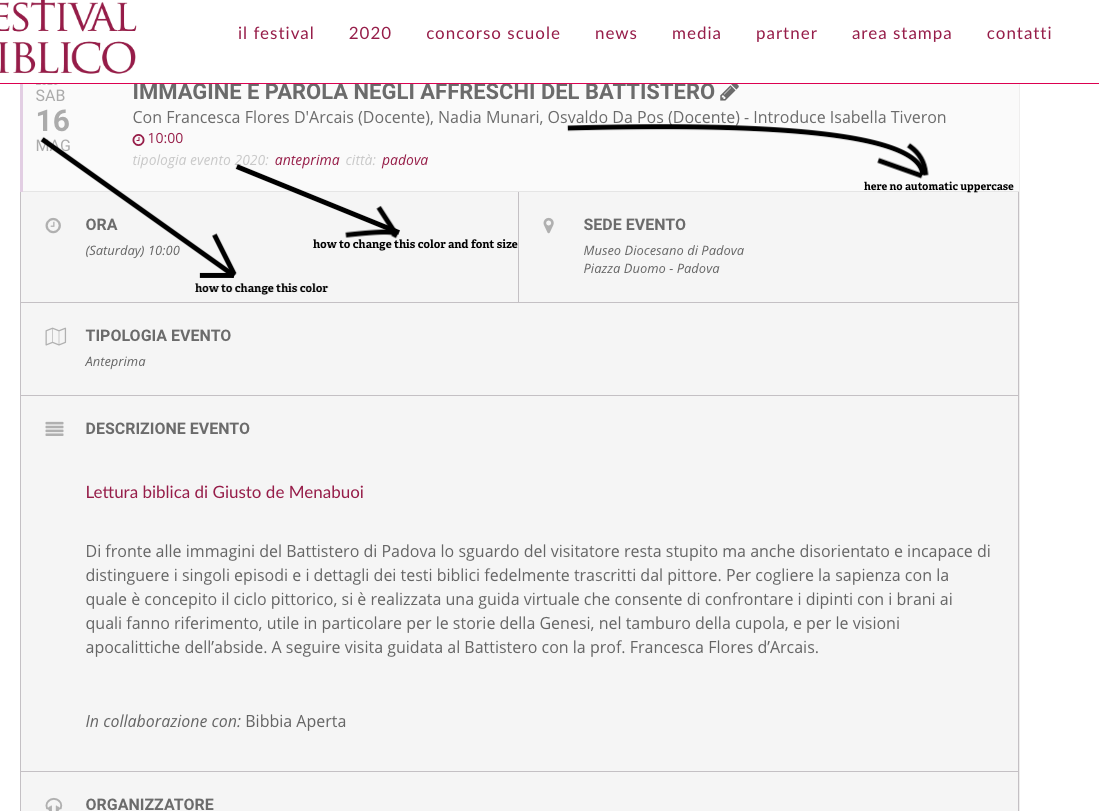
hi
see the attached image
thank
Ok thank you.
I will test booster and wait for you for the other projet