Good afternoon.
That’s very complicated.
There are IP blocks, blocked countries, several firewalls…
Access is very complicated.
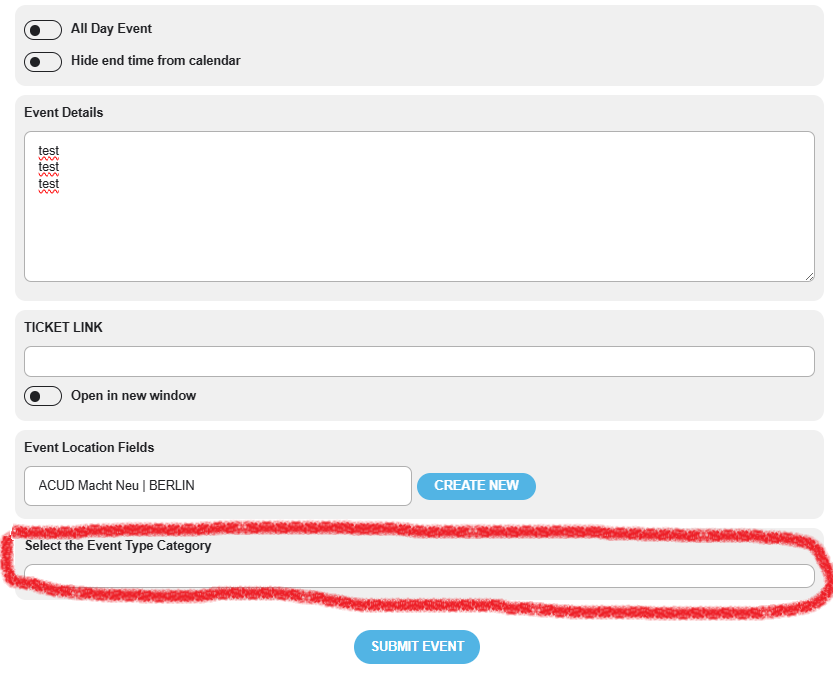
I don’t see the colors, nor can I select any of the options.
I’ll try again tomorrow, or over the weekend.
Maybe I didn’t look closely and didn’t see the event added.
But I’m asking…
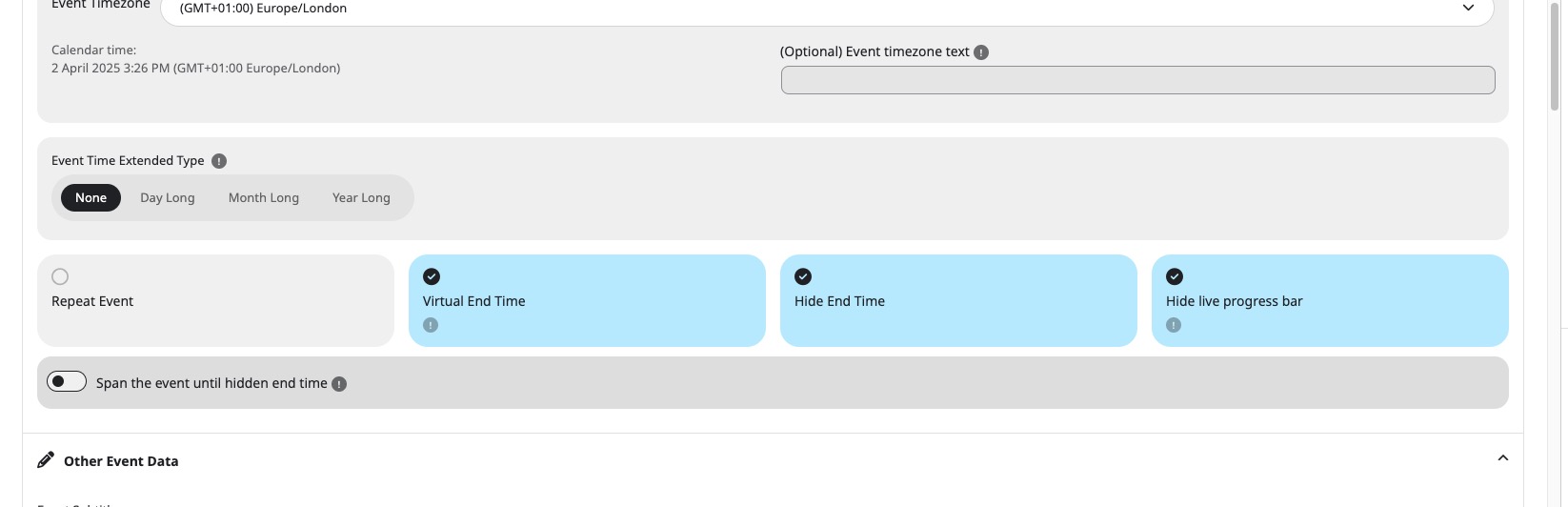
Is there an option in the general settings to hide the end date, and doesn’t that option work when creating an event?
I never use an end date.
Thank you so much for responding.
Kind regards.
Hi,
I tried both logged in and as a regular user in private browser. It all looks like it’s sorted now. Maybe a site cache issue though I did try clearing that too. Did you do anything?
We were able to sort them by changing the publish date, but it is not working as well now.
oh and its not longer possible to edit events directly from the calendar view…
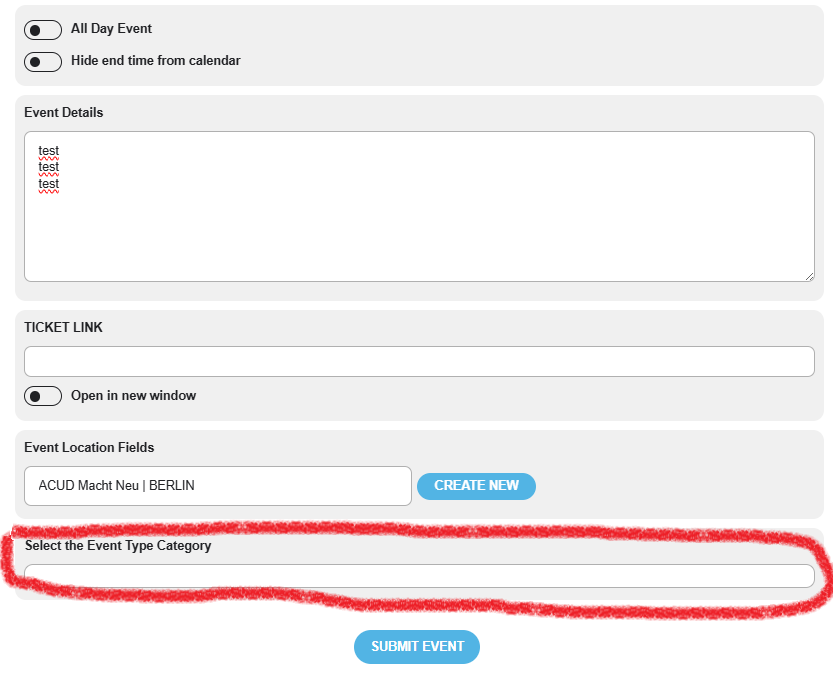
just for the record… you implemented this code years ago for another problem:
s {
text-decoration: none;
}
span.evoau_tax_term::before {
content: “f111”;
display: inline-block;
font-family: ‘evo_FontAwesomeS’;
font-style: normal;
font-weight: normal;
font-size: 18px;
left: -10px;
position: absolute;
color: #9e9696;
-webkit-font-smoothing: antialiased;
-moz-osx-font-smoothing: grayscale;
width: 12px;
}
span.evoau_tax_term {
margin-left: 20px;
}
.evoau_submission_form .row p.checkbox_row .evoau_cat_select_field span.select {
padding-left: 10px !important;
}
.evoau_submission_form .row p.checkbox_row .evoau_cat_select_field span.select:before {
left: -10px !important;
}
Thanks for the help and context regarding these fields, Dave!
If we want the form to be used by people, with the URL or directly on the site, and enable them to have the ability to upload event images, is there a suggested way to protect the integrity of the site?
We see the General Settings for Permissions & Restrictions area where enabling “Allow event image upload to non logged-in visitors (Not recommended)” comes with a warning.
If there is a workaround here or any safeguards you would recommend, please advise accordingly.
Your assistance so far has been tremendously helpful.
Jay
Hello,
Please send us wp-admin access to your site as a private message for us to further assist your situation.
Could you try manually clearing browser cache? Also make sure to clear your minifying plugin.
All seems to be working on our test site:
The previous one didn’t allow me to use the classic editor or other plugins.
Could you elaborate more? I cannot find any tickets from your describing this issue.
Please send us wp-admin access to your site as a private message for us to further assist your situation.
It looks like RSS is trying to load too many events.
Please follow the instructions in this documentation to activate debug in your site to see any PHP errors recorded that can provide insight on to whats going on. Please reply with a link to debug.log file. If you are not able to do this please send us FTP access to your site so we can do this for you.