Hey,
Are you using the latest version of our Plugin?
Has this happened out of a sudden? have you added any plugins recently?
Replies for tickets on suppota
Hey,
Are you using the latest version of our Plugin?
Has this happened out of a sudden? have you added any plugins recently?
Please add this CSS code to EventON > Styles (If you can’t see any change, EventON > turn off Write styles to header > save settings > turn on Write styles to header):
.ajde_evcal_calendar.boxy .eventon_list_event { width: 49.5%; margin: 0 .25% .5%; } .ajde_evcal_calendar.boxy #evcal_list { margin: 0 -.25%; } .ajde_evcal_calendar.boxy.box_4 .eventon_list_event, .ajde_evcal_calendar.boxy.box_4 .evoShow_more_events { width: 24.5%; margin: 0 .25% .5%; } @media (max-width: 650px){ .ajde_evcal_calendar.boxy.box_4 .eventon_list_event, .ajde_evcal_calendar.boxy.box_4 .evoShow_more_events, .ajde_evcal_calendar.boxy .eventon_list_event{width: 100%;} }
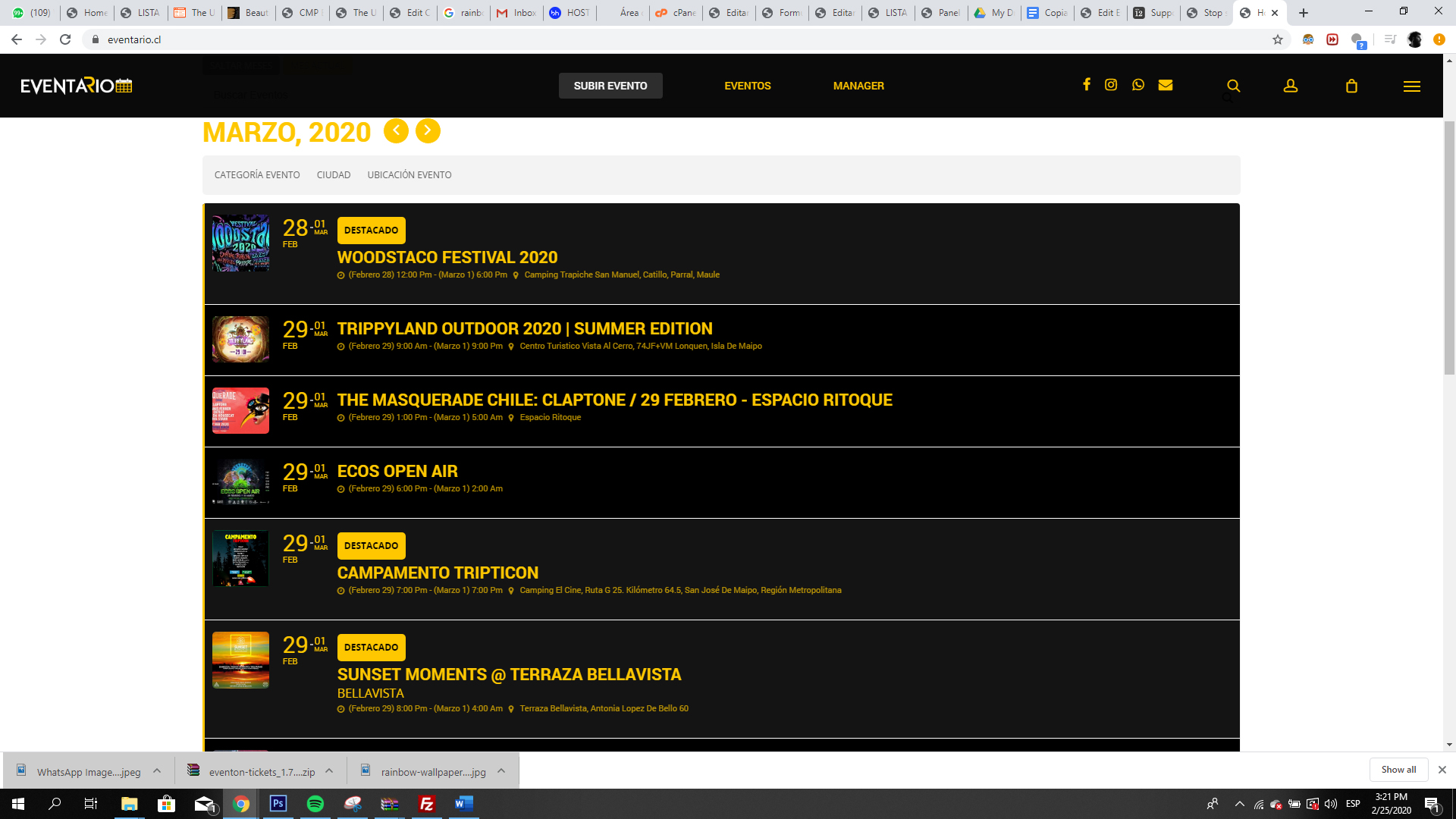
Can we integrate a count of the event?
Could you elaborate more?
Hi there first of all Merci pour purchasing a lot of addons from us! Here is how to get 25% discount on renewals for subscption for next year 🙂
Go to myeventon.com > my acount > subscriptions and then select active subscriptions and under actions click “cancel” it will show popup box and follow steps and cancel subscription. At the end it will give you a 25% discount code. Copy that. And refresh page. Now you will see “resubscribe” under actions click this and you will be taken to cart where you can enter the resubscribe code and get 25% off 🙂 let me know if you have any questions 🙂
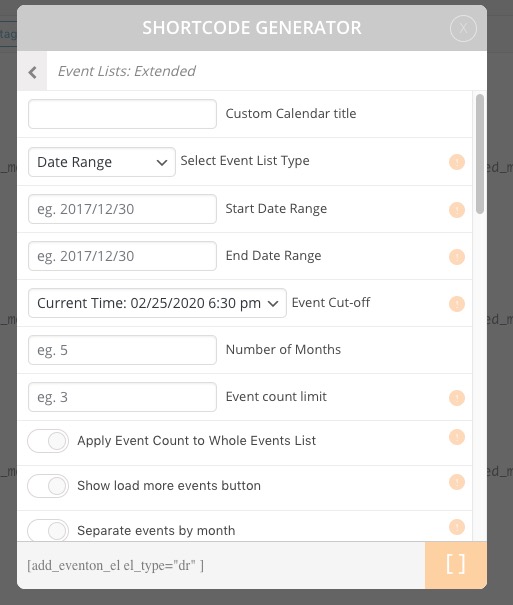
Event Lists: Ext doesn’t support fixed_year and fixed_month. Please use Select Event List Type: Date Range:
Hello,
Please try adding this to the shortcode:
cal_init_nonajax=”yes”
If it doesn’t help please follow the instructions in this documentation to activate debug in your site to see any PHP errors recorded that can provide insight on to whats going on. Please reply with a link to debug.log file. If you are not able to do this please send us FTP access to your site so we can do this for you.
option language (wpml_l2=’en’ or lang=’L2′) for shortcode
[add_eventon_search event_type=”all” event_type_2=”all” number_of_months=”12″ wpml_l2=’en’]
created with EventON Shortcode Executor (ESE) doesn’t work and it show always placeholder in L1
_______________
for event location template i get a correct traslation using this custom code:
/**
* Mod: Detect on Front End only WPML and EVENTON.
*/
include_once( ABSPATH . ‘wp-admin/includes/plugin.php’ );
if ( function_exists(‘icl_object_id’) && is_plugin_active( ‘eventON/eventon.php’ ) ) {
if(ICL_LANGUAGE_CODE==’en’):
evo_set_global_lang( ‘L2’ );
$titoloPagina = ” Events at this location “;
$wpml_lang = “wpml_l2=’en'”;
elseif(ICL_LANGUAGE_CODE==’it’):
evo_set_global_lang( ‘L1’ );
$titoloPagina = “Eventi in questa località”;
$wpml_lang = “wpml_l1=’it'”;
endif;
} else {
$titoloPagina = evo_lang_e(‘Events at this location’);
$wpml_lang = “wpml_l1=’it'”;
}
but the event category (type 1) template show always default language in the header.
This is due to this line of code:
…
$tax_name = $eventon->frontend->get_localized_event_tax_names_by_slug($tax);
…
I try to use get_localized_event_tax_names_by_slug($tax, $lang=”L2″) but doesn’t work and taxonomy name is alwayes in default language.
Hi Ben,
You are welcome!
If you have a moment, we would greatly appreciate if you could kindly leave us a review at codecanyon! from your account > downloads. Cheers!
Hey Ben,
The best way for this is to try.
Keep in mind that as long as you try all those features, you will learn better the plugin and you will be able to do a lot more things.
Let us know if you have further questions.
Hi Ben!
You are welcome!
If you have a moment, we would greatly appreciate if you could kindly leave us a review at codecanyon! from your account > downloads. Cheers!