Hello,
Thank you for your messages, I am going to assign this ticket to Ashan and he will be able to take it from here and find you a solution. Please allow some time for him to get back to you, we greatly appreciate your patience and thank you for being a eventon customer!
I activated WP_DEBUG, but unfortunately, it didn’t find any errors. So we cannot help with this incompatibility issue from our side.
Hello Laura,
We do not have a way to show your calendar, but what you can do from our management system is to import your google calendar events inside event on.
Please check the following plugin:
https://www.myeventon.com/addons/ics-importer/
I am sorry but could you elaborate? Changing the texts in ADDITIONAL TICKET INFORMATION changes them in the checkout.
Hello,
I am sorry but could you tell us which setting are you referring to? Edit Event > RSVP > Receive daily digest for this event? Please send us a screenshot.
Please also update EventON to 2.8.5 and add-ons to their latest versions (http://www.myeventon.com/documentation/latest-versions-of-addons/).
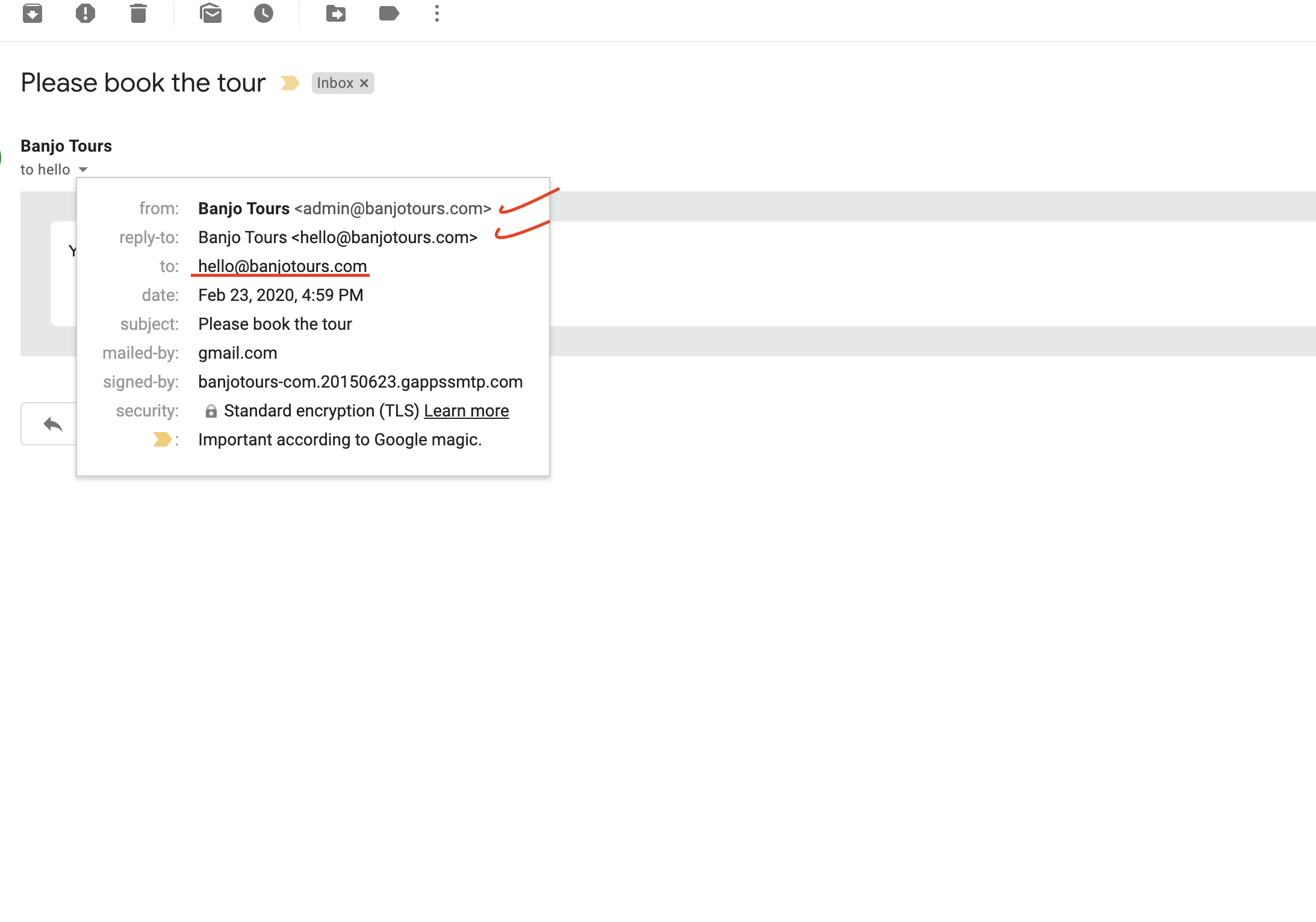
So, what I just realized that the email DOES arrive in the user’s inbox. However, it is a little confusing because while the FROM and REPLY TO email are fine, the TO emails (which should be the user’s) shows the same as the REPLY TO email. Please see screenshot.
Thanks
Thank you for your reply. How will the colors for events vs colors for categories be displayed differently? I mean, if I assign X color to an event and Y color to a category, how will the colors show in the front end for user? I would appreciate a screenshot if possible
Thanks
Hello
Yes, I just did and tested my admin email. I get all notifications from any other plugin or my theme (contact page for example). But everytime a user RSVPs into my event, I do NOT get any notification/alert email as admin (as a user who RSVPs, the email does get delivered). Is there any setting I am missing in order to receive notification as admin?
Thanks a lot