Hello,
1. Please go to http://dev.myeventon.com/wp-admin/ > EventON > Settings > Subscriber > Third Party > Activate MainChimp for subscriber addon. Here you can add MailChimp API key, click save changes then you will see available email lists to choose to add subscribers to.
2. They just need to put their email to Subscribe Form. Try on http://dev.myeventon.com/wp-admin/ with this shortcode: [evo_subscribe_btn]
2. WooCommerce handles the checkout. Please check this guide: https://docs.woocommerce.com/document/checkout-field-editor/
Okay – we thought that the subscriber add-on could manage the task.
Can you show me an example: RSS feed integrated with Mailchimp?
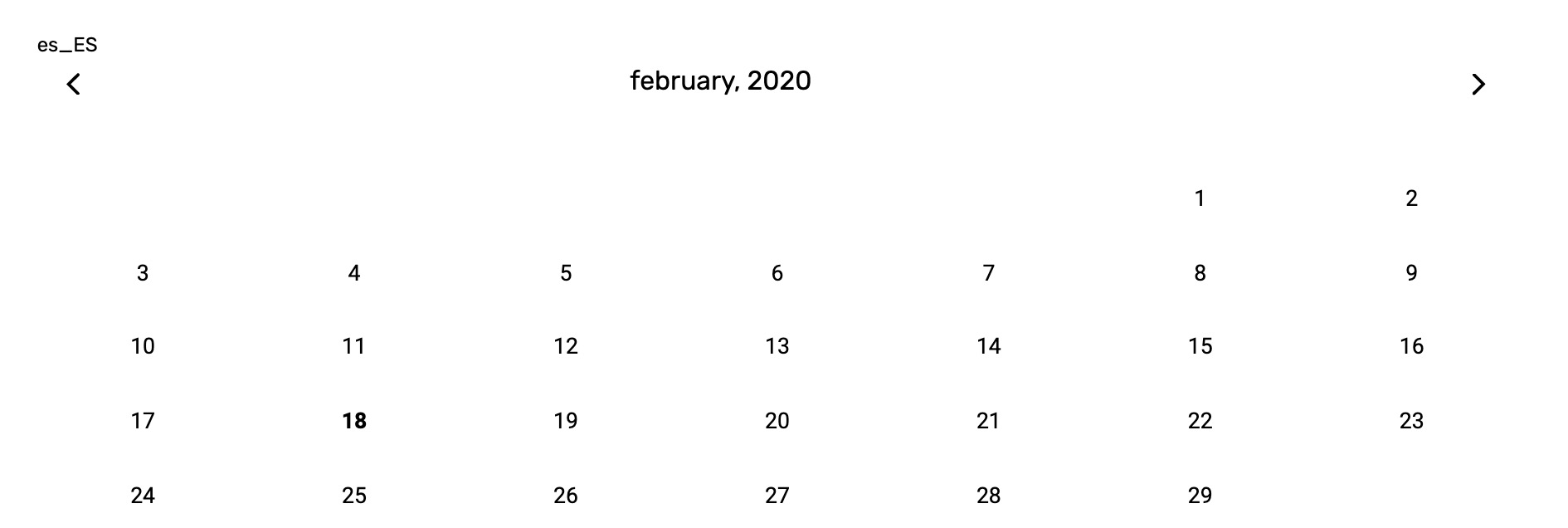
And in the front, I see it prints ‘es_ES’, But the month still in English.
I got this error in the plugin settings btw. With the updated versions.
Thanks for your help!

Hi!
I just got those versions and the translations are not working.
In Language 2 I added the months in Spanish, in the settings of your plugin.
There is absolutely no mention of it in the changeling either.
http://docs.myeventon.com/documentations/changelog-weeklyview/
Wait, what? You took away a feature that was already there to begin with when we purchased EventOn WeeklyView? And you did this without telling us?
Why?
Basilis, how is the customisation going?
All events are listed by their name by default. You can filter them by “past/future/current” options or you can also use the search feature to search them by name.