Hello,
What version of EventON are you using? I cannot check because of
Could you check and let us know? If older than 2.8.5, could you update?
To update eventon to latest version: If you are unable to do autoupdate, you can go to codecanyon your account > download and get the latest eventon version as zip file. Then you can go to your website, deactivate old eventon, activate (Do not delete eventon settings & data when EventON is uninstalled) from eventon settings, delete old eventon, install new one and activate. This link will further explain the process it. Also you can follow us on twitter to get real-time announcements on updates!
Hello,
Could you update EventON to 2.8.5 and Event Lists: Ext add-on to 0.17 and once?
Hello,
Could you send us Order ID and email address associated with Sync add-on purchase?
Hello,
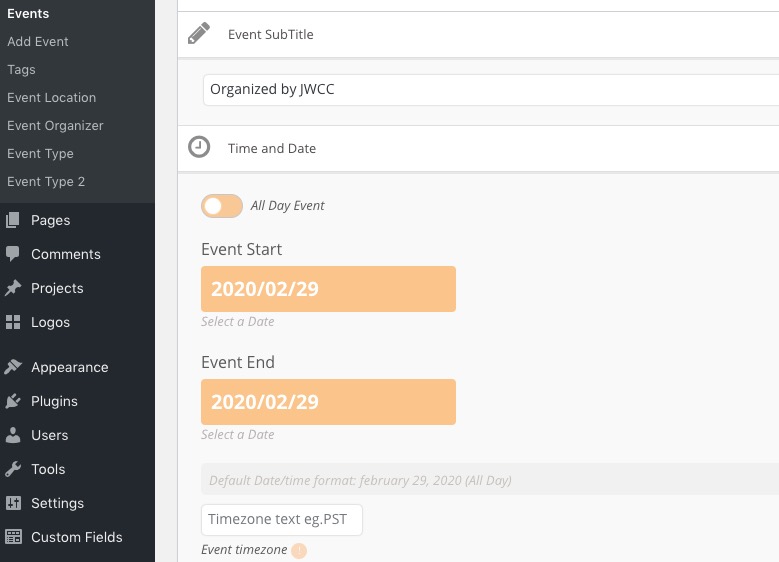
Changed the date in this event https://rmhakronstage.wpengine.com/wp-admin/post.php?post=6828&action=edit without issues:
Have you managed to solve this?
We are glad your issue is resolved, if you have any further questions or concerns please create a new ticket. If you have a moment, we would greatly appreciate if you could kindly leave us a review at codecanyon! from your account > downloads. Cheers!
Unfortunately, the same issue:
[14-Feb-2020 21:00:12 UTC] PHP Fatal error: Allowed memory size of 536870912 bytes exhausted (tried to allocate 16777224 bytes) in /var/www/wp-includes/wp-db.php on line 2678
Could you try following https://docs.myeventon.com/documentations/why-my-site-and-eventon-page-loading-slow/?
Please also try adding this to the shortcode:
cal_init_nonajax=”yes”
Load more events via AJAX works only when “Separate events by month” is disabled AND “Apply Event Count to Whole Events List” is enabled.
Please check now: http://newhopechurch.flywheelsites.com/events/
Hello,
Unfortunately, we are unable to provide support for issues caused by their-party themes or plugins. As they are not our products, we are unaware of how they have been programmed or how it is supposed to work. As such, we recommend you to contact the theme developer and ask them for their assistance in solving the problem.
Please also check this solution from one of our customers:
I found the issue. The theme javascript had this function:
jQuery(‘.mobile-navigation-toggle’).on(“tap click”, function(event) {
I removed the tap so it is just on(“click” and it works now on iPhones.
Ashan,
…than load the full calendar of events at once.
Is this correct? Customer states in the video that FullCal loads all events at once.