Hi,
The code worked up to a point. It made text white, so at least it is visible.
I’ve tried to load default theme.
Issue one disappears, so event card looks like it should. That confirms my suspicion that my theme is overriding EventOn. Can this be stopped on Event Card page?
Issue two with colour picker does not get resolved. It was also working perfectly with older versiuon of EventOn. I have a staging site I am working on with a different theme. It has the same issue with colour picker after the update to 4.9.1.
Hello,
Please add this CSS code to EventON > Styles (If you don’t see any change, EventON > Scripts & Styling > turn off Write dynamic styles to header > save settings > turn on Write dynamic styles to header):
.ajde_evcal_calendar.evoSV { height: 500px; overflow-y: auto; }
Perfect! Have you managed to update and fix the issue?
Hello Artem,
I continue to have this problem and I cant’ find the correct shortcode to use.
On the homepage (www.orthotes.com) I want to list the last 4 events. I can do it but only for the month in course.
Until yesterday (31 March) I had 4 events of March (and not the event coming in April) and today (1 April) the 4 events of March are disappearead and the upcoming event of April is appeared.
But I would simply need to show in the homepage 4 events from the event yet to come to the last, in sequence.
1 event of April
3 events of March
total = 4 events
And in case I add, for example, an event coming next May the list should be updated in this way:
1 event of May
1 event of April
2 events of March
I use this shortcode:
[add_eventon_list event_count=”4″ hide_past_by=”ss” hide_month_headers=”yes” event_order=”DESC” show_et_ft_img=”yes”]
Could you suggest me the right shortcode?
Thank you so much!
Diego
Here is my current short code that I am using:
[add_eventon_sv etc_override=”yes” ux_val=”3″ hide_mult_occur=”no” event_past_future=”future” month_incre=”+0″]
Hello, perfect. It works!
Hi, yes, i have same problem, thank you a lot for fixation.
Regards.
Lukas
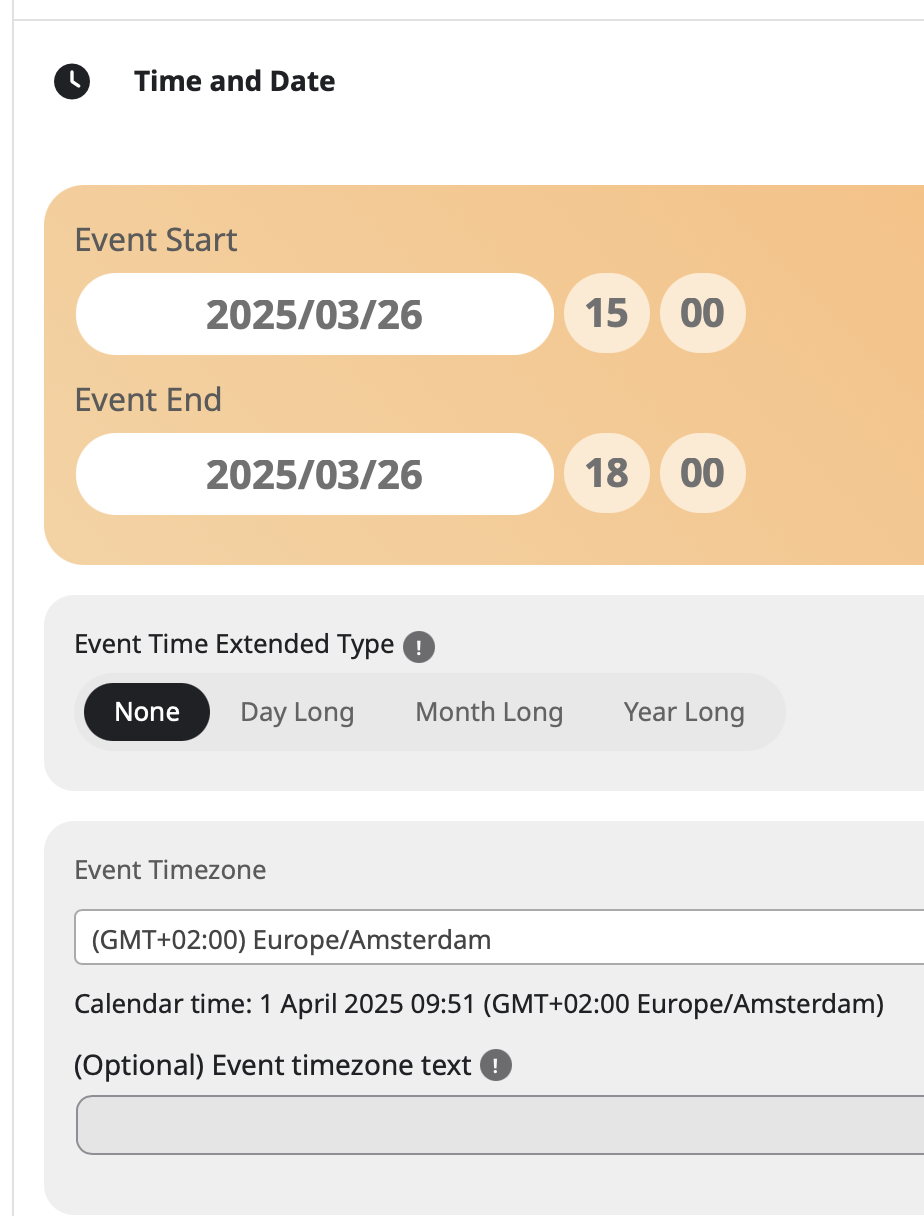
And here is the setting in the event itself. The event is here: https://driegang.nl/cursusaanbod/wp-admin/post.php?post=794&action=edit
A visitor showed the mail came one day before in read of one week.
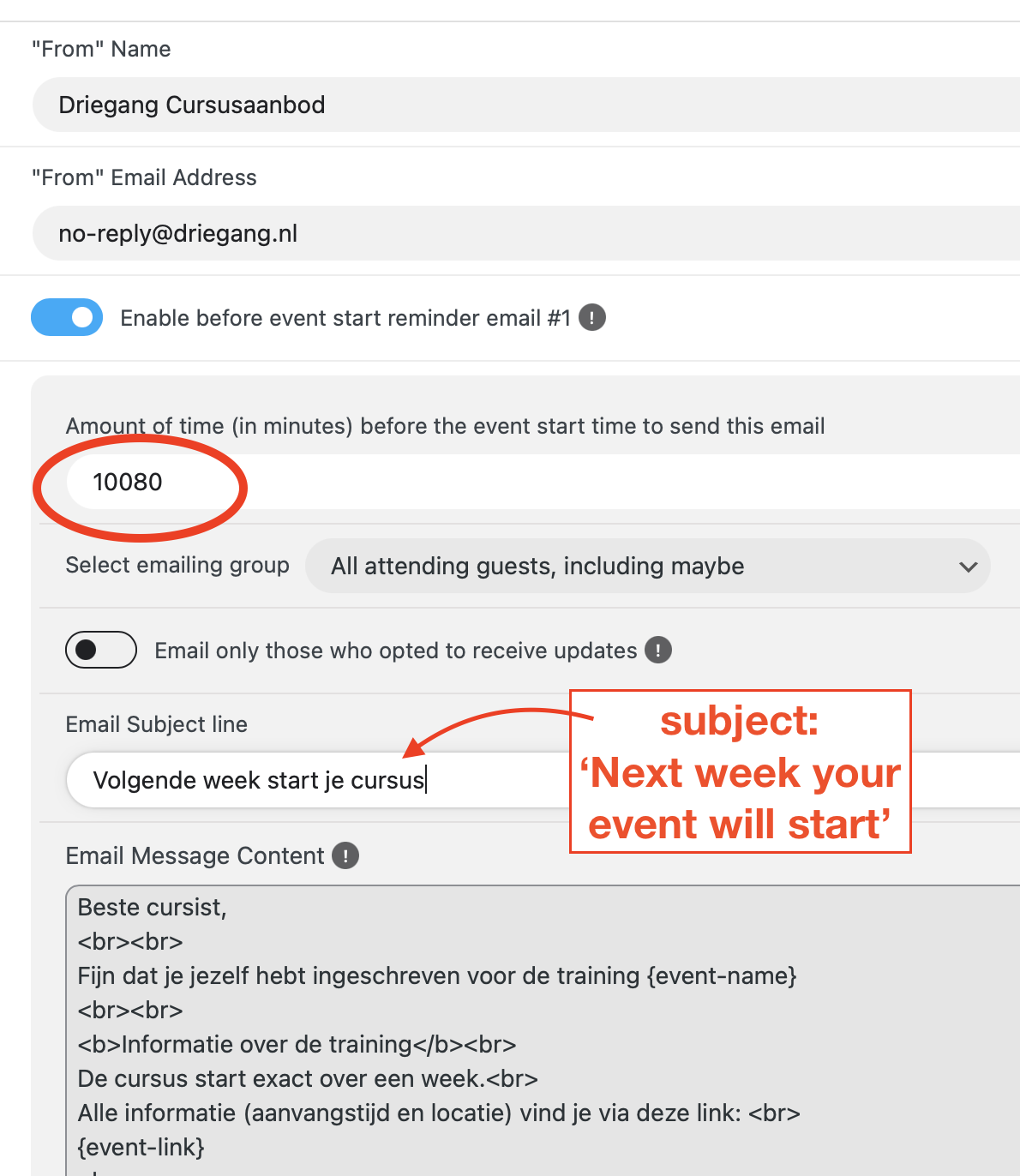
Here is a screen dump of the settings (send one week before)
let me confer with Ashan to get the right command line
timing- you would want to talk to your host to see how many times an hour it can run as some servers have a cap- some only allow every 5 minutes for example some allow every minute