Looks like your site is on RTL so go to myeventon settings and disable the RTL mode.
And i am not seeing the order ID for those addons. I only see 4 orders with alex’s email in our system. May be you can try reaching out to them and see if they have the order IDs to look them up?
Oh I see you just recently upgrade the license. Let me refund you for the upgrade so you will have single license back. Ok everyhting is updated and now you are back to single site license for FUllCal the subscription is active and will renew auto on 2020-8-9 unless cancelled by you.
Let me know if there is anything else we can do 🙂
This is very strange I can’t replicate the issue on my end. The site is working fine for me. What browser are you using? When you get the 500 error can you refresh the page – it may load properly after the refresh.
here is the updated invoice with you VAT number
https://helpdesk.ashanjay.com/wp-content/uploads/2020/03/invoice-26838.pdf
If you have more questions, kindly send us a new ticket and we would be more than happy to help you resolve your issues!
This issue has been resolved. I found the setting in Single Event Settings for this.
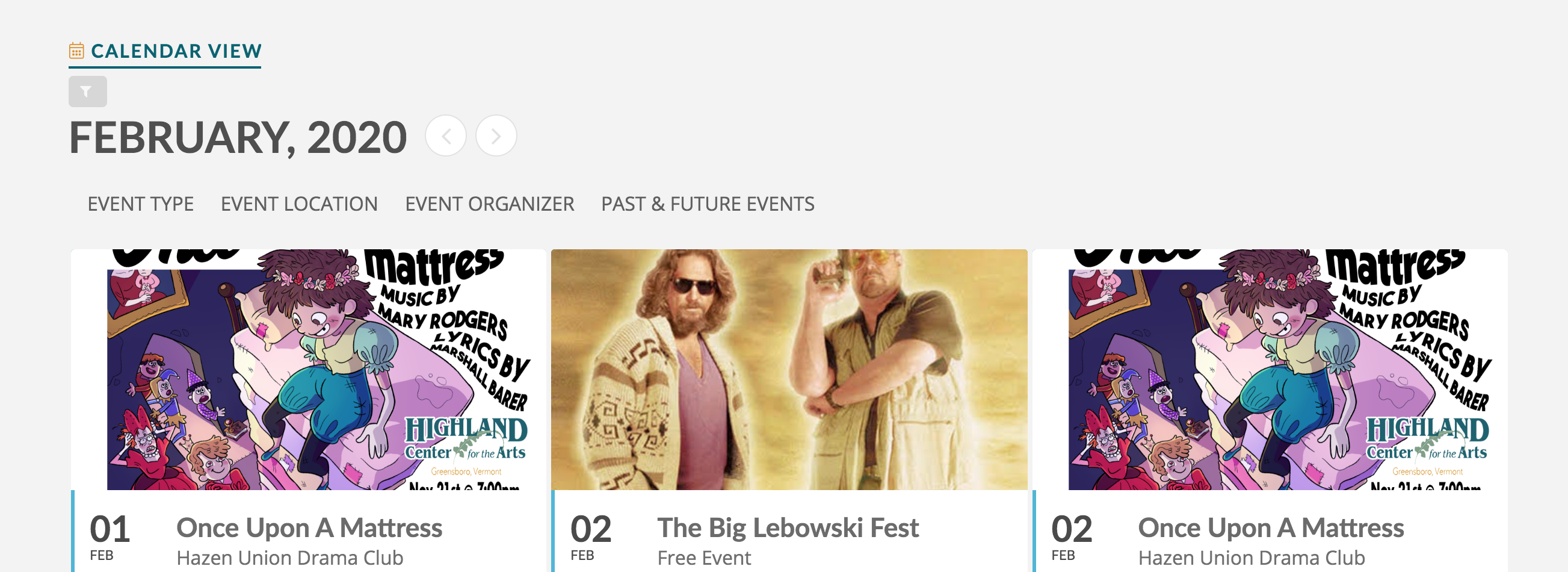
Here is an image showing the tile image size before. We have made no edits to the styling. Also, our capitalize styling changes to the subheadline, are also not appearing anymore. We would like everything to go back to how it was. Smaller info section, larger image, and subheadline with text in “sentence case”. Thank you!
Team, Can I get an IP address that we can open up to wordfence? Sorry this is becoming very critical.
We began using another product for our calendar….it just had some layout features that we needed. Your product is great and we used for quite. awhile. Thanks-Anna
Hi Artem
Thanks. That helps partially.
How can I have the last date of the second module shown in the list? So far I got it to show the first occurence (4days). The second is only visible when the event cart is opened. Otherwise it is misleading…
Thanks
Ray