I cannot load your website: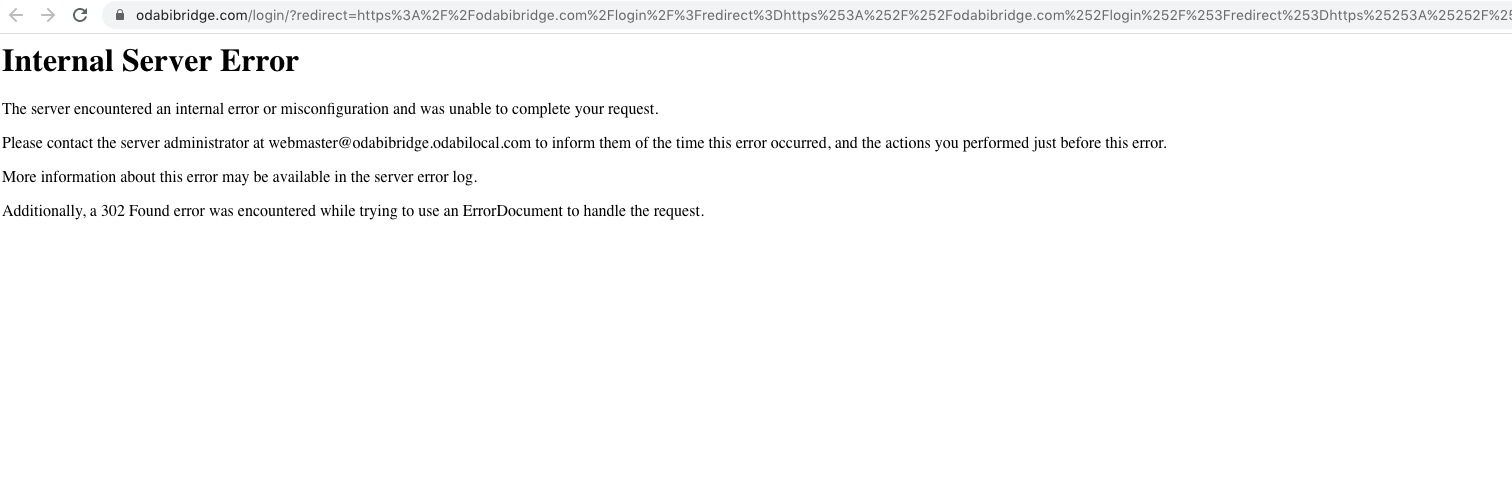
Could you check?
Replies for tickets on suppota
I cannot load your website:
Could you check?
I tried to recreate this on our test server, but with no luck unfortunately. May I try the instructions mentioned in this documentation?
Try adding cal_id=”cal1″ and cal_id=”cal2″ to shortcodes to see if it helps.
Could you send us the shortcode from the second EventON instance? I cannot find it on this page: http://aim.muuz.ca/wp-admin/post.php?post=12&action=elementor
Please follow this Mar 18,2020 AT 11:49AM – Posted 1 Week Ago – #168584:
Add cal_id=”asd” to the shortcode and then use this code to hide Event Type 4 filter:
#evcal_calendar_asd .evo_sortList_event_type_4 {display: none !important}
Ashan,
Mar 25,2020 AT 8:59AM – Posted 17 Hours Ago – #169449
The same on dev2:
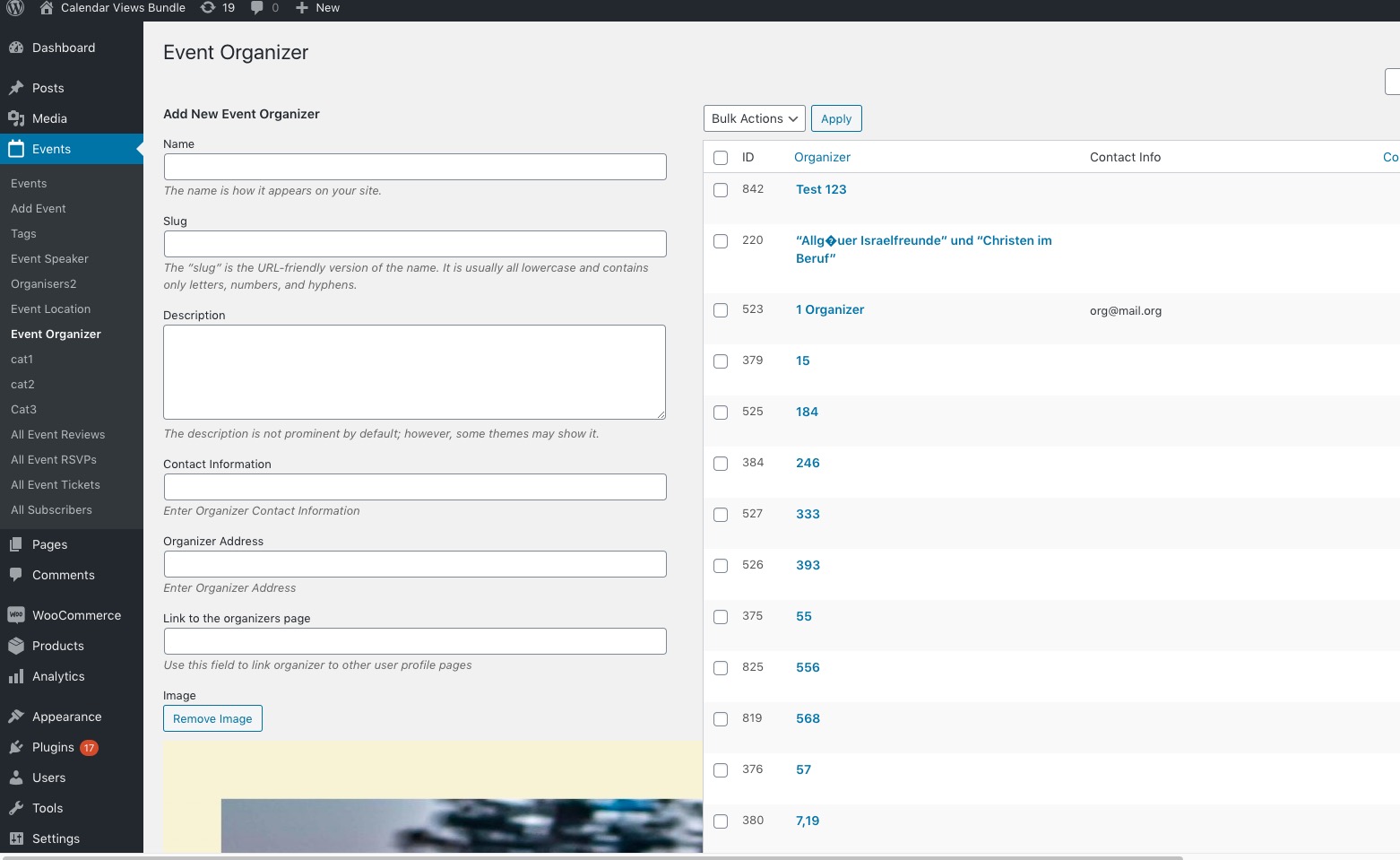
Not sure yet about the rest.
Hello,
when you canceled event…
No issues on our test server: http://dev2.myeventon.com/21087-2/ > check “Test” April 30. Can we check this on your website somehow?
when you have, Event Organizer Fields (Allow creating new checked), when you upate the event, don t know why , it create alone a new organizer … check the picture …. « L
Could you update Event multiple times and see if it creates multiple organizers? I tried to update one on our test server and there were no issues.
when you create new organizer and you add a picture, when you finish and add organizer
Thank you for your messages, I am going to assign this ticket to Ashan and he will be able to take it from here and find you a solution. Please allow some time for him to get back to you, we greatly appreciate your patience and thank you for being a eventon customer! Also please disable any IP blocking on your site if there are any.
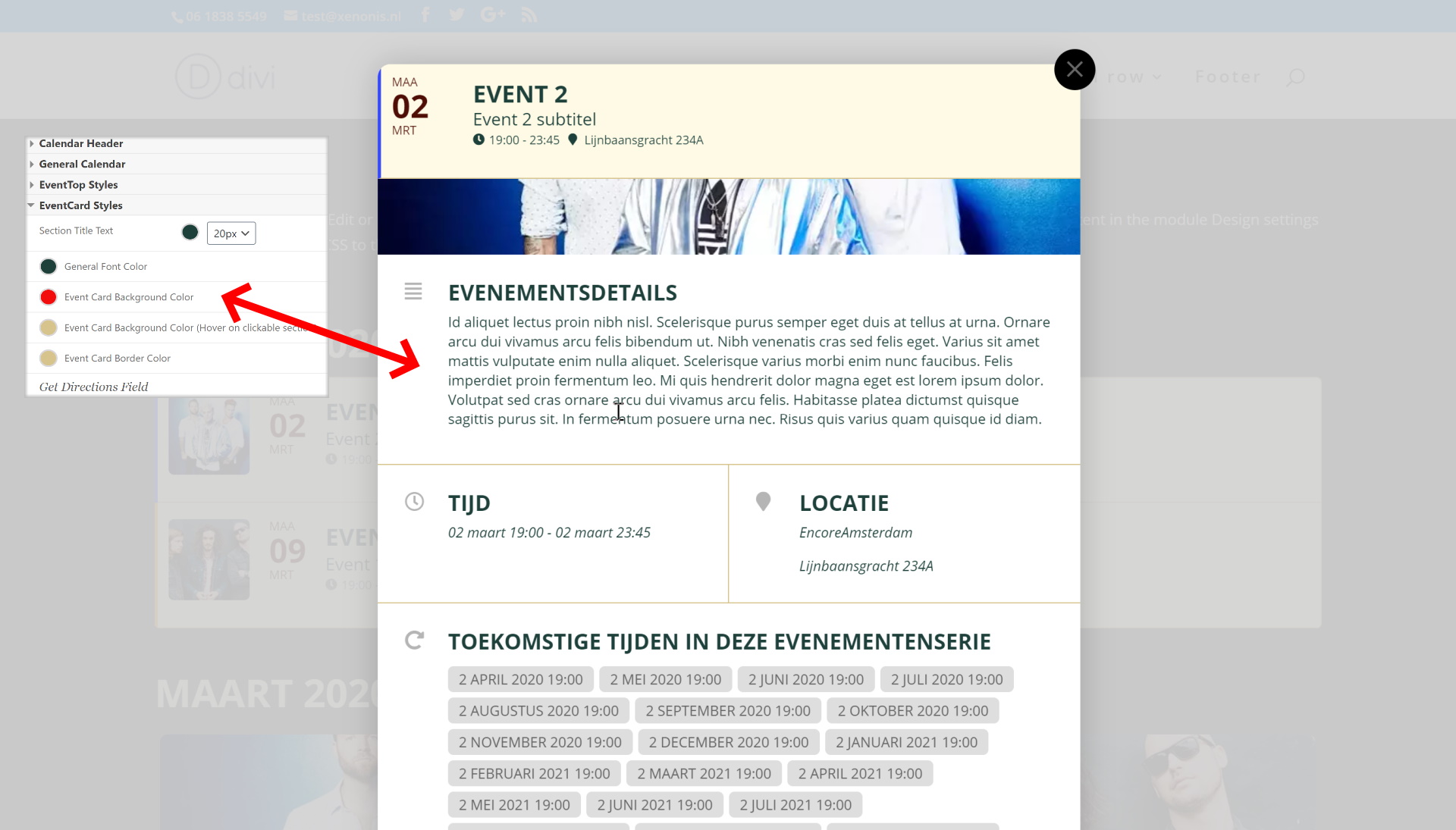
Attached screenshot.
This is on a test site, I have configured a red background (to make it very obvious) but the card shows white.
Thanks
JP

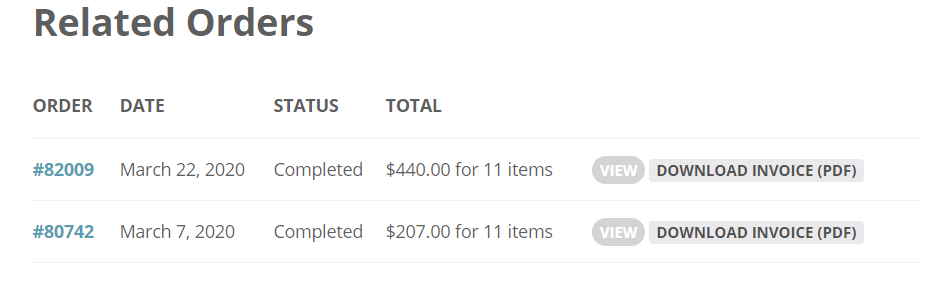
The message below confirms our first payment

"Hi there first of all Merci pour purchasing a lot of addons from us! Here is how to get 25% discount on renewals for subscption for next year :)
Go to myeventon.com > my acount > subscriptions and then select active subscriptions and under actions click “cancel” it will show popup box and follow steps and cancel subscription. At the end it will give you a 25% discount code. Copy that. And refresh page. Now you will see “resubscribe” under actions click this and you will be taken to cart where you can enter the resubscribe code and get 25% off 🙂 let me know if you have any questions :)”
But now we have paid twice and too much ! (you will see on the picture).