Hello,
Yeah for the customer I changed it back to ux_val=”2″ to have a working share solution for the time being. So if you click on that all works fine.
Normally it is on ux_val=”1″ but than it does not work. The eventcard does not slide down. But I would like to use the ux_val=”1″ option. (looks better).
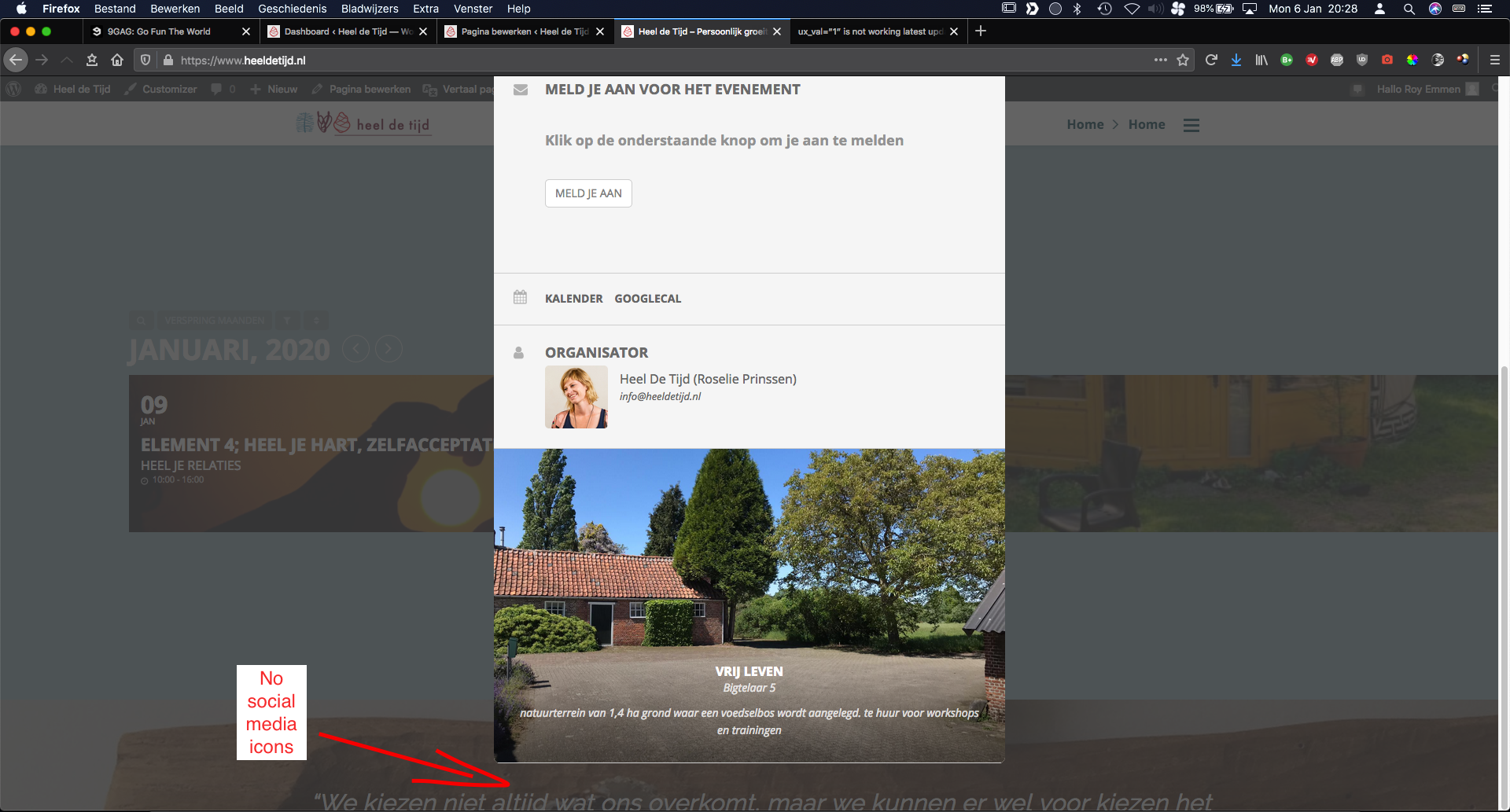
Also in the ux_val=”1″ and ux_val=”3″ option(look at screenshots) the social media icons are not showing on the eventcards. (see screenshot)
I left the fault on the homepage for u to see what I mean. And provided a screenshot to show you the social media icons are missing from the eventcard.
I hope this makes more sense. Please let me know if you need something else. Thanks in advance.
Kind regards,
Roy
Can you ask to re-crawl it please? Based on your web site size you do have a crawl budget so ask to check this again.
Hi,
What are the login details to pass the first screen that block us from seen the web site?
Hey David,
Yes, this is not included.
You can either add it to the template file or you can add it to the bottom of the events as a description ( if you do not want to pay for customization).
The reason it is not included is because we do not know how each theme is working.
Thanks for your response! We definitely have it explained that it starts on the 30th and goes to the 1st of the next month. Just hoping we could hide the listing that shows up on the 1st in the calendar. The event is not really a ‘pick a day’ event. They kind of have to be there both days.
Thanks again!
Hey Roy,
I have checked a single event and I can see everything there working as should, not sure where the problem is located through then. Could you please use a screenshot for us to help us understand it?
Thank you very much
Hey Bradley,
Well, you can put your event on the description that it starts when, so clients not to be confused, but this is how the calendars work actually. If it is taking 2 days, even your clients when purchase on the second date ( next month date ) they still get access and knowledge to attend the event from the first date.
This is not something to be solved from our side unfortunately, it is a User Experience problem and can be solved on how you define the events.
Hey,
From what I have seen the error comes up because of some related javascript of Divi ( from console ). I have asked Ashan to take a look if it is something that he can help with.
Hey Mihai,
“nYou can view the full calendar at …”
You can hide just the words of this? May I ask why?
Hey David,
We might be able to do this with CSS. On the page show me exactly which section you mean so I can see if we can use the ::after CSS rule and if this would work out things.